Key Takeaways
- A HIPAA-compliant form builder is not compliant because it has a healthcare template or a lock icon.
- If a vendor creates, receives, maintains, or transmits ePHI for a covered entity or business associate, the BAA and operational responsibility boundary matter.
- Hosted HIPAA form builders can be a good fit for simple intake, consent, appointment, or website forms.
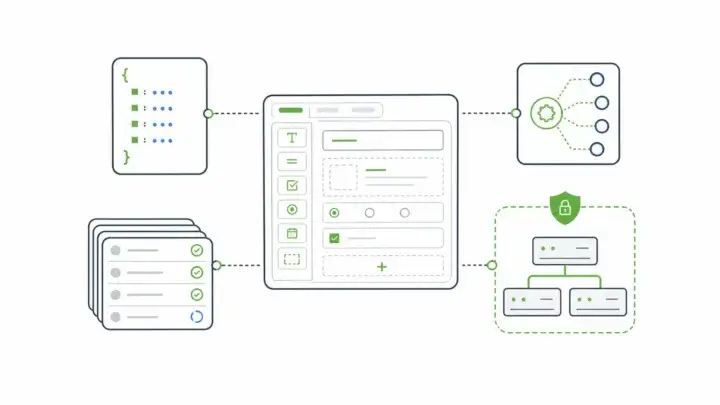
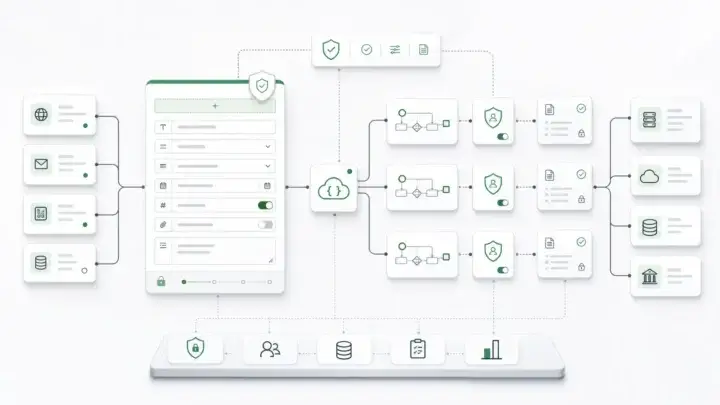
- Healthcare SaaS teams usually need more than a hosted form link: APIs, embedded rendering, role-aware access, audit logs, revision history, and deployment control.
- Form.io is strongest when HIPAA-governed forms are part of application infrastructure rather than a standalone intake tool.
What "HIPAA-Compliant Form Builder" Actually Means
The phrase "HIPAA-compliant form builder" is useful shorthand, but it can hide the real decision.
HIPAA compliance is not a feature that one vendor turns on for the whole organization. It is a legal, contractual, administrative, technical, and operational responsibility. The form builder can support that responsibility. It cannot replace it.
The U.S. Department of Health and Human Services explains that when a covered entity or business associate uses a cloud service to create, receive, maintain, or transmit ePHI, the cloud service provider is generally a business associate and the parties need a HIPAA-compliant business associate agreement. HHS also notes that this can still be true even when the provider stores only encrypted ePHI and does not hold the decryption key.
That point matters for online forms.
If a form collects PHI, the risk does not stop at the submit button. The data may be stored, emailed, exported, routed through webhooks, copied into a CRM, written to a database, attached to a PDF, shown in an admin portal, or sent to downstream systems. A HIPAA-ready form tool has to be evaluated across that whole path.
The HHS Security Rule frames the obligation around administrative, physical, and technical safeguards for the confidentiality, integrity, and availability of ePHI. In plain terms: the form is only one surface. The system around the form has to be governed too.
The risk is not theoretical. IBM's 2025 Cost of a Data Breach report puts the global average breach cost at $4.4 million. That is not a healthcare-form-specific number, but it gives the right scale for the decision: a form that collects sensitive health data is not a minor website feature when the surrounding workflow is weak.
The Quick Decision: Practice Intake Tool Or Healthcare SaaS Infrastructure?

Most buyers searching for a HIPAA-compliant form builder fall into one of two groups.
The first group needs a faster way to collect patient information. A clinic, therapy practice, dental office, or small healthcare provider may need intake forms, consent forms, appointment requests, file uploads, and e-signatures. A hosted HIPAA-enabled form builder can work well here if the vendor signs the right BAA, the account is configured correctly, and the workflow keeps PHI inside approved systems.
The second group is building a healthcare product. That buyer does not only need a form. It needs form capability inside an application.
For healthcare SaaS teams, forms may power onboarding, eligibility, clinical screening, referrals, patient-reported outcomes, provider workflows, prior authorization, records updates, care-team routing, and follow-up check-ins. A third-party digital health article from Light-it describes HIPAA-compliant forms as part of ongoing product workflows such as patient intake, assessments, appointment scheduling, regular check-ins, and feedback surveys. That is a different problem than publishing a secure contact form on a website.
The distinction is simple:
| Buyer situation | Better fit |
|---|---|
| One practice needs intake forms and patient packets | Hosted HIPAA-enabled form builder |
| A healthcare SaaS product needs forms inside its app | Embedded form infrastructure |
| A team needs patient data routed to internal systems | API-first form platform |
| A team must keep PHI inside its own environment | Self-hosted form infrastructure |
| A product needs tenant-specific forms and permissions | White-label or multi-tenant form infrastructure |
The mistake is treating these as the same purchase.
The Requirements Checklist
Before comparing logos, healthcare teams should define the control boundary.
BAA Scope
A BAA is not a marketing badge. It establishes the permitted uses and disclosures of PHI, requires appropriate safeguards, covers reporting obligations, addresses subcontractors, and should align with the actual workflow. HHS sample BAA guidance says these contracts should clarify and limit how a business associate may use or disclose PHI and require safeguards to prevent unauthorized use or disclosure.
The practical question is: which vendor is creating, receiving, maintaining, or transmitting ePHI?
If the form builder stores submissions, handles uploaded files, sends notifications containing PHI, or passes data to another system, the BAA and subcontractor chain need to match that reality.
Where PHI Is Stored
Data location is not a minor implementation detail. It determines who administers the database, where backups live, which security controls apply, who can access logs, what happens at termination, and how incident response works.
For a simple hosted form workflow, vendor-managed storage may be acceptable. For a healthcare SaaS product, the team may need submissions in its own database, cloud account, region, network, or compliant infrastructure boundary.
This is one reason self-hosting matters. It does not make an application HIPAA compliant by itself. It gives the customer more control over where PHI lives and which controls surround it.
Access Control And Identity
HIPAA-governed forms usually need more than a shared admin login.
Ask who can view submissions, edit forms, export data, upload files, change permissions, configure webhooks, or see audit logs. Then map those permissions to real roles: patient, provider, customer admin, internal support, implementation partner, compliance reviewer, and developer.
For SaaS products, this gets harder. One customer's admin should not see another customer's submissions. A support user may need temporary access. A provider may need access to only assigned patients. A form builder may need schema-editing rights without PHI access.
The form system has to support those boundaries instead of forcing the application to patch them later.
Audit Logs And Revision History
The highest-risk part of a healthcare form often starts after submission.
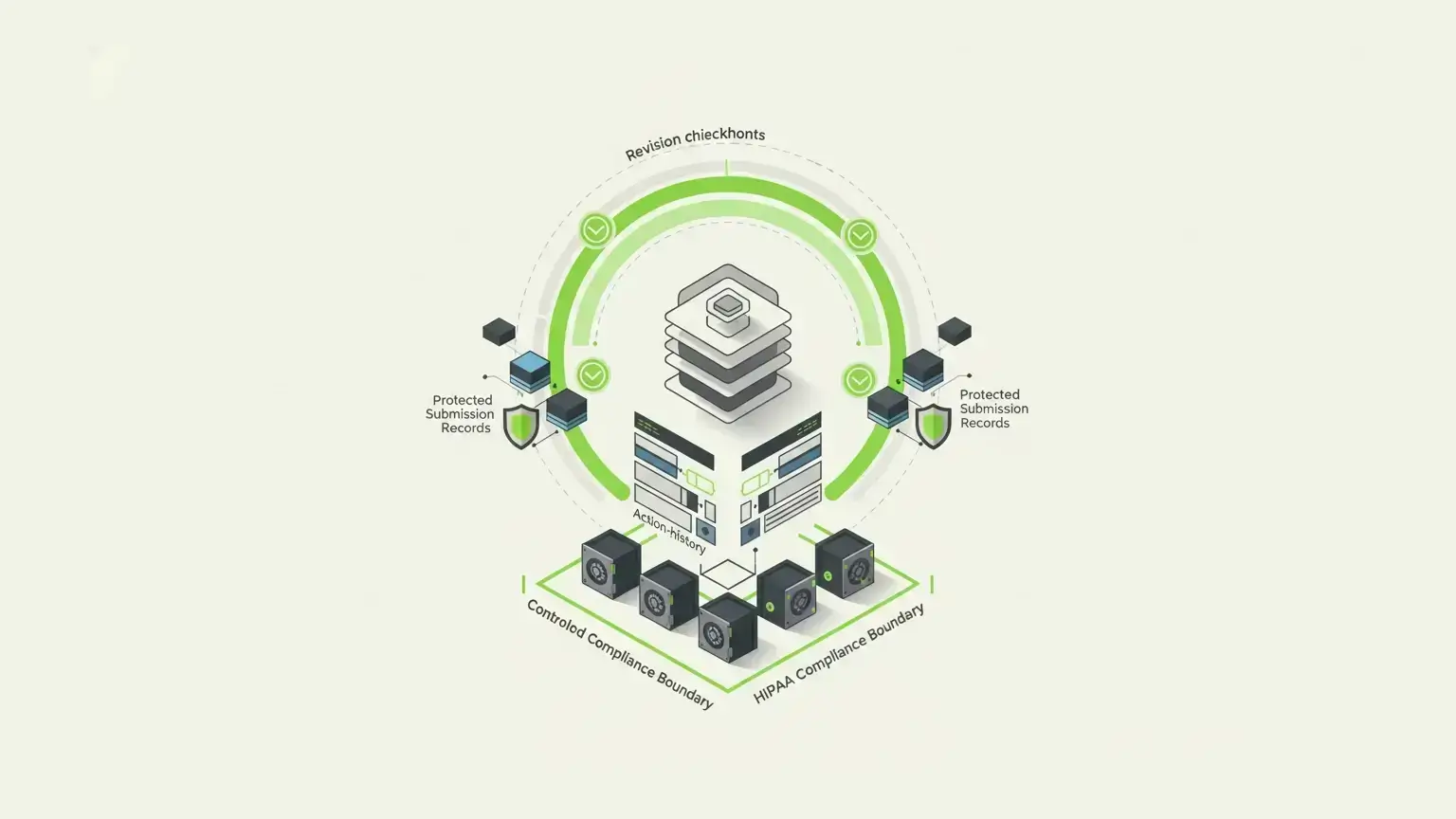
What changed? Who changed it? Which version of the form captured the original data? Did a webhook run? Did an email action send? Did the submitted value get edited later? Can the team reconstruct the record if an auditor asks?
Generic form builders often focus on collection. Healthcare SaaS teams need evidence.
Form.io's Security Module is built around this kind of evidence. Its secure forms and compliance readiness documentation describes advanced audit logging, action logs, form revisions, submission revision logs, submission collections, and container security scanning. The important distinction is that form revisions track changes to the form schema, while submission revisions track changes to submitted data.
That distinction sounds small. It is not.
A historical submission is not only the answers a patient gave. It is the form version, validation rules, field labels, conditional logic, workflow context, and submission state that governed the data at the time.
APIs And Integration Control
Healthcare forms rarely stay inside the form tool.
An intake form may need to create a patient profile, update a resource, trigger a referral workflow, generate a PDF, route a task to a care team, or feed an internal dashboard. A screening form may need validation, conditional follow-up, file uploads, and downstream review. A provider form may need to connect with legacy systems or internal case management.
If the form builder only gives you CSV exports or a fragile integration layer, the application team inherits the risk.
Form.io's concepts documentation explains that as a form is built, Form.io constructs the JSON schema and defines a REST API endpoint. Submissions are API-accessible, owned by users for permission enforcement, portable, and revision-trackable with the Security & Compliance package. That is the infrastructure argument: the form definition, submitted data, API, and access model belong in the same system.
Tenant And Customer Boundaries
Healthcare SaaS teams often serve many customers from one product. That means the form layer may need tenant-aware configuration, customer-specific forms, white-labeled experiences, separate roles, different workflows, and different data retention expectations.
This is where "HIPAA form builder" searches become too small. The issue is not only whether one form can collect PHI. It is whether a platform can support repeated, governed form workflows across customers without collapsing into one-off custom code.
Common HIPAA Form Builder Categories
The market is easier to understand when you separate platform types.
| Category | Best fit | Strength | Gap |
|---|---|---|---|
| Hosted HIPAA form builder | Practices and clinics that need intake, consent, and website forms | Fast setup, templates, vendor-managed hosting | Limited architecture and data-boundary control |
| Healthcare intake platform | Patient intake, appointment, and engagement workflows | Healthcare-specific UX and workflows | May be too narrow for broader SaaS infrastructure |
| Enterprise form/workflow platform | Larger teams with governed workflows | More controls and integrations | Often still vendor-hosted or workflow-product centered |
| Self-hosted form infrastructure | Healthcare SaaS and regulated product teams | Deployment control, APIs, data ownership, auditability | Requires technical ownership |
| Custom build | Unique workflows with no acceptable platform fit | Maximum control | Expensive to build, secure, test, document, and maintain |
There is no universal winner. There is only the right layer for the job.
Where Form.io Fits For Healthcare SaaS
Form.io is not the lightest way to publish a HIPAA-ready website form. It is a stronger fit when forms are part of healthcare application infrastructure.
That usually means the team needs some combination of embedded forms, generated APIs, custom roles, submission storage, workflow actions, form revisions, submission revisions, audit logs, file/PDF handling, and customer-controlled deployment.
Form.io's self-hosted forms documentation says the platform can run in AWS, Azure, Google Cloud, private data centers, or Docker-based environments, with submission data stored in the customer's MongoDB instance and security boundary. The same page is careful about the boundary: self-hosted deployment enables compliance control, but the customer still needs proper access controls, encryption, audit logging, network security, and the rest of the compliance program.
That honesty is useful.
Healthcare SaaS teams do not need another vendor promising that complexity disappears. They need a platform that gives them the right control surfaces: forms, resources, generated APIs, submissions, actions, roles and permissions, revisions, and audit evidence.
Form.io's healthcare forms page points to use cases such as patient registration, records, appointments, routing inquiries, notifications, conditional logic, mobile-responsive forms, offline mode, form revisions, autosave, accessibility, and the Security Module. The better strategic reading is not "Form.io makes healthcare simple." It is that Form.io gives healthcare teams a form infrastructure layer they can govern inside their own architecture.
The CHESS Health case study is a useful proof point. Form.io describes a healthcare technology company managing EMRs, EHRs, interoperability, strict security and compliance requirements, sensitive data in its own environment, legacy integrations, and the need to get to market faster. The case headline says CHESS Health got to market in 6 weeks instead of 6 months. That is the category fit: not a simple intake form, but a healthcare product workflow that needed speed without giving up architectural control.
There is also a buyer sentiment signal from Trustpilot, where one reviewer called Form.io "really great software, both for integration and standalone." The quote is broad, but it matches the central buying reason for this article: the form layer has to work as part of a larger system.
When A Hosted HIPAA Form Builder Is Enough
A hosted HIPAA form builder may be the better answer when the workflow is simple and the organization accepts the vendor-managed model.
That can include:
- Patient intake forms for one practice
- Consent forms
- Appointment request forms
- Simple file uploads
- Basic medical history forms
- Feedback surveys
- Website-embedded forms
- Staff-created forms with limited integration needs
In these cases, speed matters. Templates matter. A no-code builder matters. A signed BAA, encrypted submissions, access controls, and a clean admin experience may be enough.
The important word is "enough."
If a workflow starts simple but will later need custom identity, tenant-specific configuration, deeper APIs, application-owned submission records, role-aware workflows, and evidence-grade revision history, the cheapest or fastest hosted option can become expensive later.
When Healthcare SaaS Teams Should Avoid Standalone Form Tools
Standalone form tools become risky when the form is part of the product's core workflow.
Watch for these signals:
- PHI must remain inside your own cloud, database, or approved deployment boundary.
- Forms need to be embedded directly into your product experience.
- Customers need their own form configuration, roles, branding, or workflows.
- Submissions need to become application records, not just entries in a vendor dashboard.
- The product needs generated APIs, webhooks, resources, permissions, and workflow actions.
- Historical records need to resolve to the form version that captured them.
- Support, operations, providers, and customer admins need different access rules.
- Exports, notifications, analytics, and AI tools must not create uncontrolled PHI copies.
These are not edge cases for healthcare SaaS. They are ordinary product requirements.
The wrong tool can still pass the first demo. The problem appears later, when the team needs to prove who accessed PHI, why a submission changed, whether a field existed at the time of capture, where a file was stored, or why one tenant's workflow affected another.
That is the moment when "just use a form builder" stops being a plan.
Evaluation Table
| Evaluation question | Why it matters | What to look for |
|---|---|---|
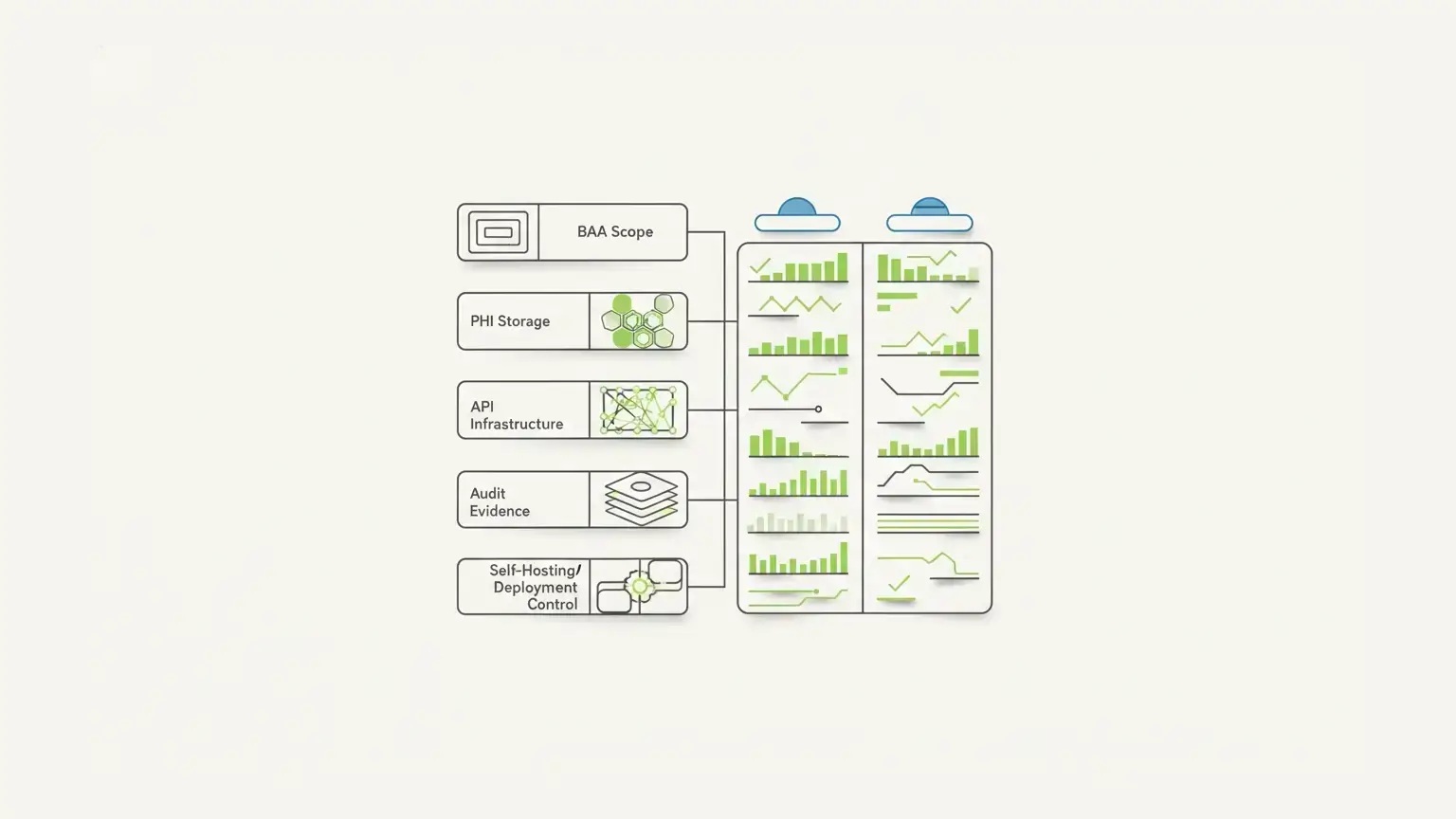
| Will the vendor sign the right BAA? | PHI handling needs a contractual boundary | BAA scope, subcontractors, permitted uses, breach/security incident terms |
| Where is PHI stored? | Data location shapes risk and responsibility | Customer-controlled database, approved region, backup and termination terms |
| Can access map to real roles? | Healthcare workflows are role-sensitive | RBAC, SSO/MFA options, admin separation, own-vs-all submission access |
| Are form changes versioned? | Historical records need context | Form revisions, schema history, promotion/stage controls |
| Are submission changes versioned? | Modified PHI needs accountability | Submission revisions, who/when/what logs, revert or history views |
| Are actions auditable? | Integrations are common failure points | Action logs for emails, webhooks, resource saves, and workflow steps |
| Does the platform generate APIs? | SaaS products need system integration | REST APIs, submission endpoints, resources, webhooks |
| Can forms be embedded and white-labeled? | Healthcare SaaS forms live inside products | Renderer libraries, embedded builder, brand control |
| Can the platform be self-hosted? | Some teams need customer-controlled infrastructure | Docker, cloud/on-prem deployment, environment variables, customer database |
| Does the vendor overclaim compliance? | Overclaiming creates risk | Clear shared-responsibility language and technical-control boundaries |
What Not To Assume
Do not assume a healthcare template makes a workflow compliant.
Do not assume encryption solves the whole problem. HHS cloud guidance is clear that encryption alone does not remove business associate obligations when a provider maintains ePHI.
Do not assume a BAA covers every downstream action. If submissions are emailed to the wrong inbox, copied into a non-approved CRM, exported to spreadsheets, or passed through an unreviewed automation, the form builder's feature list is not the whole risk picture.
Do not assume self-hosting removes responsibility. It increases control. It also increases the customer's obligation to configure and operate the environment correctly.
Do not assume a standalone form tool will scale into product infrastructure. Sometimes it will. Often it will not.
FAQ
Is A Form Builder HIPAA Compliant If It Signs A BAA?
No. A BAA is necessary in many PHI workflows, but it is not the whole compliance answer. The organization still needs appropriate safeguards, policies, configuration, access control, risk analysis, monitoring, and incident-response processes.
Can Healthcare Teams Use Google Forms For PHI?
Do not use a general form workflow for PHI unless the entire vendor relationship, configuration, storage model, access controls, and BAA requirements are approved for that use. For most healthcare SaaS teams, the safer default is to use a platform designed for regulated data workflows.
What Features Should HIPAA-Compliant Forms Have?
At minimum, evaluate BAA support, encryption, access control, audit logs, secure storage, user management, file handling, retention/deletion, and integration behavior. For healthcare SaaS, also evaluate APIs, embedding, tenant boundaries, revision history, and deployment control.
Do Healthcare SaaS Teams Need Self-Hosted Forms?
Not always. But self-hosting becomes important when PHI must stay inside the customer's environment, when the form layer needs to align with internal security controls, or when product architecture requires direct control over database, network, logging, and deployment boundaries.
Does Self-Hosting Make A Form Platform HIPAA Compliant?
No. Self-hosting enables more control over infrastructure and data boundaries. Compliance still depends on how the environment is configured, monitored, documented, and governed.
Can Form.io Be Used For HIPAA Workflows?
Form.io provides healthcare-oriented form infrastructure and security/compliance capabilities that can support HIPAA-governed workflows in customer-controlled environments. The customer's organization remains responsible for its HIPAA compliance program, configuration, policies, and deployment controls.
Does Form.io Certify My Application As HIPAA Compliant?
No. Form.io's own compliance-readiness language is clear that the platform provides technical capabilities that support regulated deployments; it does not certify a customer's application or organization for HIPAA.
Why Do Audit Logs Matter For HIPAA Forms?
Audit logs help answer who accessed or changed data, when it happened, what entity was affected, and which workflow action ran. For healthcare SaaS teams, that evidence can matter as much as the original form submission.
Should PHI Be Stored In A Third-Party Form Vendor Account?
It depends on the workflow, BAA, risk analysis, and organizational policy. For simple intake forms, vendor-managed storage may be acceptable. For healthcare SaaS platforms, application-owned or customer-controlled storage may be a better fit.
What Should I Ask Before Collecting PHI Through An Online Form?
Ask where PHI is stored, who can access it, which BAA covers it, whether uploads and notifications are protected, how audit logs work, how long data is retained, how submissions are deleted or exported, and what happens when the form changes.
Build HIPAA-Governed Form Infrastructure With Form.io
If your healthcare product only needs a simple intake form, choose the fastest HIPAA-enabled tool that satisfies your compliance review.
If your forms define product workflows, API contracts, submissions, permissions, audit evidence, and data boundaries, choose infrastructure that respects that complexity from the start.
Try Form.io for healthcare SaaS form infrastructure.
Try Form.io for free