
AI Removed the Barrier to Building Applications, But Not the Cost of Getting the Foundation Wrong.

Any team can prompt its way to a working screen, but enterprise teams still have to account for where the data lives, who can touch it, how it is validated, and what happens when it moves.

Does any of this sound familiar?

Legacy Systems

The Legacy Modernization Trap

Old systems need new interfaces, but every quick replacement risks carrying forward the same data gaps, access problems, and brittle handoffs.
  • Expensive and inflexible
  • Never achieved enterprise-wide adoption
  • Switching costs feels as bad as staying
Point Solution Sprawl

Point Solution Sprawl

Separate tools solve isolated workflow problems until your teams are reconciling five data models, five permission schemes, and five integration paths.
  • Inconsistent data models across departments
  • Brand fragmentation on external forms
  • Redundant vendor costs no one owns
The Homegrown Ceiling

The Homegrown Ceiling

Custom code works until the maintenance burden shifts from building features to preserving validation, audit trails, permissions, and integrations.
  • Single engineer owns critical infrastructure
  • Maintenance costs exceed build value
  • Can't extend or scale without a rewrite
The Third-Party SaaS Ceiling: Lightweight platforms can move fast early, then fail when enterprise teams need deeper control over data, branding, deployment, and governance.
Greenfield and Net-New Builds: Starting fresh feels clean, but AI can create data architecture drift immediately if every new application invents its own intake, routing, and governance pattern.
Arrow

Regardless of where you're starting, important questions need clear and consistent answers sooner rather than later, such as:

  • What is the source of truth for the data your applications collect?
  • How is that data validated before it enters your systems?
  • Who can access, change, approve, or route sensitive submissions?
  • Where does data go after submission, and who is responsible when it moves?
  • How do you prevent one team's shortcut from becoming another team's breach?
  • How do you prove what changed, who changed it, and which rules applied?
  • What happens when the form changes but old records still matter?
  • Can the application keep running inside your own environment and security boundary?
  • Are you creating one stable foundation or a new exception every time AI builds?
Clipboard

If every AI-built application answers those questions differently, speed turns into sprawl, security risk, and costly complexity. A weak intake foundation can expose sensitive data, break compliance, and create consequences your team can't afford to discover later.
Arrow
The Data Foundation for Enterprise Applications

Build on the Infrastructure That Collects, Routes, and Governs Application Data the Right Way

Form.io gives AI-assisted teams the speed of generated applications without sacrificing the data foundation enterprise systems still require.

Drag and Drop Form Builder

And then...

Arrow

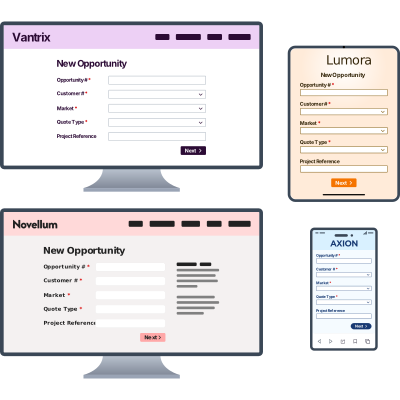
Your Forms Become the Data Model Across Every Surface

Forms are the entry point for the full-stack data problem. How you collect data shapes how you validate it, route it, secure it, and use it across the application.

Build a form in Form.io, and you are also defining the rules, connections, and experiences around that data. That single definition gives you:

Clipboard
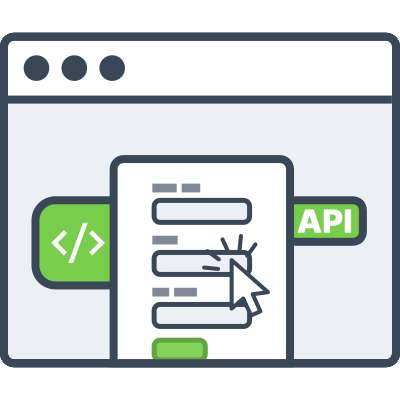
  • APIs: the routing layer for creating, reading, updating, and moving submission data.
  • Direct JavaScript embedding: the form experience placed directly inside your application where users start.
  • White-label design: fully branded front-end experiences controlled by your CSS and product standards.
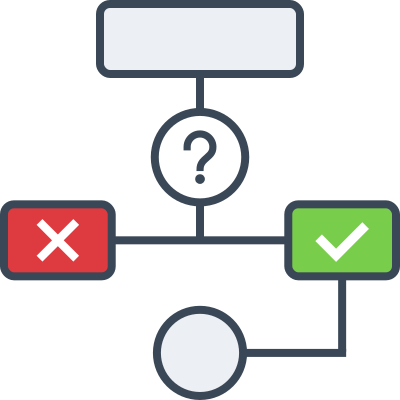
  • Conditional logic and workflow: the experience layer that decides what users see and where data goes next.
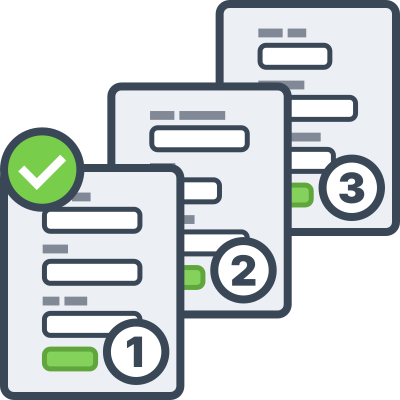
  • Multi-step wizards: guided intake flows for complex processes that cannot fit on one screen.
  • External data source integrations: outside data pulled into the form while the user is completing it.
  • Third-party data transformation and integration: form actions that reshape, send, and synchronize data after submission.

When the form schema changes, the application contract changes with it. Developers, AI agents, business users, and backend services stop working from separate versions of the truth.

"Speed to market using Form.io worked fantastically well. We didn't have to spend 80% of our time building our own solution and instead could focus our dev time on things proprietary to us."
—Edify.ai
Download Case Study
Form Management
Forms and Data Management

In addition to the core platform, Form.io gives you a full ecosystem for data including reporting, signatures, PDFs, form builders, form inventories, APIs, submissions, permissions, and integrations.

Give developers, business teams, and AI agents a shared place to manage the data infrastructure behind your forms instead of rebuilding it application by application.

Forms, APIs, and Workflows on One Foundation

Let AI Build Faster on Infrastructure Your Enterprise Can Trust

Use agents to accelerate application work, but make Form.io the foundation for intake, routing, permissions, validation, and submission data.

AI Agent
Data Control

Govern the Runtime

"Route submissions to the ERP, store an immutable audit log, and add a hierarchical permission model tied to our SAML provider."
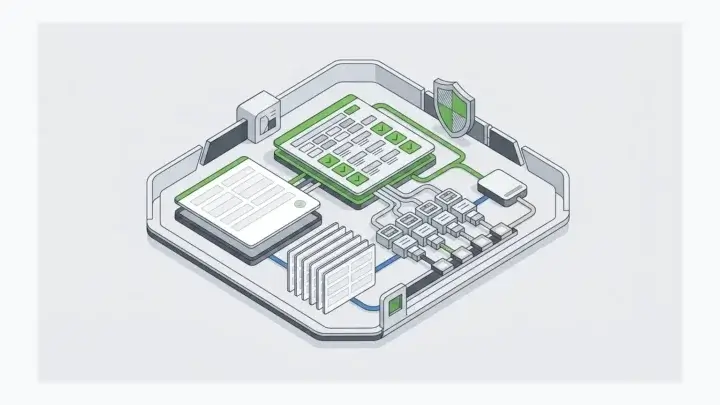
Validation, audit logging, revision history, RBAC, and authentication are configured into the foundation instead of bolted on afterward so governance is designed in from the start.
Forms and APIs

Build the Intake Foundation

"Generate a multi-step intake form for new patient onboarding with PHI fields, conditional logic, and a secure submission API."
Your agent can scaffold the experience quickly. Form.io provides the durable form schema, generated API, validation, and submission structure so the first screen is built on the right foundation.
Conditional Logic

Route the Data Correctly

"On submit, route to two reviewers based on region, email a PDF receipt, post to our case management system, and log a revision."
Conditional workflows, role-based routing, integrated email, webhooks, and form actions move data through the same governed pattern every time, across every team.

You tell your AI what the application needs to do. Form.io gives it the foundation to build on without improvising your data model, routing, and governance patterns.
The Form.io Agentic Coding Toolset

Build with a Prompt. Put the Foundation Under It First, Then Govern Its Runtime.

Form.io gives your coding agents the tools to build on standardized forms, APIs, workflows, permissions, and governance instead of the changing instincts of each prompt.

Form.io MCP Server

Form.io MCP Server

Direct, governed access from any MCP-compatible AI coding agent into your self-hosted Form.io deployment. Forms, resources, actions, APIs are all reachable without leaving your security boundary.

Form.io Skills

Skills

Platform-specific guidance teaches AI agents how to build on Form.io so standardized, governance-ready patterns get applied by default instead of recreated prompt by prompt.

Form.io Agentic Coding Plugin

Agentic Coding Plugin

The Form.io plugin for Claude Code brings the MCP Server and Skills directly into your coding environment so agents build complex form-based applications on the Form.io foundation.
Govern the runtime

Govern the Runtime

UAG governs the agentic workflows that run after the code ships with dynamic context, guardrails, and data access for AI agents in production.

Ship Software Faster, The First Time

Form.io is the Foundation that Lets You Build Standardized Enterprise Applications Faster with AI, that Don't Become Next Year's Migration Project.

One JSON Schema

One JSON Schema

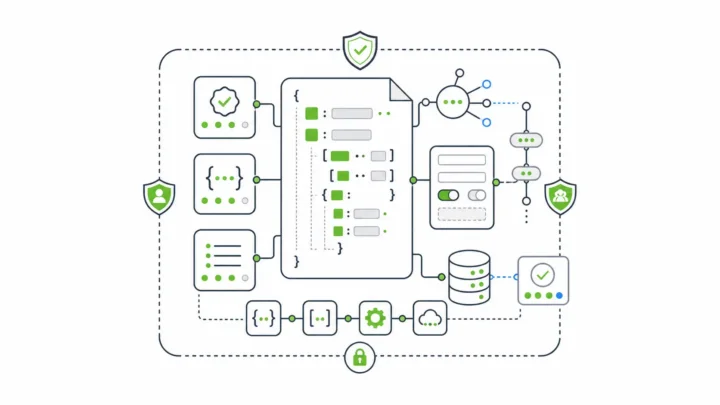
Governs the form, the API, the validation, the workflow, and the audit trail across every team and every agent.

Self-Hosted by Design

Self-Hosted by Design

AI access remains inside your security boundary so your data doesn't leaves your environment unless you explicitly want it to.

Open-Source Core

Open-Source Core

Extensible, customizable, and free from vendor lock-in that's adopted by thousands of developers.

Drop-In Infrastructure

Drop-In Infrastructure

For forms, APIs, workflows, data resources, submission pipelines, authentication, and permissions that's not a rip-and-replace platform so it works with your legacy systems.

"Of all the systems we use to deliver our end products, Form.io has been probably the most straightforward and issue free to use, with excellent support."
—Dept. of Justice, Ireland
  • Insurance Applications
  • Government Filings
  • Compliance Records
  • Etc.

Every Enterprise Has PDFs It Can't Get Rid Of

The PDF format required for regulatory compliance and business operations continues to fight the modern web.

For most teams it forces a choice: a static fillable PDF with no intelligence, or a dynamic web form that can't produce the document anyone will actually accept. So they build both. And maintain both. Forever.

Arrow
PDF Management

End-to-End, Data-First PDF Management

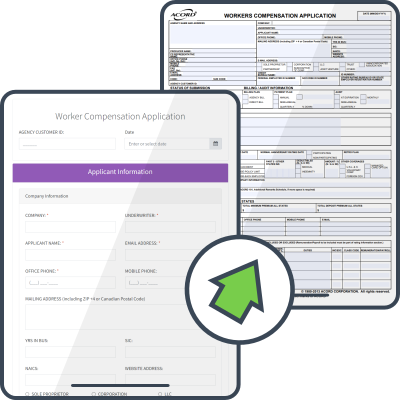
Form.io ends the choice. Your form is a single JSON definition and the responsive web form and the pixel-perfect PDF are the same thing, rendered two ways.

PDF Form
PDF Output

Collect on the Web and Output to PDF

Any Form.io form can render its submission as a clean, downloadable document with no extra build and no separate PDF tool. The form you already designed becomes the record compliance keeps.
PDF Template Designer

Design the Document, Not Just the Data

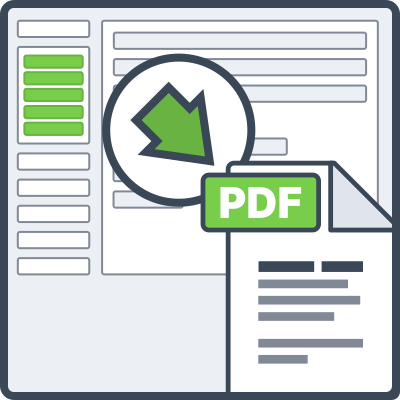
With the PDF Template Designer, output only the fields that matter, in the layout your standards require. A 50-field application becomes a one-page receipt, a formatted contract, or an executive summary, drawn from the same submission, shaped for its audience.

PDF Upload

Start From the PDF You Already Have

Upload an existing fillable or scanned PDF and Form.io converts it into a live, dynamic form that preserves every field, position, and label. Users complete it as a responsive web form or directly on the pixel-perfect original with the intelligence you need underneath it.
From legacy PDFs to live web form to pixel-perfect output, Form.io owns the full PDF lifecycle on infrastructure you host and control.

Queue

Every New Form Shouldn't Land in Your Dev Queue

When Form Building Stays a Developer Function, Your Customers Wait and Your Backlog Grows.

And every new office, team, or workflow variation becomes another ticket your team has to own.
Arrow
Self-Service Embedded Form Building in Your Applications

Form.io's Enterprise Form Builder Module Embeds a White-Labeled Builder Directly in Your App

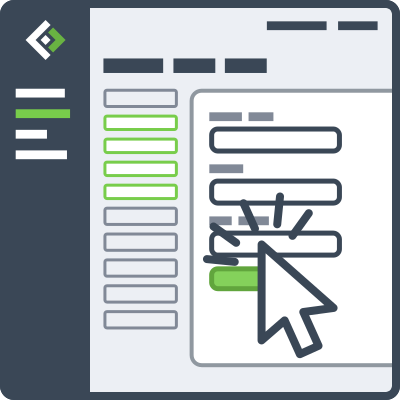
So Customers Build the Forms They Need, Inside the Guardrails You Define.

Enterprise Form Builder Module
Multi-Tenancy

Pre-Configured Customer Autonomy

Pre-configure components, constrain what can be built, and keep your branding. Customers self-serve without ever touching your governance.
JSON

Connected and Standardized

Every form they build stays tied to Form.io's JSON data model, APIs, and permissions so downstream automation and agent workflows stay reliable.

Scalability

Scale Software, Not Headcount

Form creation moves out of your support queue and becomes a product capability. You grow by configuration instead of hiring or spinning up armies of agents that have to be tracked.
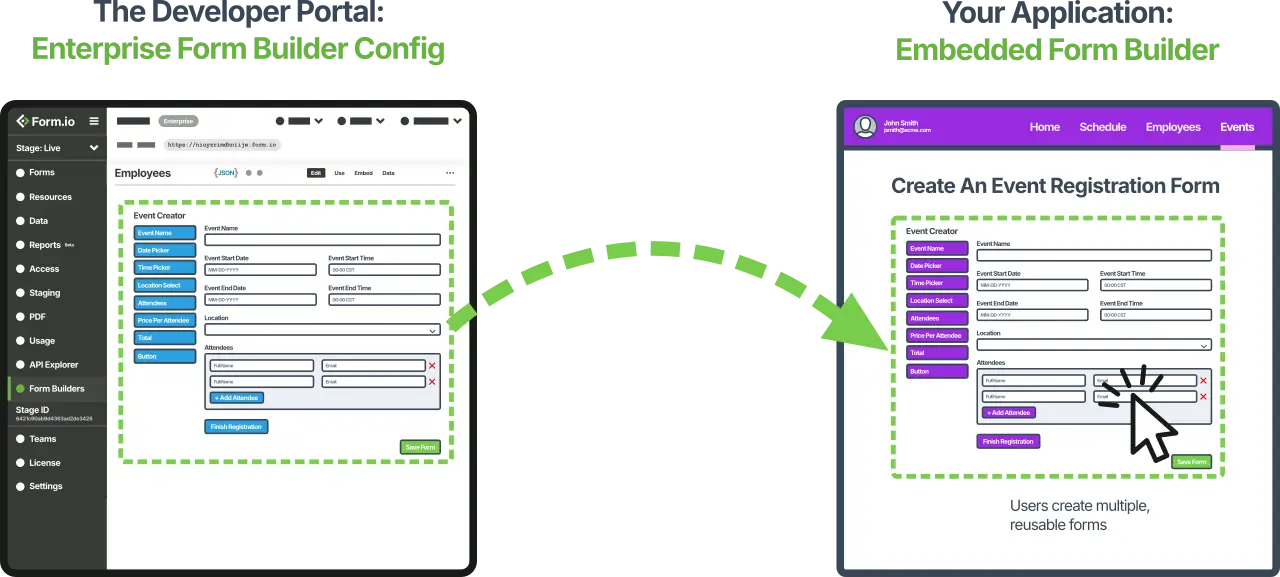

Enterprise Form Builder
Spreadsheet

Your Best Data Goes Dormant in a Spreadsheet

Most Platforms Treat Reporting as an Afterthought

You collect rich submission data, export it to CSV, and hand it to an analyst who opens it in Excel, builds a chart, and ships a snapshot that's stale the moment the next form submission comes in.

Arrow
Data Analytics

Embed Interactive Data Reports In Your Application

The same database that stores your submissions is the reporting engine and every report is a live, interactive grid you embed in your own application with a single line of code.

Reporting UI Module
Report

Configure the Report, Not the Query

Join data across forms, add calculated columns, and aggregate by group through a visual interface with the full power of MongoDB's aggregation pipeline without hand-writing a line of it. Your developers and admins build and maintain reports with drag-and-drop; no separate analytics team required.
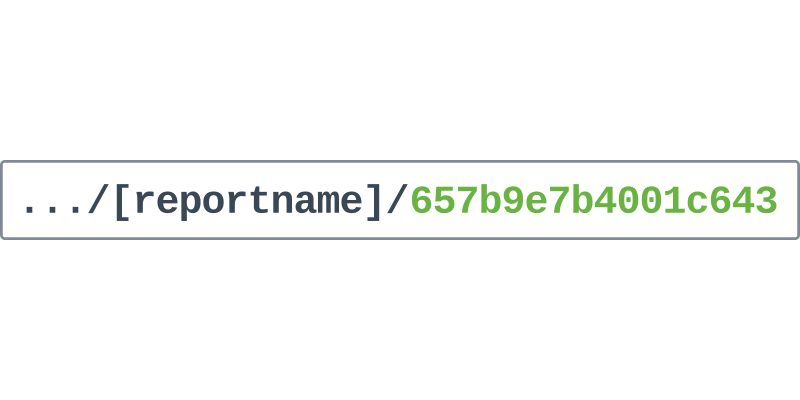
Single Line of Code

Embed it with One Line of Code

A finished report isn't a file you export, but a UI module. Drop it into your application and your users get an interactive grid: pagination, sorting, filtering, column controls, and export, all in context.
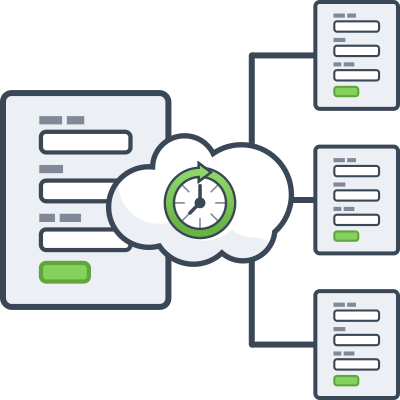
Real-Time Updates

Live Data Instead of Stale Snapshots

Reports read straight from your database, so new submissions appear automatically without a rebuild or export. Users can edit in context, and reports can emit actions or redraw themselves in response to events happening elsewhere in your app.
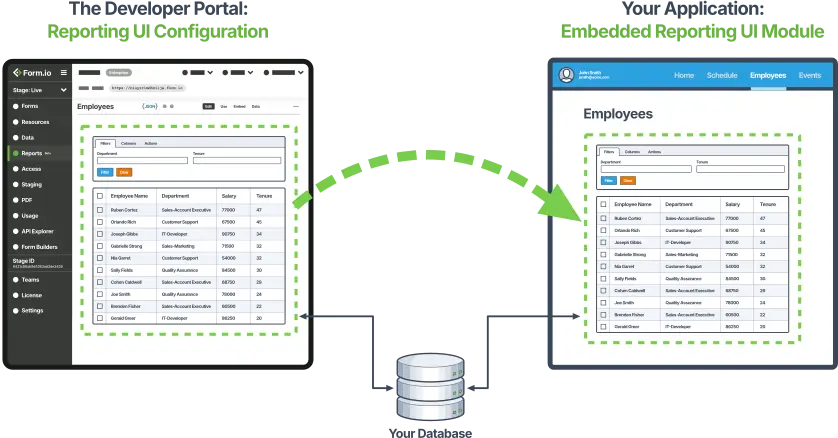

Reporting UI Module
eSignature

A Signature on a PDF Indicates Someone Signed, But Doesn't Prove That Nothing Changed

Most signatures are dependent upon a document export, a 3rd-party vendor account, or a separate PDF process.

Which means your proof of agreement drifts away from the system where the real data lives, and sensitive workflows leave your security boundary just to get signed.


Arrow
Zero-Trust Digital Signatures

Form.io E-Sign+ Captures Cryptographic Signatures Against the Submission Data Itself, Inside Your Own Self-Hosted Environment

And If the Protected Values Change Later, the Signature Stops Validating.

eSignature
Proof at the Data Layer

Proof at the Data Layer

The signature binds to the actual fields, form revision, and submission context...not a document artifact. Tamper with any of it, and validity breaks automatically.

Keys

Zero-Trust by Design

Signing runs inside your application, so sensitive data and signature evidence never move to a third-party provider. Bring your own keys, or integrate AWS KMS.
Reachable Records

Still Yours, End to End

Signed records stay reachable through native Form.io submission IDs and APIs and still export to PDF when the workflow demands it, without forcing a PDF-first process.

Multi-Tenancy Customers

When Every New Customer Needs Their Own Forms, Branding, Rules, and Data Separation.

Hand everyone the same shared environment and you've built a compliance problem. Build true isolation yourself and you've signed up for months of tenant routing, access control, and provisioning logic that every SaaS reinvents from scratch.

Arrow
Platform as a Service

Form.io's Multi-Tenant Architecture Gives Every Customer Their Own Isolated Sub-Project for Forms, Submission Data, Auth, and APIs

All running on a single deployment you control, optionally white-labeled under your brand or theirs.

Multi-Tenancy
Isolation, Not Shared Access

Isolation, Not Shared Access

Each tenant gets its own form schemas, tenant-scoped submission data, unique API endpoint, and separate auth. Tenant A can never see Tenant B. Form.io enforces the separation at the infrastructure level.
Volume

Onboard by API, Not by Hand

A parent project acts as the template; new tenants are provisioned programmatically from a customer signup. That's the difference between supporting ten customers and supporting ten thousand.

White-Labeling

Their Brand, Your Platform, our Infrastructure.

Per-tenant CSS, logos, SMTP, SSO, and file storage mean customers see their own experience. Form.io runs as invisible infrastructure underneath.
No Auditing

When the Auditor Asks "Who Changed This, and When?", You Need an Answer

Regulated workflows means being able to identify who accessed a record, what the value was before someone edited it, which version of the form captured it, and how you prove all of that months later.

Bolt those answers on after the fact and you're stitching together logs that were never designed to agree, or worse, discovering the trail was never kept.
Arrow
Security Compliance

Form.io Treats Security as Infrastructure, Not an Afterthought.

Every access, every edit, and every form change is logged at the data layer where the submission already lives so the audit trail builds itself.

Security & Compliance
Audit Logs

Track Who Changed What, When, and Why

Submission revisions capture every field-level change with the user, timestamp, and a note + fully reversible, nothing destroyed. Server audit logs record every access and authentication event across the system, routable into your existing SIEM.
Form Revisions

Preserve the Form, Not Just the Data

Form revisions keep every published version, and each submission renders against the exact version that captured it so a record from last year never shows up missing or mismatched fields.

Reachable Records

Produce Evidence Auditors Accept

Export a submission's complete change history to PDF: revision IDs, who changed what, and when, as a document of record for HIPAA, SOX, FERPA, or FedRAMP review.

Form.io unlimited plans

Unlimited Everything

In Each Project, API Server, PDF Server, And PDF+ Server.

“How many of [X] do I get under the pricing plans?”

Form.io Enterprise Project

With One Enterprise Project

Min. 1 required.
  • Multiple stages to support SDLC
  • Unlimited forms & resources
  • Unlimited developers & form builders
  • Unlimited submissions
  • No additional charges for load balancing
Form.io API Server Plus

Each API Plus Server

Min. 1 API or 1 API Plus required.
  • Supports production and non-production SDLC processes
  • Unlimited API Calls
  • Unlimited submissions
  • Security Compliance features (See pricing page)
Form.io PDF Server Plus

Each PDF Plus Server

PDF Servers are optional.
  • Unlimited PDF submission downloads
  • Unlimited PDF Uploads
  • Enable pixel-perfect form backgrounds
  • Enable digital webform overlays
  • Security Compliance features (See pricing page)
Multi-Tenancy

Multi-Tenancy

10 child projects per bucket.
  • Deliver a platform as a service (PaaS) to your customers
  • Separate forms, data, and form building on a per-tenant basis
  • The embedded Enterprise Form Builder Module is sold in buckets of 10. It must be turned on or off for all children.

Recent Blog Posts

Typeform alternatives decision path from hosted conversational forms to governed self-hosted form infrastructure.

Typeform Alternatives for Self-Hosted and Regulated Teams

Compare Typeform alternatives for surveys, self-hosting, compliance, embedded forms, APIs, governance, and infrastructure fit for regulated teams in 2026.

Jotform alternative evaluation for regulated teams comparing hosted forms with controlled form infrastructure

Jotform Alternative for Regulated Teams: When Hosted Forms Are Not Enough

Compare Jotform alternatives for regulated teams needing self-hosted forms, APIs, audit trails, permissions, embedded workflows, and better data control.
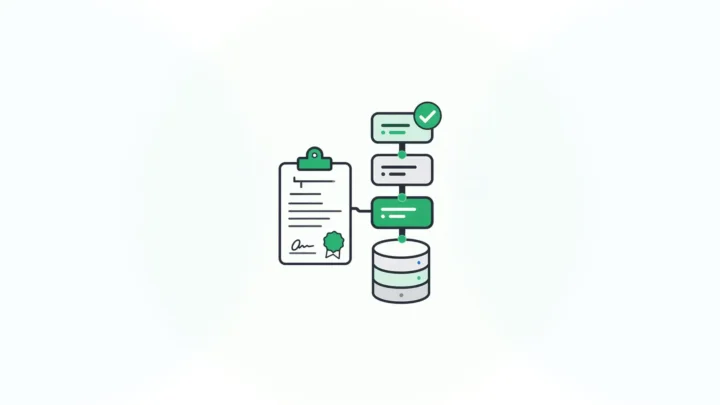
Formbricks and Form.io comparison showing survey feedback beside governed form API infrastructure

Formbricks vs Form.io: Survey Tool or Form Infrastructure?

Compare Formbricks and Form.io across open source surveys, self-hosting, APIs, embedding, governance, pricing, and form infrastructure use cases for teams.

Budibase and Form.io comparison showing an internal tools app layer beside governed form infrastructure.

Budibase vs Form.io: Internal Tools or Form Infrastructure?

Compare Budibase and Form.io across forms, APIs, self-hosting, governance, embedding, pricing, and best-fit use cases for enterprise form infrastructure.

Get Answers

Need More Answers?

Ask and we'll get back with you in 1 business day.

Contact Us

Send us a message to contact support or ask a question.

Schedule a meeting

Open Source Platform

Read our FAQ to find out what exactly is Open Source

View the Platform Documentation

View the API Documentation

View the Open Source Code

Learn More

Learn How It Works

Read the Release Notes

Discover Industries that use Form.io

Read our Blog