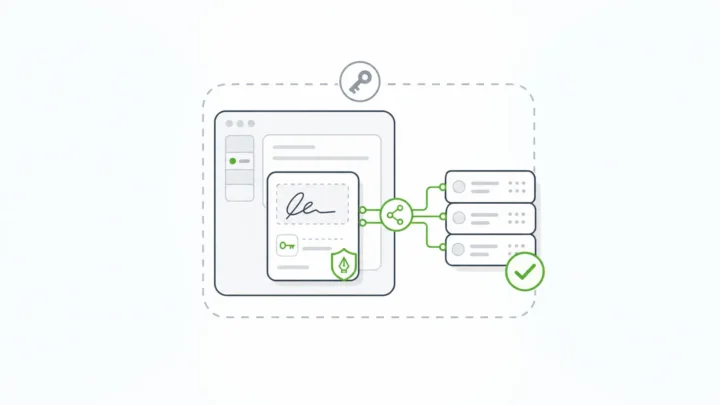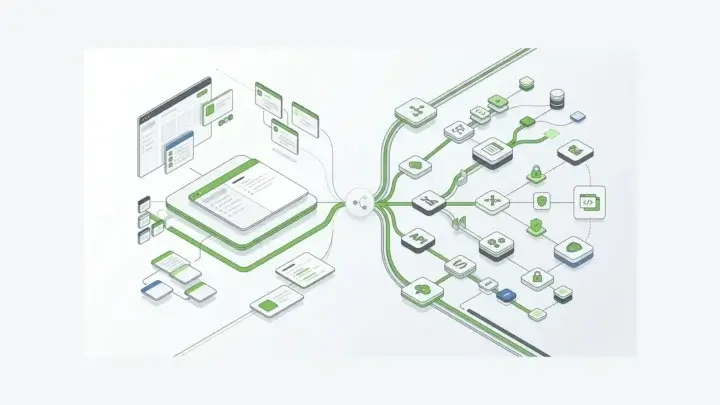
Claims management software comparisons usually start with the core claims system.
The focus makes sense. Carriers, TPAs, MGAs, adjusters, and self-insured organizations need systems for assignment, reserves, adjudication, payments, subrogation, reporting, and closure.
But many claims problems start earlier.
They start at the first notice of loss. They start when a claimant uploads the wrong document, an adjuster captures incomplete field notes, an agent enters policy data twice, or a regulatory form has to be recreated from unstructured intake data.
Before a claim can be managed, the data has to be captured.
Insurance teams should evaluate the form infrastructure behind the claims workflow, not only the claims platform itself.
What Claims Management Software Usually Means
In most buyer guides, claims management software means a system that supports the claims lifecycle from first notice of loss through settlement and closure.
The category usually includes:
- FNOL and claims intake
- claim assignment and triage
- document and image management
- policy lookup
- investigation and adjudication
- reserve management
- payments and settlement
- regulatory reporting
- analytics and dashboards
- customer status updates
- closure and audit history
Systems like Guidewire ClaimCenter, Duck Creek Claims, Riskonnect, FINEOS, VCA, BriteCore, Snapsheet, and other claims platforms dominate the search results for claims management software because they address the claim lifecycle directly.
They are solving a large operational problem.
Form.io should not be framed as a replacement for those systems for buyers who need a full claims core. If your team needs end-to-end claims adjudication, reserve management, litigation tracking, payment workflows, subrogation, CAT-scale claims operations, or deep P&C suite functionality, a claims management platform is the right category to evaluate.
But claims systems do not remove the need for form infrastructure.
They often create more of it.
Why Claims Intake Is An Infrastructure Problem

Claims are where the insurer’s promise becomes visible.
The customer does not experience the claims system as a data model or an admin workflow. They experience it as a form, a file upload, a status update, an estimate, a call, a missing document request, or a delay.
Digital claims workflows have real retention stakes. J.D. Power’s 2025 U.S. Claims Digital Experience Study reported that insurers deliver adequate digital updates only 22% of the time. Insurance Journal’s coverage of the study also reported that 52% of auto and homeowners customers who rate their digital claim experience as “poor” or “just OK” are likely to leave or not renew, compared with 4% of customers who rate the experience as “excellent” or “perfect” (Yahoo Finance syndication of J.D. Power release, Insurance Journal).
Weak intake also shows up in complaint patterns. The NAIC says delays, denials, and unsatisfactory settlements are among common reasons consumers file complaints, and that consumers are asked to gather supporting documents, photographs, correspondence, phone logs, and detailed accounts when filing complaints (NAIC). A ValuePenguin analysis of NAIC closed complaint data reported that claim handling accounted for 65.2% of closed insurance complaints in 2024, with delays and unsatisfactory settlements or offers as the top claim-handling complaint types (ValuePenguin).
Those numbers do not prove a form platform fixes claims operations by itself.
They prove the stakes.
If claims data enters the workflow through weak forms, disconnected uploads, duplicated manual entry, unclear validation, or inconsistent status paths, the claims system inherits that mess.
Claims Workflow Surfaces Dependent On Forms
Insurance forms are not only contact forms.
In a claims environment, forms show up across the workflow:
- policyholder FNOL forms
- agent and broker claim submission forms
- adjuster field reports
- inspection and damage assessment forms
- photo, video, and document upload flows
- repair estimate collection
- medical record and proof-of-loss intake
- third-party claimant forms
- loss run request forms
- policy application and endorsement forms
- regulatory filing packets
- PDF outputs for records, signatures, reviews, or state-specific requirements
Some of these forms are customer-facing. Some are internal. Some are embedded in portals. Some are mobile. Some still need to map back to exact PDF-style layouts because insurance operations have not escaped document reality.
Form infrastructure belongs in that surrounding layer.
A claim can move through a core system, but the surrounding form layer still has to answer practical questions:
- Who can submit this form?
- Which fields are required for this claim type?
- Can the claimant save and resume?
- Can an adjuster collect data offline?
- Can photos and documents be attached securely?
- Does the submitted data become structured JSON, or does someone retype it later?
- Can the submission feed an API, webhook, claims core, document repository, or analytics pipeline?
- Can the same data produce a PDF output when a regulator, carrier, or partner still needs one?
- Can changes to the form and submission be audited?
Those are not cosmetic questions. They are workflow architecture.
What To Evaluate In The Claims Form Layer

A serious claims-intake form layer should be evaluated on more than field layout.
Conditional Logic
Insurance workflows vary by claim type, line of business, state, channel, and role.
A property claim does not ask the same questions as a cyber liability claim. A claimant portal does not need the same view as an adjuster workflow. A policyholder should not see every internal field an examiner needs.
The form layer should support conditional logic, role-specific screens, and dynamic form paths without forcing every variation into custom code.
Validation Before Handoff
The worst time to discover bad data is after it reaches the claims system.
Claims forms should validate required fields, dates, policy identifiers, file requirements, numeric values, and conditional dependencies before submission. They should reduce preventable downstream rework without pretending every claim is simple.
File And Evidence Capture
Claims intake often depends on documents and media: photos, estimates, police reports, medical documents, invoices, inspection records, correspondence, and proof-of-loss materials.
The form layer should treat uploads as part of the submission record, not as an afterthought in a shared inbox.
Generated APIs And System Handoff
Claims data rarely stays in one place.
It may need to feed a claims core, policy system, CRM, document management platform, analytics warehouse, notification workflow, payment process, or regulatory reporting path.
Static forms are not enough for that job. The form layer should expose structured submission data through APIs and integration patterns developers can control. For Form.io, that includes drag-and-drop forms with generated APIs rather than forms that stop at display and email notification.
Permissions And Submission Access
Insurance workflows are role-sensitive.
Policyholders, agents, adjusters, claim supervisors, legal teams, compliance teams, and admins should not all see the same data. A useful form platform needs access control around forms and submissions, not just a login screen in front of everything.
Auditability
Claims records can become evidence.
After a form changes, a submission is edited, a file is replaced, or a workflow action fires, teams need to understand what changed, who changed it, and the timing of the event. Auditability is not decoration in regulated workflows.
A claims form layer should include a complete audit trail for form changes and submissions, especially for operational records that may later be reviewed by legal, compliance, or regulator-facing teams.
PDF And Regulatory Output
Insurance still runs on documents.
NAIC’s SERFF industry training page describes electronic rate and form filing as including form submittal, document management, and review access, while supporting compliance with consumer protection requirements (NAIC SERFF). Not every claims form feeds SERFF, but “forms” in insurance often exist inside regulated document and review workflows.
Good form infrastructure should let teams collect structured data through modern web forms while still producing PDF outputs when official, partner, regulatory, or legacy processes require them.
The form layer can include custom PDF templates and fillable PDF forms for workflows that have to preserve document fidelity without giving up structured submission data.
Where Form.io Fits
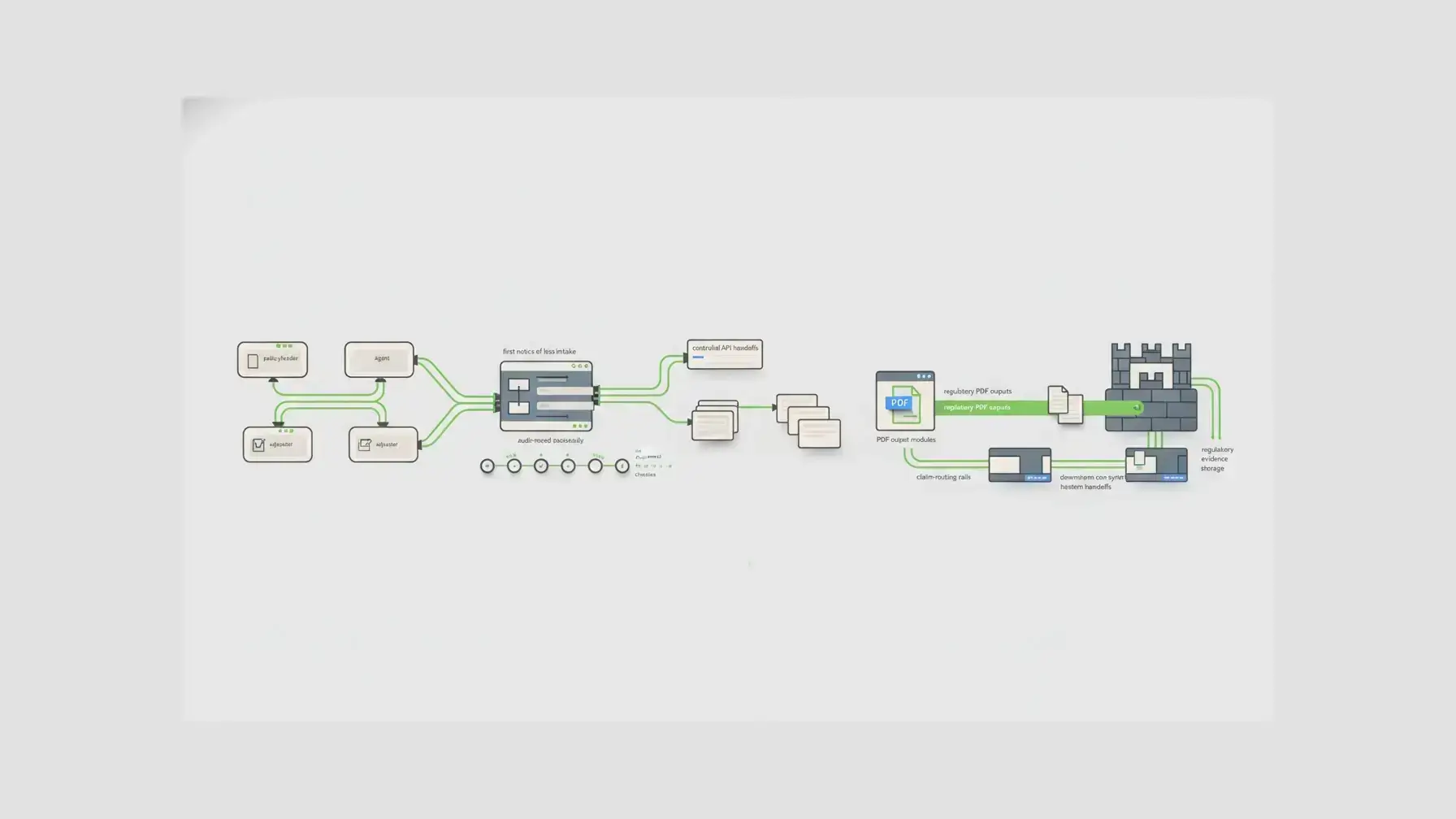
Form.io fits when the forms around claims management need to become application infrastructure.
Form.io is not a claims adjudication engine. It does not calculate reserves, run a full claims core, or replace every specialized insurance platform.
It means Form.io can support the form, API, submission, PDF, and workflow layer that surrounds those systems.
Form.io’s public insurance PDF page speaks directly to this type of insurance workflow: outputting submissions to PDF, turning PDFs into embeddable dynamic forms, tracking changes to fields and forms, auto-populating repeated data, autosaving unfinished forms, collecting offline, and using mobile-responsive forms (Form.io insurance PDF forms).
The official Form.io documentation also describes two PDF paths: PDF output from webform submissions and PDF-first forms where teams upload a PDF and place interactive fields on top of it. PDF Plus adds PDF-first experiences with pixel-perfect PDF backgrounds and JSON-driven overlays, while PDF Basic supports printing and downloading webform submissions as PDFs (Form.io docs).
Insurance buyers often need both:
- modern, embedded, API-backed data capture
- document-style outputs that still match policy, claims, underwriting, or regulatory expectations
Form.io also becomes relevant when teams need forms and APIs together. The platform is designed around JSON-defined forms, submissions, generated APIs, permissions, workflow actions, and customer-controlled deployment. For insurance teams, that can support workflows such as:
- embedded FNOL forms inside a policyholder portal
- agent-facing application and claims intake
- adjuster inspection forms with file uploads
- internal review forms for claims operations
- self-hosted data capture for sensitive records
- structured submission APIs into existing claims or policy systems
- PDF outputs for claim packets, confirmations, or document-heavy workflows
The useful distinction:
Claims management software manages the claim.
Form.io can govern the form infrastructure that captures and moves the data the claim depends on.
Comparison: What To Ask Before Choosing The Form Layer
| Evaluation question | Why it counts | What to look for |
|---|---|---|
| Can the form handle different claim types? | Claims vary by line, state, product, and role | Conditional logic, reusable components, role-specific flows |
| Can users upload documents and photos? | Evidence is often the claim record | Secure file upload, file metadata, submission association |
| Does the form validate data before submission? | Bad intake data creates downstream rework | Required fields, conditional validation, typed data, calculated values |
| Does submission data have an API? | Claims data must move into other systems | REST APIs, webhooks, JSON submissions, developer-controlled handoff |
| Can permissions be scoped? | Insurance workflows are role-sensitive | Form and submission permissions, own-vs-all access, admin boundaries |
| Can changes be audited? | Claims and regulated forms need evidence | Change history, audit logs, revision-aware workflows |
| Can web submissions become PDFs? | Insurance still needs documents | PDF output, PDF templates, PDF-first forms, existing PDF conversion |
| Can it be embedded? | Claims intake lives inside portals and products | Embeddable renderer, embedded builder, white-label controls |
| Can it be self-hosted? | Some insurance data must stay inside controlled environments | Customer-controlled deployment, database, file storage, network boundary |
When A Full Claims Management Platform Is The Better Fit
Use a full claims management platform when the core problem is managing the claim lifecycle itself.
The core lifecycle can include:
- claim assignment and triage
- reserve management
- adjudication workflows
- payments and settlement
- subrogation and recovery
- litigation management
- catastrophe scale handling
- repair network workflows
- claims analytics
- policy and billing suite integration
- specialized P&C, health, life, or workers’ compensation claim operations
Platforms like Guidewire, Duck Creek, Riskonnect, FINEOS, VCA, BriteCore, Snapsheet, and other insurance-specific systems belong in this part of the evaluation.
Trying to force a form infrastructure platform to behave like a complete claims core would be the wrong move.
But it is equally risky to assume the claims core solves every form problem around it.
Many carriers already have core systems. The friction is in the portals, supplemental forms, customer-facing intake, partner workflows, document packets, regulatory outputs, and integration surfaces around those systems.
A dedicated form infrastructure layer can make sense around those surfaces.
When To Evaluate Form Infrastructure Separately
Evaluate the form layer separately when any of these are true:
- Your claims core works, but customer or agent intake is weak.
- You need embedded forms in a portal, app, or white-labeled product.
- Claims data must feed multiple downstream systems.
- Different teams need to create or modify forms without breaking the architecture.
- Documents and PDFs are still part of the official workflow.
- You need structured APIs instead of manual re-entry.
- You need submission-level permissions and audit evidence.
- You need to self-host the form and submission layer.
- You need offline or mobile-responsive collection.
- You need a repeatable way to turn form changes into governed application behavior.
Form.io should speak to this buyer.
Not the buyer looking for the quickest online form.
Not the buyer who wants to replace every claims system overnight.
The buyer whose forms have become infrastructure.
Customer Proof: Insurance Forms Are Operational Systems
Form.io has public insurance-adjacent proof through E-Risk Services, LLC, described in a Form.io case study as a specialty-lines underwriting subsidiary of Nationwide Insurance Company. The case study says E-Risk built a CRM in two months instead of two years (Form.io case study).
The proof point should be used carefully. It is a Form.io-hosted case study, not an independent Nationwide-hosted validation of the timeline.
But it is still relevant because E-Risk’s public Nationwide page shows the real insurance surfaces around specialty lines: product pages, applications and forms, policy forms, loss run requests, expiring policy requests, underwriting contact paths, quoting, and servicing (Nationwide E-Risk).
The practical pattern is broader than one claims screen.
Insurance teams do not only need one claims screen. They need many controlled data-capture and document workflows around underwriting, servicing, claims, renewals, requests, and regulated communications.
Form infrastructure is how those workflows stay usable without becoming disconnected spreadsheets, PDF piles, email chains, and one-off portals.
The customer language from another Form.io-hosted case study is useful here because it describes the same infrastructure burden in plain terms. In the Safety Mojo case study, a long-time Form.io platform user said, “Form.io cleans up all the dirty work and does it for you” (Safety Mojo case study). The quote is not insurance-specific, but it fits the architectural point: forms become expensive as every team rebuilds the form, data, API, and workflow plumbing separately.
The Decision Rule
Choose a claims management platform when the main requirement is claims-core operation.
Choose Form.io when the main requirement is governed form infrastructure around insurance workflows.
In practical terms, the requirement is forms that can render in your application, collect structured data, validate submissions, handle files, expose APIs, support permissions, produce PDFs, and live inside your deployment boundary.
For teams with stricter data-control requirements, self-hosted enterprise forms can keep the form, submission, and file-handling layer inside the environment the organization controls.
For insurance teams, “claims management software” is not one decision.
It is at least two:
1. What system manages the claim lifecycle? 2. What infrastructure captures, governs, and moves the data that feeds it?
Most comparisons answer only the first question.
The second question is where Form.io belongs.
Key Takeaways
- Claims management software and claims form infrastructure solve different layers of the same workflow.
- Full claims systems manage the claim lifecycle. Form infrastructure governs intake, validation, files, submissions, APIs, PDFs, permissions, and handoff.
- Claim handling is a high-risk customer and regulator touchpoint, so weak intake creates downstream cost.
- Form.io is not a full claims-core replacement. It fits insurance forms that need to become embedded, API-backed, self-hosted workflow infrastructure.
- The right evaluation question is not only “which claims system?” It is also “what form layer feeds and extends the claims system?”
FAQ
What Is Claims Management Software?
Claims management software helps insurance teams manage claims from intake through assignment, investigation, adjudication, settlement, reporting, and closure. It often includes FNOL, document management, workflow automation, payments, analytics, and compliance features.
Is Form.io Claims Management Software?
Form.io is not a full claims management platform or claims-core system. It is form and API infrastructure that can support the intake, submission, document, PDF, permission, and integration layer around claims workflows.
Can Form.io Replace Guidewire Or Duck Creek?
No, not for full claims-core requirements. Guidewire, Duck Creek, and similar systems are built for end-to-end claims operations. Form.io is a better fit for teams that need governed forms, APIs, submissions, PDFs, and embedded intake around those systems.
What Is FNOL Software?
FNOL software supports first notice of loss: the initial claim report. A strong FNOL workflow captures structured claim data, claimant details, incident information, documents, photos, and routing data so the claim can move into the right downstream process.
Why Do Insurance Claims Workflows Need Better Forms?
Claims workflows depend on accurate intake. If forms collect incomplete data, miss required documents, fail to validate fields, or force manual re-entry, the claims process slows down and customer experience suffers.
Can Claims Forms Collect Photos And Documents?
Yes, but the important question is how those files are stored, associated with submissions, permissioned, and handed off. Claims evidence should be part of the structured submission workflow, not a loose email attachment.
How Do PDF Forms Fit Insurance Claims?
Many insurance workflows still require PDF-style outputs, forms, packets, or official documents. A modern form layer should collect structured web data while still supporting PDF output or PDF-first forms when the workflow requires document fidelity.
What Should Insurers Evaluate In Claims Intake Software?
Evaluate conditional logic, validation, file uploads, submission APIs, permissions, audit logs, embedded rendering, PDF output, mobile/offline support, and deployment control. The form layer should support the claims architecture, not just display fields.
Do Claims Workflows Need Self-Hosted Forms?
Not always. Self-hosting becomes important when sensitive claims data, regulatory expectations, customer requirements, or enterprise architecture require the form and submission layer to run inside a controlled environment.
How Can Forms Connect To Claims Management Systems?
Forms can connect through APIs, webhooks, submission exports, custom integrations, document workflows, or middleware. The important requirement is structured, validated submission data that downstream systems can consume reliably.
Build Claims Intake Infrastructure With Form.io
If your team needs a full claims-core platform, evaluate claims management systems directly.
If your team needs better claims intake, embedded insurance forms, PDF outputs, generated APIs, controlled submissions, and customer-hosted form infrastructure, evaluate the form layer separately.
Try Form.io for insurance form infrastructure.
Try Form.io for free