You can find an MCP server list in seconds. That is not the hard part. The hard part is deciding which servers deserve access to your source code, cloud accounts, tickets, documentation, test environments, and production-adjacent business data.
For regulated enterprise developers, the question is not "which MCP servers are popular?" It is "which MCP servers can we trust inside a governed workflow?"
The quick answer
Start with the official MCP Registry, then filter by control surface.
For regulated enterprise development, the strongest shortlist usually includes:
| MCP surface | Best fit | Enterprise question |
|---|---|---|
| Official MCP Registry | Discovery and metadata | Is this server officially published, namespace-authenticated, and still current? |
| GitHub MCP Server | Repos, pull requests, issues, Actions, security findings | Can the agent work inside the same SDLC boundary developers already use? |
| GitLab MCP Server | GitLab.com, self-managed GitLab, Duo workflows | Does it respect the deployment model and permissions your GitLab instance already enforces? |
| AWS MCP Servers | Cloud architecture, docs, API operations | Are IAM, least privilege, CloudWatch metrics, and CloudTrail evidence understood before use? |
| Azure MCP Server | Azure resources, Entra ID-backed cloud workflows | Does the server inherit the identity and guardrail model your Azure teams already use? |
| Atlassian Rovo MCP Server | Jira, Confluence, Compass | Does the agent see only what the user has permission to see? |
| Playwright MCP | Browser automation and UI testing | Are unsafe direct-code tools disabled unless the client is trusted? |
| Sentry MCP | Debugging and observability | Can the agent inspect errors without turning observability into an unbounded data pipe? |
| Docker MCP tooling | Local gateway, catalog, containerized MCP operations | Can servers be packaged and scoped consistently across teams? |
| Form.io MCP Server | Forms, resources, actions, APIs, and schema-driven application infrastructure | Can the agent build against governed form and API patterns instead of improvising them? |
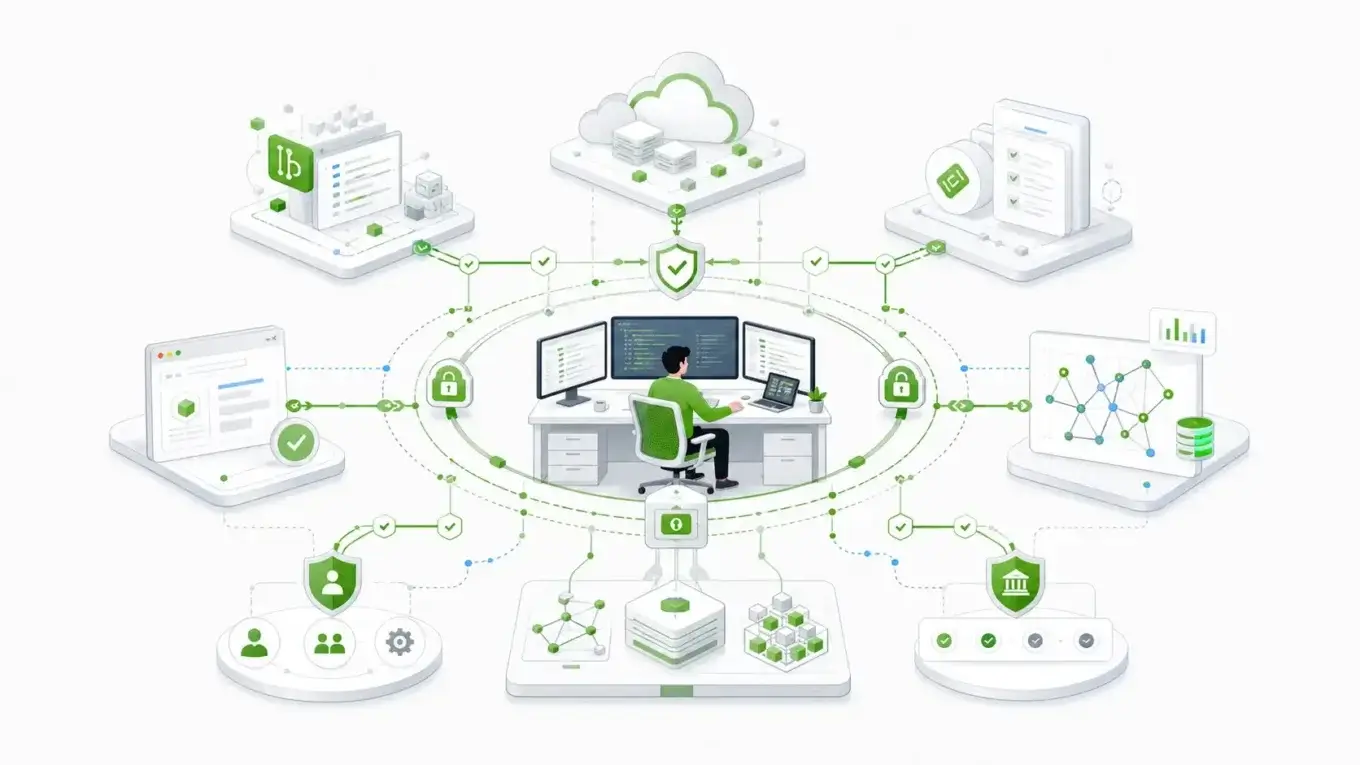
That is the useful MCP server list for regulated teams: not a popularity contest, but a map of which systems an agent can touch, how it authenticates, what it can change, and where the audit evidence lands.
What an MCP server list can and cannot tell you
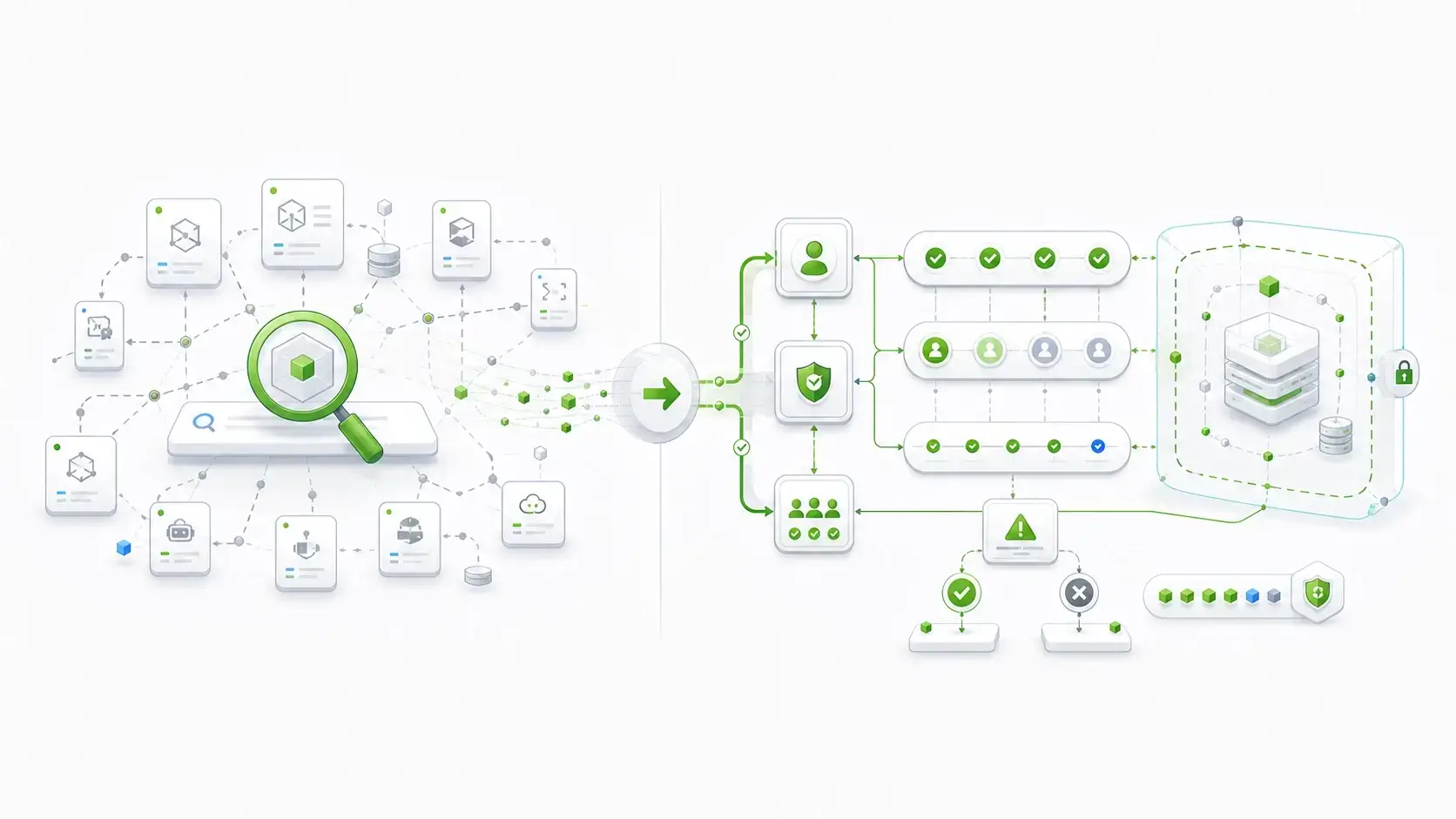
MCP, or Model Context Protocol, gives AI clients a standard way to connect to external tools and data. An MCP server is the bridge between the agent and a system such as GitHub, AWS, Jira, a browser, a database, or a domain platform such as Form.io.
An MCP server list helps with discovery. It does not prove that a server belongs in your enterprise agent environment.
That distinction matters because the official MCP Registry itself is a metadata layer. The registry documentation describes it as the official centralized repository for publicly accessible MCP server metadata, while also noting that it is still in preview and does not support private servers. It supports discovery, namespace authentication, installation metadata, and REST API access. It is not a substitute for enterprise security review.
That is the first mistake many teams make. They treat discovery as approval.
For a developer testing locally, that may be tolerable. For a regulated team, it is a weak control. A server that reads public docs is not in the same risk category as a server that can open pull requests, read customer tickets, execute cloud API calls, or inspect production error traces.
The list is the beginning. The trust decision comes after.
The regulated-enterprise filter
Before you add a server to Claude Code, Cursor, VS Code, Windsurf, or another MCP client, ask six questions.
Who maintains it?
Prefer official or vendor-maintained servers when the system is critical. A community server can be useful, but enterprise teams need a clear owner, release trail, issue history, and support path.
This is why GitHub, GitLab, AWS, Azure, Atlassian, Playwright, Docker, Sentry, and Form.io deserve separate treatment from generic directories. They are not just "available MCP servers." They are maintained by, or directly tied to, the systems they expose.
What identity model does it inherit?
A lower-risk server is usually one that inherits the identity and permission model already governing the system.
GitLab's MCP docs, for example, describe OAuth registration and HTTP transport options, and they support GitLab.com, Self-Managed, and Dedicated environments. Atlassian's remote MCP server uses OAuth 2.1 and respects Jira, Confluence, and Compass permissions. Azure MCP Server uses Microsoft Entra ID through Azure Identity.
That matters more than convenience. If the server works around identity, it works around governance.
What can it mutate?
Read-only access is one risk. Write access is another. Production mutation is another.
A server that searches docs can still leak context. A server that changes infrastructure, submits forms, opens tickets, or modifies code can create operational state. Treat those differently.
The MCP security guidance calls out risks such as confused deputy behavior, token passthrough, SSRF, session hijacking, local server compromise, and the need to minimize scopes. Those are not abstract security concerns. They are what happens when an agent can act through a server whose authority is broader than the user's intent.
Where are logs written?
Regulated teams need evidence. If an agent uses a server to retrieve context, change an issue, call an API, or update a form definition, the team needs to know where that action is logged.
AWS is a useful benchmark here. AWS announced the AWS MCP Server general availability on May 6, 2026, describing IAM-based guardrails, Amazon CloudWatch metrics, and AWS CloudTrail logging. That does not make every AWS MCP use case automatically approved, but it does give enterprise teams a familiar evidence model.
What data crosses the boundary?
Some MCP servers expose local files. Some expose SaaS data. Some connect to cloud accounts. Some connect to internal systems. Some domain-specific servers, such as the Form.io AI toolset, connect to a customer's self-hosted environment.
The boundary is the point.
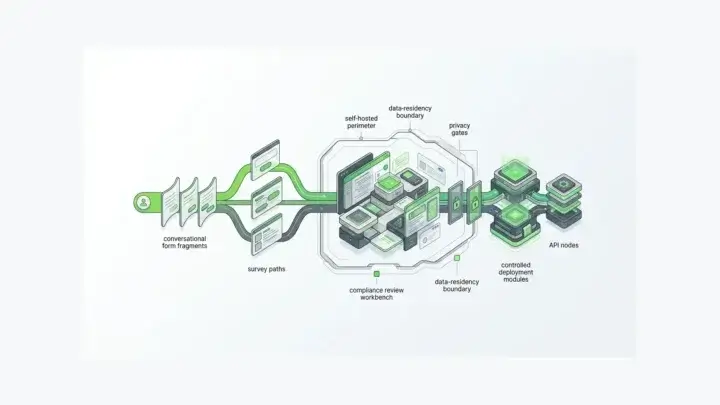
Form.io describes its MCP Server as connecting to a customer's self-hosted Form.io deployment so AI coding agents can work with forms, resources, actions, and APIs without moving that governed surface outside the enterprise boundary. That is a different posture from a generic public directory listing.
Is this build-time or runtime?
Do not collapse every agentic tool into one bucket.
MCP servers are usually build-time or operator-time connectors. They help coding agents and assistants read context, call tools, scaffold work, or interact with systems.
Runtime agent governance is different. Form.io's Universal Agent Gateway belongs in that adjacent category. UAG is not the same thing as the Form.io MCP Server. The MCP Server helps AI coding agents build against Form.io patterns. UAG governs production agent workflows at runtime.
Regulated teams need both concepts, but they should not confuse them.
The MCP servers worth knowing
1. Official MCP Registry
Use the official registry as the starting point, not the finish line.
The official registry is valuable because it gives teams a canonical discovery surface for public MCP servers. It supports server metadata, namespace authentication, REST API discovery, package references, and standardized installation information.
For enterprise teams, the important detail is the limit. The registry is public. It is still in preview. It is not where private enterprise servers should live. It also does not remove the need to review code, packages, transport, authentication, scopes, and data handling.
Use it to find servers. Do not use it as your approval workflow.
2. GitHub MCP Server
The GitHub MCP Server belongs in many enterprise developer shortlists because GitHub is where source code, issues, pull requests, Actions, security findings, and review state already live for many teams.
That makes it powerful. It also makes it sensitive.
A coding agent that can inspect a repo, summarize issues, open a pull request, or reason over security findings is operating close to the SDLC evidence trail. That can be a good thing when the team scopes access properly. It can be a problem when every repo is available by default.
Use GitHub MCP when the agent needs to work inside the same development boundary developers already use. Scope it to the repositories and operations needed for the task.
3. GitLab MCP Server
GitLab deserves its own place because many regulated organizations use self-managed GitLab or GitLab Dedicated rather than a purely public SaaS setup.
The official GitLab MCP documentation supports GitLab.com, Self-Managed, and Dedicated environments. It also warns that users are responsible for guarding against prompt injection and should use MCP tools only with trusted GitLab objects.
That warning is useful. It says the quiet part plainly: permission inheritance is not the whole security model. If an agent reads hostile issue content, merge request comments, or documentation, those objects can become part of the instruction stream.
Use GitLab MCP where GitLab is already the system of record for code and planning, but pair it with prompt-injection hygiene and object-scope limits.
4. AWS MCP Servers
AWS MCP belongs in the list because cloud infrastructure is where agent mistakes become expensive.
AWS has multiple MCP surfaces, including AWS Labs servers and the generally available AWS MCP Server. The managed server is especially relevant to enterprise teams because AWS describes IAM guardrails, SigV4-style authenticated access through the Agent Toolkit, CloudWatch metrics, CloudTrail logging, AWS Knowledge MCP, AWS API MCP capabilities, and access to more than 15,000 AWS APIs.
That is exactly why the risk bar is high.
An agent that can ask AWS docs questions is one thing. An agent that can call AWS APIs is another. The minimum viable control is least-privilege IAM, environment separation, and CloudTrail visibility. Without those, cloud MCP access is too broad for regulated workflows.
Use AWS MCP for documentation, architecture support, and tightly scoped operations. Do not give a general coding agent broad cloud authority just because the server exists.
5. Azure MCP Server
Azure MCP is important for teams whose cloud control plane already sits under Microsoft identity.
Microsoft's Azure MCP Server documentation describes integration with Azure resources, developer tools such as VS Code and GitHub Copilot, and authentication through Azure Identity. For enterprise teams, the key phrase is not "Azure resources." It is identity inheritance.
If the server can operate through Entra ID-backed access patterns and the same Azure permissions teams already govern, it fits better than a standalone connector with its own unmanaged secrets.
Use Azure MCP where the team already has mature Azure role design, environment separation, and resource governance.
6. Atlassian Rovo MCP Server
Jira and Confluence are where a lot of enterprise work actually lives: requirements, tickets, runbooks, decisions, incident notes, acceptance criteria, and stakeholder context.
Atlassian's Rovo MCP Server documentation describes OAuth 2.1, support for Jira, Confluence, and Compass, permission inheritance, and IP allowlisting behavior in Atlassian Cloud.
That makes it a strong context server, especially for coding agents that need product intent or implementation history.
The risk is also obvious. Tickets and docs often contain sensitive business context, customer details, credentials copied where they should not be, and architectural notes. Permission inheritance helps, but it does not classify the content for you.
Use Atlassian MCP for project and documentation context, with clear limits on what spaces, projects, and user scopes are exposed.
7. Playwright MCP
Playwright MCP is one of the most useful developer servers because it gives agents a structured way to interact with web pages and browser workflows.
The Playwright MCP docs describe use of accessibility snapshots rather than screenshots or pixel-based interaction. That is the right foundation for repeatable browser automation.
But the same documentation also warns that direct Playwright code execution is effectively remote code execution and should only be enabled for trusted MCP clients.
That is the regulated-enterprise lesson in miniature. A tool can be both useful and unsafe if enabled in the wrong mode.
Use Playwright MCP for testing, QA, browser workflows, and UI validation. Disable unsafe direct-code tools unless the client and execution environment are trusted.
8. Sentry MCP
The Sentry MCP Server belongs in the operational layer. It helps agents inspect errors, traces, issues, and debugging context.
That can compress the time between "the build failed" and "the actual production error is understood." It also exposes operational data that may include request context, user metadata, stack traces, and environment details.
For regulated teams, observability MCP should be scoped like production support access, not like a convenience plugin.
Use Sentry MCP when the agent is doing debugging or remediation work, and restrict the projects, environments, and data fields that should be visible.
9. Docker MCP tooling
Docker's MCP tooling is less about one business system and more about packaging, gateway behavior, and local developer operations.
That makes it useful for standardization. Enterprise teams do not want every developer hand-rolling MCP server installation and transport decisions in a different local config file.
Use Docker MCP tooling to make server setup more repeatable, especially when you need a catalog or gateway-style operating model across teams.
10. Form.io MCP Server
Form.io belongs in this MCP server list because regulated applications often begin at the data-capture layer: forms, resources, validation rules, submission records, workflow actions, APIs, permissions, revisions, and audit evidence.
That is the layer where generic coding agents can create drift fastest.
One team builds a React form. Another builds a different submission API. A third adds an agent workflow. Each piece works. None of them share the same governance contract.
The Form.io AI toolset exists to push the agent toward the governed path at build time. The Form.io MCP Server connects AI coding agents to a customer's self-hosted Form.io deployment so they can read, create, and scaffold forms, resources, actions, and APIs from the same platform primitives. Form.io Skills guide the agent toward platform-specific patterns. The Agentic Coding Plugin brings that MCP Server and skill library into the developer's coding environment.
That makes Form.io different from a generic connector.
It is not just giving an agent another data source. It is giving the agent a governed application primitive: schemas that can produce interfaces, APIs, validation behavior, submissions, permissions, and workflow hooks from the same definition.
For teams using Form.io as schema-driven application infrastructure, this is the right kind of MCP server: one that makes the governed path easier than building around it.
That value shows up in customer language too. In a Safety Mojo case study, a long-time Form.io platform user put it plainly: "Form.io cleans up all the dirty work and does it for you." The surrounding case study frames that value as months of development time saved on a next-generation application launch.
How to decide what belongs in your agent context
The fastest way to create MCP sprawl is to install every useful server globally.
Do not do that.
Treat MCP servers like permissions. Most should be project-specific, task-specific, or environment-specific.
Use this sequence:
- Start with read-only discovery.
- Prefer official or vendor-maintained servers.
- Scope by project, repo, workspace, tenant, or environment.
- Keep mutation tools disabled until the workflow needs them.
- Separate local development access from production access.
- Route secrets through existing identity systems where possible.
- Log agent actions in the system of record.
- Review prompt-injection exposure when the server reads user-authored content.
- Revoke unused servers.
That may sound slower than "install the top 20 MCP servers." It is not slower when you count remediation.
A regulated team that cannot explain which server had which permission at which point in a workflow does not have an MCP strategy. It has a collection of shortcuts.
Why domain-specific MCP matters
Generic MCP servers are good at giving agents access to tools. Domain-specific MCP servers are better when the agent needs to create governed artifacts.
That difference is especially important for forms and workflow data.
A generic file server can read a schema file. A GitHub server can modify code. A browser server can test a form. None of those, by itself, tells the agent what a valid governed form workflow should look like inside the enterprise.
Form.io's MCP Server does.
The reason is architectural. Form.io is not only a form renderer. Its drag-and-drop form builder and API model treats form definitions as JSON-backed application infrastructure. Forms can produce APIs. Submission data is managed separately from Form JSON. Form revisions and submission management matter because historical state and current state are not always the same thing.
That is why the Form.io MCP Server matters for regulated developers. It helps the coding agent build with the same primitives the platform governs: forms, resources, actions, APIs, roles, group permissions, server-side actions, form revision history, and complete audit trails.
That does not mean Form.io replaces GitHub, GitLab, AWS, Azure, Playwright, Sentry, or Atlassian. It means Form.io occupies a different layer: the form and workflow infrastructure layer where business data enters the system and becomes governed submission state.
What proof should enterprise teams look for?
Popularity is weak proof.
Stars, upvotes, and directory rank tell you that a server is visible. They do not tell you whether the server is appropriate for regulated work.
Better proof looks like this:
- Official or vendor-maintained source.
- Clear authentication model.
- Clear transport model.
- Least-privilege configuration.
- Permission inheritance from the system of record.
- Audit logging for meaningful actions.
- Environment separation.
- Versioned releases.
- Security guidance.
- Support for private or self-managed deployment where needed.
The production-readiness gap is real. A 2026 research paper on production MCP reports more than 10,000 active MCP servers and 97 million monthly SDK downloads, while also arguing that production MCP still needs stronger identity propagation, adaptive tool budgeting, structured error semantics, and observability.
That is the point. MCP adoption is moving faster than MCP governance.
The answer is not to wait. The answer is to be precise.
Use servers that inherit controls you already trust. Scope them narrowly. Prefer domain-specific servers when the agent is creating governed artifacts. Treat runtime agent governance as a separate layer from coding-time MCP.
Key takeaways
- An MCP server list helps you discover options, but it does not approve them for regulated use.
- Official and vendor-maintained servers should carry more weight than generic directory entries.
- Evaluate each server by identity, permissions, audit evidence, transport, data boundary, and mutation risk.
- GitHub, GitLab, AWS, Azure, Atlassian, Playwright, Sentry, Docker, and Form.io each occupy different control surfaces.
- Form.io's MCP Server is a build-time path into governed form and API infrastructure; UAG is the separate runtime governance layer.
FAQ
What is an MCP server list?
An MCP server list is a directory, registry, repository, or article that helps developers find Model Context Protocol servers. The best starting point is the official MCP Registry, but regulated teams should treat any list as discovery rather than approval.
What is the safest way to find MCP servers?
Start with official sources: the official MCP Registry, vendor documentation, vendor-maintained GitHub repositories, and your own internal registry for private servers. Avoid installing servers only because they appear in a public directory or social post.
Are MCP servers secure?
MCP servers are not automatically secure or unsafe. Security depends on the server's code, maintainer, transport, authentication model, tool scope, permissions, data access, and execution environment. The MCP security guidance specifically calls out risks such as confused deputy behavior, token passthrough, SSRF, session hijacking, local compromise, and scope minimization.
Should regulated teams use community MCP servers?
Sometimes, but not casually. A community server can be useful for low-risk local workflows, prototypes, or read-only tasks. For sensitive systems, prefer official or vendor-maintained servers, or run an internal review before adding the server to an enterprise agent environment.
Which MCP servers are best for developers?
A practical regulated-enterprise list usually starts with GitHub or GitLab for SDLC work, Playwright for browser testing, AWS or Azure for cloud workflows, Atlassian for ticket and documentation context, Sentry for debugging, Docker for packaging and gateway patterns, and Form.io for governed form/API infrastructure.
What is the difference between an MCP registry and an MCP server?
An MCP registry helps you discover servers and their metadata. An MCP server is the actual connector that exposes tools, data, or actions to an MCP client. A registry is not a security review, and it does not mean the server is safe for your environment.
How does Form.io fit into an MCP server list?
Form.io fits when the agent needs to work with governed form and workflow infrastructure. The Form.io MCP Server gives AI coding agents access to Form.io forms, resources, actions, and APIs inside the customer's deployment boundary, while Form.io Skills guide the agent toward platform-specific implementation patterns.
Is Form.io UAG an MCP server?
No. Form.io's MCP Server is build-time infrastructure for AI coding agents. UAG is runtime governance for production agent workflows. They belong in the same agentic architecture conversation, but they are not the same component.
Should MCP servers be installed globally?
Usually no. Global installation encourages overbroad access. Regulated teams should scope MCP servers by project, workspace, environment, repository, tenant, or task. Mutation tools should be enabled only when the workflow requires them.
What should an enterprise MCP policy include?
At minimum, it should define approved server sources, identity requirements, permission scopes, logging expectations, data-boundary rules, prompt-injection handling, environment separation, and a removal process for unused or deprecated servers.
When should a team build its own MCP server?
Build your own MCP server when the system is internal, private, highly regulated, domain-specific, or poorly represented by public servers. Private systems should not be forced into public registries just to make them usable by agents.
Build Governed Form And API Workflows With Form.io
If your team needs AI coding agents to build against governed forms, generated APIs, submission records, permissions, revisions, and self-hosted infrastructure, try Form.io for governed form and API workflows.
Try Form.io for free