





Updated November 9, 2026
PDF management in insurance usually means working through submitted PDFs after the fact: reading them, pulling the data out, and checking it for mistakes. This post makes the case for starting earlier, at collection, with a web form that validates the data, stores it as JSON, and produces the PDF from the submission whenever you need one. In Form.io that’s done with PDF forms built on the same form engine as your web forms.
Hundreds of megabytes.
That’s roughly the size of the folder containing THOUSANDS of PDFs that all need to be processed.
All of them came from policy holders who downloaded the form off the website, filled it out, and submitted them, in some way, and now there they are, in that folder.
Here’s the deal. Having a standardization around forms in the insurance industry has made a lot of things better.
But a lot has changed in the last 50+ years as well as since 2008 when the PDF became an open standard, which is what all these insurance forms are standardized in, which makes sense. It’s a great format for digital documents and I even philosophize about the proliferation of PDFs here.
And this leaves everyone in the insurance industry with one HUGE problem.

What About The Data? Why Information Locked in PDFs Is Hard to Use
Being able to leverage the data in a PDF or augment the data in a PDF is a nightmare.
And so you might be facing that folder of thousands of PDFs, just sitting there waiting to be processed.
Because so often people print them out, write on them, scan them, and email them. Or other people actually type into them using any number of available tools, which is better.
But the document natively isn’t searchable. The data written/typed on them isn’t in a database.
How do you get at the data?
It’s not surprising that many organizations just throw workers at it and simply have them read the data, with eyeballs.
Help Wanted: PDF Management & Data Entry Position. Must be willing to repeat the same steps hundreds of times per day while you pontificate the meaning of your life.
Side note: I actually don’t mind repetitive rote work—on occasion. There’s something satisfying about renaming 2,000 files to adhere to a strict file-naming convention. Yeah, I’m weird.
You’ve heard the buzz-word Digital Transformation, am I right? But what does that even mean?
The scenario I’ve just described above is where the rubber meets the road in terms of what that actually means.
Sure, PDFs are already digital, but digital transformation means extracting it in an automated fashion and rendering that data useful, which means being able to combine it with other data, report on it, and so forth.
Enter Optical Character Recognition (OCR)
Just like “Google It” became a verb, so has the acronym O-C-R. It’s a software technology that is able to read text that’s been written by hand or scanned from something physical and convert that into editable, digital text.
It’s amazing.
And so organizations are now finding, building, and implementing systems that will enable them to OCR the data out of PDFs, so that it can be useful.
Cool.
Then What? Parsing, Validating, and Integrating PDF Data
That data is plain text. So the next step might be to get more sophisticated by parsing the data into an even more usable format, like JavaScript or JSON.
Then what?
That data needs to be accessed. Often it’s dumped into Excel to be manipulated, or maybe some other software.
So that it can be read, reported, validated, updated—integrated with other systems. There needs to be additional software and perhaps some APIs built within that software to better manage the data that comes from that PDF document.
But, what if someone fails to fill it out properly, or there is missing data, or they enter wrong information? Do you know how easy it is to do that with a PDF?
I mean, I could print it out right now, fill it out in Sanskrit, scan it, and send it back. There is nothing stopping me.
More realistically, an insurance policy could easily DOUBLE in cost simply because someone omitted a small detail.
For example, if the construction type is masonry in any given construction project, but someone forgets to specify that, then boom, the policy gets accepted, processed, and approved and is now 2X in price because the insurance company has no idea that the building materials were actually flame resistant. MAXIMUM RISK, kthnx.
So now that you have the data in JSON, it needs to be measured against a data set that is correct, so that you can validate it. That’s more software.
Is even the address on the form correct?
Better integrate Geocode Earth to verify the address is actually real.
This Sounds Like Document / PDF Management
It is.
What I’ve just described are some of the steps in one method for managing the PDF documents.
You get a PDF, you have to get at the data, you have to validate the data, you have to integrate the data—it’s all a natural progression.
You might be asking “You said this wasn’t a document / PDF management problem, but it seems like it is. Why did you say that?”
Good question.
What I’m saying is that it doesn’t have to be this way.
If A PDF Is Just A Form, Why Can’t It Be A FORM?
PDF Management is misleading because it presupposes that having those PDFs in your folder is the beginning of the problem.
But it’s not.
The beginning of the problem is how insurance organizations collect the data in the first place. Why not start with a form, a digital, web-based form? First Name, Last Name, DOB, you know?
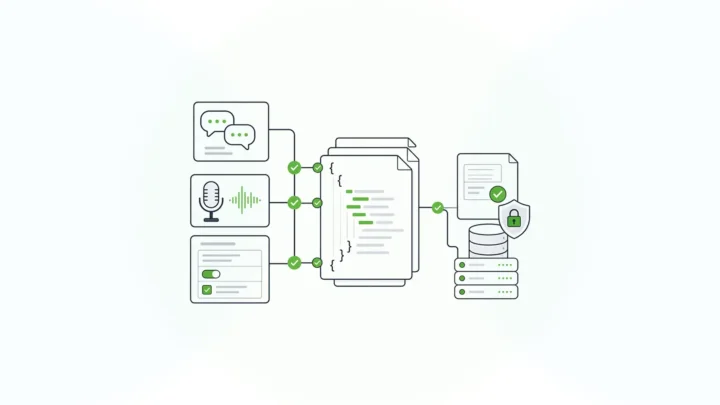
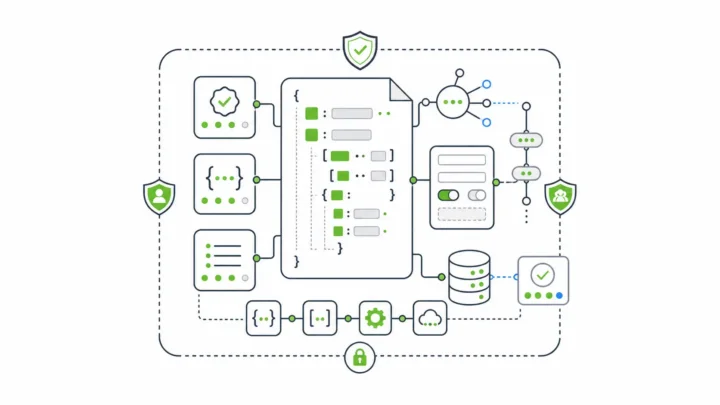
That way you could implement form validation to prevent bad data, missing data, or wrong data from ever being submitted in the first place. And once it is submitted, it’s immediately useful because it’s stored in JSON from the start.
You might be thinking: “But we have to use the standardized PDFs.”
And you’re right. But what if there was a way to apply digital transformation at the collection stage, that let you collect the data digitally so that it became immediately available upon submission?
And you could then print or export the completed form dynamically to a PDF whenever you needed to?
Now what if the data was stored already in your environment, it’s connected to all your existing systems, and you could start making decisions on it right away?
AND even more, what if you could upload a blank PDF and have a digital web form automatically generated for you?
- No more sifting through 1000s of PDFs, sometimes even hand-written
- No more manually extracting the data or paying a service to extract it for you
- No more validating accuracy only after you’ve received the data
- No more delayed decision-making because you’re waiting for the data to process.
In these scenarios, Document / PDF Management is eliminated. The problem no longer exists.
If the thought never crossed your mind or it just seemed too cumbersome or expensive to build, that’s not your fault. It hasn’t really existed—at least not in a way that’s feasible to most insurance organizations.
Or maybe you’re thinking, “Surely some tool exists to do this.”
Over the years, there’s been some integration work done between forms and PDFs by third-party form builders, but not to this detail. But even so, using a third-party form builder means facing some level of vendor lock-in, data security and compliance issues, or even worse, scaled pricing that’s based on volumetric usage of their product.
So no, there really hasn’t…until now.
We’ve built this so you don’t have to spend the time and money getting drowned in PDF management, paying a service to do it for you, or trying to build a solution yourself.
And the best parts are that Form.io is:
- Scalable without charging you more just because usage increases
- Open-architected and Configurable so you can modify or extend the platform for custom requirements
- Unopinionated so you can handle your forms and business processes the way you want, not the way a third-party might decide, and style and white-label to brand it however you want
- Embedded in your environment so you don’t lose control of your data and avoid many of the security and compliance hurdles that come with sending it to a third party

See how it’s done in 2 minutes:
How PDF Forms Work in Form.io Today
Here’s how the approach in this post maps to the product now, according to Form.io’s docs and feature pages:
- Any web form submission can become a PDF. Click the PDF icon on a submission in the Form.io portal to download it, or add a PDF button to your own application. This basic PDF output is available on the hosted SaaS and in Enterprise self-hosted configurations.
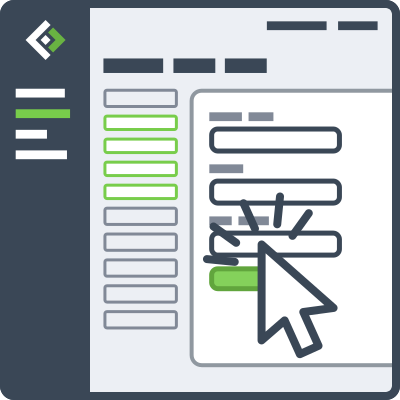
- PDF-first forms keep the original document. You choose PDF in the form builder, upload the file (it needs a standard page size such as A4), and drag overlay components onto it. The PDF form then works like any other form in the platform, including staging, team workflows, and form versioning.
- Existing PDFs can be converted. With the PDF Plus server, fillable PDFs are converted from their existing field data into a JSON-driven Form.io form, and non-fillable PDFs go through AWS Textract to detect fields and turn them into Form.io components. How much gets generated automatically depends on how much field data the PDF has to work from.
- You decide what the output PDF shows. The PDF Template Designer (part of PDF Plus for self-hosted deployments) lets you lay out a separate document from the submission data, for things like receipts, mailers, contracts, and quotes.
- Users can fill out a web form while you keep the PDF layout. You can build a responsive web form or wizard and attach a PDF background, so downloaded submissions render onto the original PDF layout. The web form keeps its validation and conditional logic, and each submission is stored as JSON data you can reach through the API.
Sources: PDF Server (Form.io docs), PDF Forms (Form.io docs), Fillable PDF Forms, and PDF Template Designer. For the insurance side, see PDF Forms for Insurance. Keep reading: The Legacy Driver Of Form To PDF, claims management software for insurance, and A Complete How-To Guide To Build Prefilled Forms. Want to try it? Start a free 30-day trial or contact us.