





Updated October 22, 2026
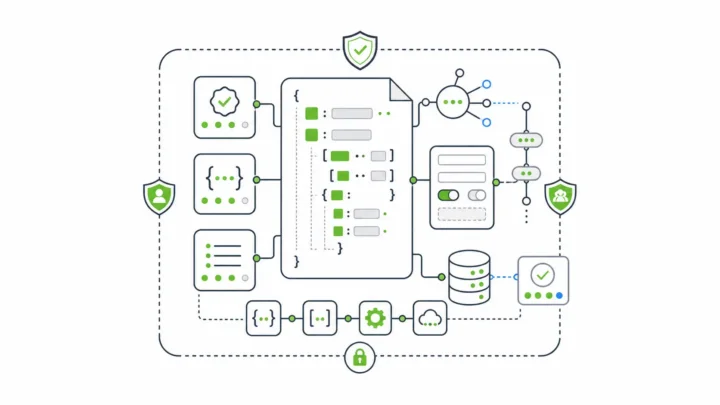
PDFs are still everywhere because the business processes that produce them already work, and many of those PDFs start life as a form. So rather than fighting the format, automate the form to PDF step: let the form pull repeatable information from a database, combine it with what the user enters, and output the PDF.
PDFs.
They present a strange combination of functionality and fussiness. But the functionality seems to prevail because they’re everywhere.
I read on a post that tangible product manufacturers often have hundreds, even thousands of them on their website.
Manuals, spec sheets, product descriptions, etc.
The OP was asking why. “Why can’t we move on from PDFs when dealing with products?”
The benefits to render the information on say, a WEB PAGE, are there: easier to generate, easier to publish, SEO, etc.
Made me think.
It’s because of business processes.
Those manufacturers have processes that have been functional for years, are probably well-tuned, and there’s currently not enough incentive to change them.
Isn’t that where you want to get with business processes and SOPs anyway? Operating as well-oiled machines.
Which also made me think.
Where Form to PDF Fits Into Those Business Processes
I imagine many manufacturers have some level of automation configured to generate them whenever there’s a product launch.
They probably fill out a FORM that a user completes to generate them—form to pdf.
(Come on now, you know I was gonna get here.)
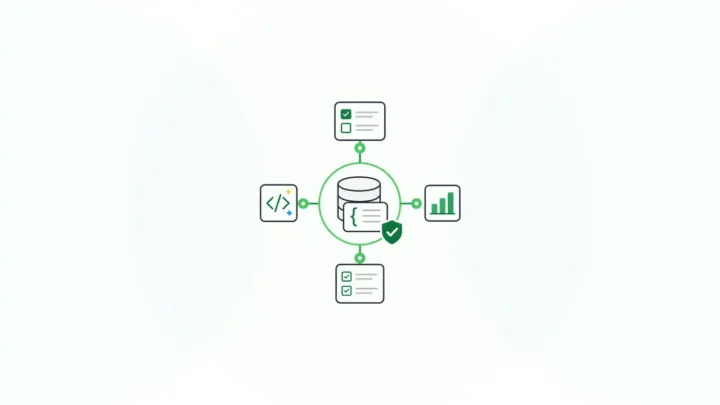
Now, what if that form pulled all the repeatable information from a database automatically?
I imagine a series of product diagrams, specs, etc., are stored in a database as well. What if the form pulled those too?
Combined with user-inputted data.
The rabbit hole can go deeper, but the point is, if there’s a measurable amount of content loading dynamically, the form to pdf process isn’t going to change easily.
Why a PDF Still Feels Tangible in the Age of Links
All of this got me thinking pretty deep about PDFs.
Nerd, I know, bear with me.
A file on your machine is the last vestige of feeling like you have something “tangible” in the age of links.
The PDF is the document form of that.
A PDF requires effort to share, much more than sending a link.
A PDF requires more effort to edit than other formats or online docs.
And YET, that effort has a strange capacity to telegraph value and ownership of something to its possessor.
There are entire communities devoted to sharing PDFs.
We trade PDFs for email addresses—an odd form of marketing currency.
They are documents.
They are decks.
They are gorgeous marketing collateral.
They’re office visit forms.
They are 1040 EZs and 1040 REAL HARDs.
They’re probably here to stay for a while.
You might as well embrace them, despite their fussiness.
That’s why we built done-for-you PDF management. Just like I described above.
Manage PDFs within your automated processes that enable submission intakes from embeddable, dynamic PDFs and outputs to PDF for internal use or externally to users.
That way you get less fuss, more function.
What Form to PDF Looks Like in Form.io Today
If your team runs a form to PDF process like the one above, these are the pieces you would work with.
- A PDF from any submission: Every webform submission can be downloaded as a PDF without any configuration, and your application can request the same PDF through the API to attach it to an email or store it in a document management system.
- Your existing PDFs, kept as they are: PDF-First forms let you upload an existing PDF and place fields directly over it, so users fill in the document they already know. Fillable PDFs that carry AcroForm or XFA field data can be converted into Form.io fields automatically.
- A web form in, the official PDF out: With the hybrid approach, users complete a responsive web form or wizard, and the downloaded PDF shows their data on the original document background.
- Output that differs from the input: The PDF Template Designer (part of the PDF Plus offering) lets you design a separate PDF layout, so a 50-field application can produce a one-page receipt, summary, or contract.
- Repeatable data from your database: The Data Source component fetches data from external URLs and can fill fields from an existing system, which covers the product specs and diagrams case described above.
Sources: Fillable PDF Forms for Enterprises, Export to PDF From Submission Data with the PDF Template Designer, and Auto Populate Forms. To see these workflows walked through, watch the Modernizing PDF Workflows with Form.io webinar, or tell us about the PDFs your team works with.