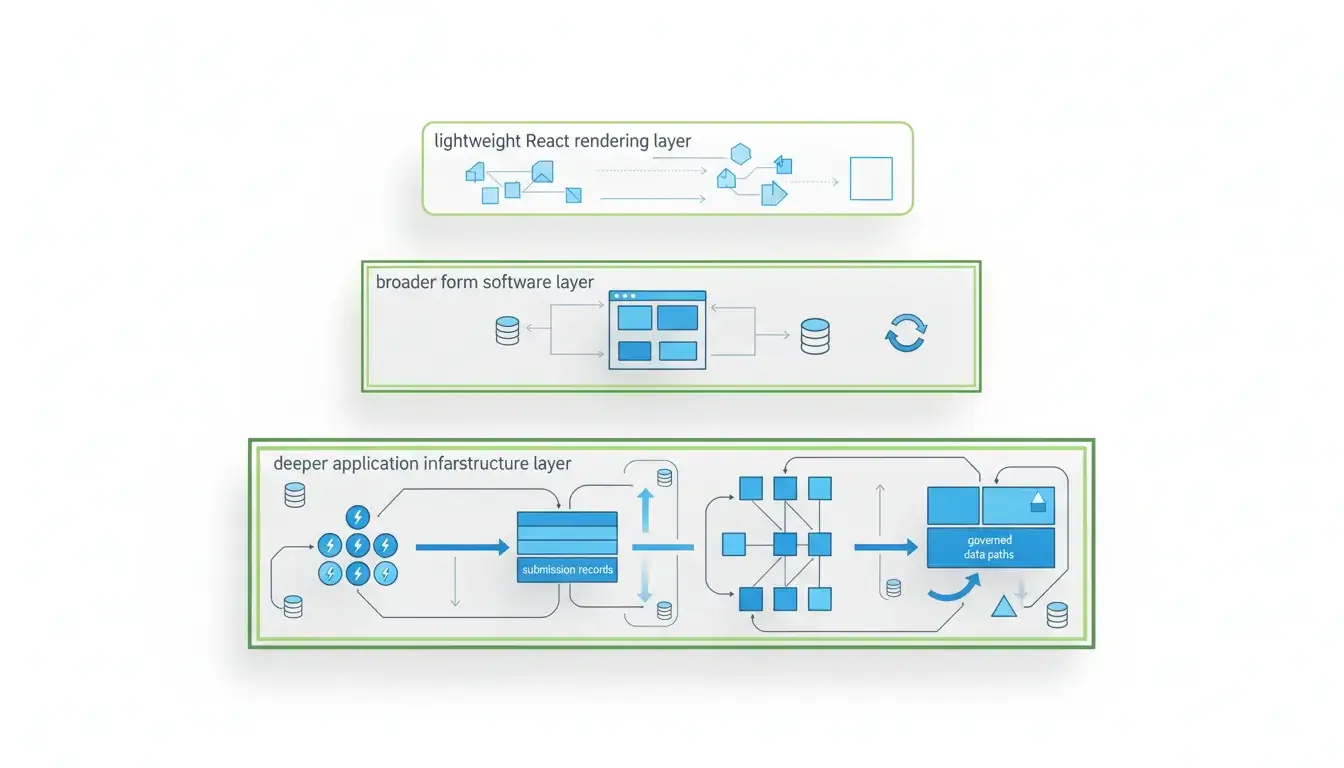
React JSON schema form searches usually start as a frontend question. Which React library can render a form from JSON Schema? That is a real question, but it is often too small. The larger decision is whether your team needs a renderer, a form authoring toolkit, or form infrastructure with APIs, submissions, permissions, revisions, and deployment control.
The quick answer
Choose by the layer you need.
Use RJSF when you want a React component that renders a form from JSON Schema and your team is comfortable owning the rest of the application stack.
Use SurveyJS when you want richer form and survey tooling inside a React application, including a form model, visual authoring ecosystem, themes, and client-side form behavior.
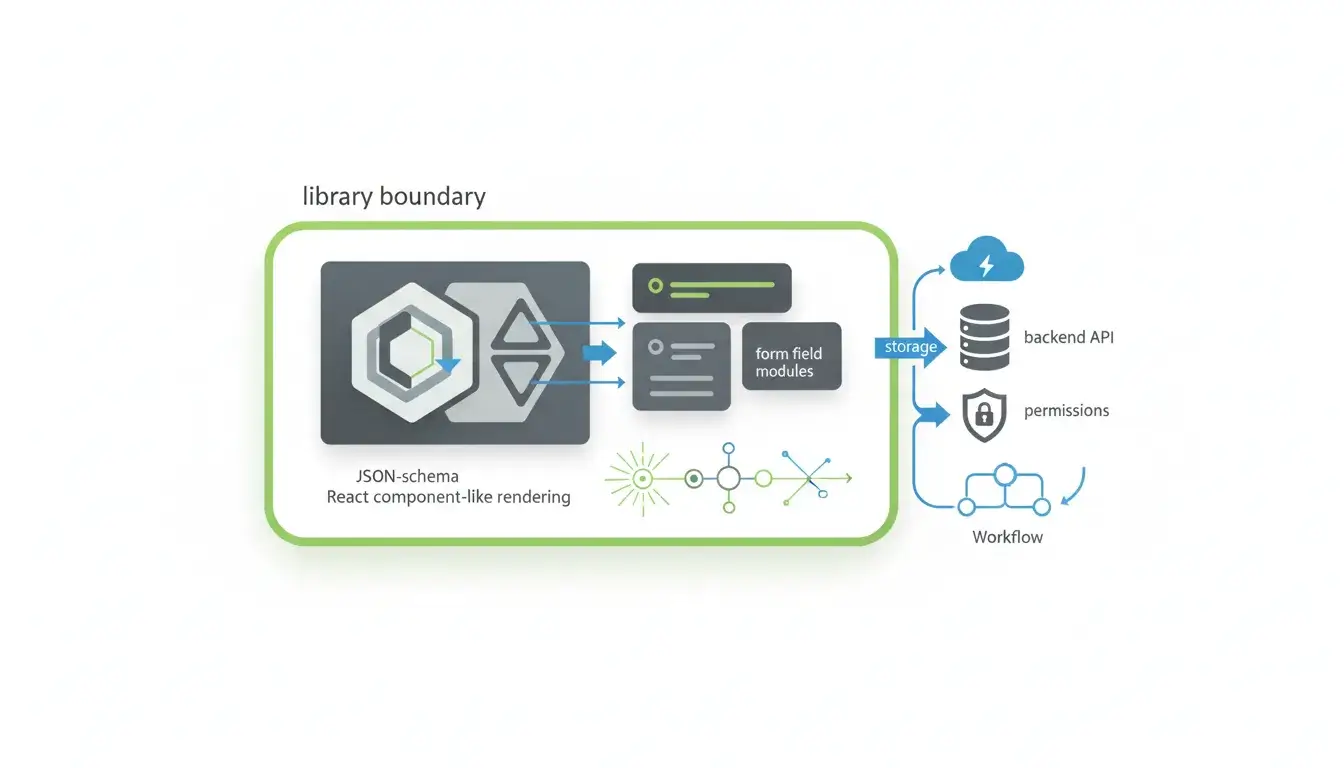
Use Form.io when forms need to become part of application infrastructure: a builder, renderer, JSON form definitions, generated REST APIs, submission storage, access control patterns, workflow actions, revisions, auditability, self-hosting, and embedded form-building inside your own product.
The difference matters because a form library can render fields, but it does not automatically decide where submissions live, who can access them, how APIs are generated, how form changes are versioned, or how the same form definition moves across environments.
| Option | Best fit | What it owns | What your team still owns |
|---|---|---|---|
| RJSF | React teams that need JSON Schema rendering | React form rendering, validation adapter, widgets, themes | APIs, storage, permissions, workflows, deployment, governance |
| SurveyJS | Teams that need richer form/survey software inside React | JSON form model, React rendering, themes, form behavior, completion event | Backend storage, deeper app governance, deployment architecture |
| Form.io | Teams whose forms are application infrastructure | Form builder, renderer, JSON definitions, APIs, submissions, permissions, workflow actions, revisions, self-hosting | Product architecture decisions, environment operations, implementation ownership |
What “React JSON schema form” usually means
A React JSON schema form turns structured schema data into a rendered React form. The schema describes fields, types, required values, and validation constraints. The React component reads that schema and renders the matching UI.
That is the shared table stakes.
The details vary by tool. RJSF describes itself as a way to automatically generate a React form from JSON Schema. JSON Forms separates the data schema from a UI schema that controls layout, renderers, cells, and data updates. SurveyJS uses JSON objects to describe form fields, layout, behavior, validation, and completion handling in React.
Those details sound close, but they lead to different operating models.
In a simple React app, the schema-to-renderer pattern may be enough. The form renders, the user submits, and your application handles the result. In a product or regulated workflow, the form usually has a longer life. Non-developers may need to edit it. Multiple applications may embed it. Submissions may need APIs, permissions, retention, revision history, audit logs, and deployment boundaries. That is where the renderer question turns into an infrastructure question.
JSON Schema itself is strong because it gives teams a shared vocabulary for data consistency, validation, documentation, and interoperability. The JSON Schema project says the ecosystem has more than 60 million weekly downloads, which explains why so many form tools start from schema-first thinking. But JSON Schema alone does not define an entire form platform. It defines a contract for data. The rest of the application still has to decide what that contract does.
RJSF: best when a React library is enough
RJSF is the cleanest answer when the problem is specifically: “I have JSON Schema, and I want a React form.”
The project definition is direct. The RJSF docs say it is meant to automatically generate a React form based on JSON Schema, especially when you need to generate a form for data “sight unseen.” The GitHub repository describes it as a React component for building web forms from JSON Schema.
That is a useful scope. It is also a limited scope.
RJSF is strong when:
- Your developers own the React application.
- Your schema source already exists.
- You want field rendering, validation, and customization inside your app.
- You prefer library-level control over platform-level decisions.
- You are comfortable building the backend around the form yourself.
RJSF gives developers knobs: uiSchema, widgets, themes, validation adapters such as AJV, and React props for submission handling. That makes it a good fit for internal tools, prototypes, schema-driven admin interfaces, and product surfaces where the form is one component inside a larger application.
The tradeoff is that RJSF does not become your form backend.
Your team still has to decide how submissions are stored, which API accepts them, how authentication works, how field-level permissions are enforced, how form changes are versioned, and how non-developers make edits without a deployment. If those concerns are simple, that is fine. A library should not pretend to be a platform.
But if every rendered form also needs a REST API, a secure submission store, role-aware access, workflow actions, revisions, and audit context, the RJSF layer is only the beginning. You can build those pieces around it, but then your team owns the system that a platform would otherwise provide.
SurveyJS: best when you need richer form software inside React
SurveyJS sits closer to form software than RJSF does.
The SurveyJS React documentation describes a client-side component that uses JSON objects to render dynamic forms in React applications. Those JSON objects can describe fields, page organization, behavior, validation, completion handling, and how form data is collected. SurveyJS also separates survey-core from survey-react-ui, which gives the platform a broader model than a single renderer component.
That makes SurveyJS useful when a team wants more than raw JSON Schema rendering but still wants the form experience inside a React application.
SurveyJS is strong when:
- The use case is survey, questionnaire, quiz, intake, or structured form collection.
- The team wants a form model with richer UI behavior.
- A visual authoring layer matters.
- The React app can handle client-side form rendering.
- Submission handling can be connected to the team’s own backend.
The React docs make the backend boundary clear. After completion, SurveyJS exposes the results in an onComplete handler. In a real application, the docs say those results should be sent to a server for storage and processing. That is a good model for many teams, but it means the application still owns the server-side path.
SurveyJS also has a React architecture caveat worth taking seriously. Its docs state that SurveyJS components do not support server-side rendering. In Next.js or other React Server Component setups, the rendering component needs to be marked as client code, and dynamic imports with SSR disabled may be needed to avoid hydration errors.
That is not a flaw for the right use case. It is simply a boundary. SurveyJS is a strong form product layer inside React. It does not remove the need to design storage, APIs, identity, deployment, and governance around the data it collects.

Form.io: best when forms are application infrastructure
Form.io is the better fit when the form is no longer just a rendered React component.
That usually happens when the form becomes a durable interface into a business process: applications, intake, eligibility checks, patient referrals, claims, onboarding, internal approvals, tenant-specific workflows, or regulated submissions. At that point, the form definition is not only a UI description. It is a contract between the user interface, backend APIs, submission records, permissions, workflow actions, and reporting systems.
Form.io is built around that contract.
Form.io stores each form as Form JSON. The Form Builder turns components into JSON, including settings, validation, layout, and structure. The renderer can display a form from a form URL or raw JSON. Submission JSON is kept separate from Form JSON, and submission data keys mirror the component keys in the form. Form.io’s docs also describe generated REST endpoints for the form and for form submissions, with standard HTTP methods for form and submission operations.
That changes the operating model.
With Form.io, a form definition can produce:
- A rendered form embedded in an application.
- A submission API.
- A separately stored submission record.
- A builder experience for form editing.
- Permissions and teams around who can work with forms and data.
- Workflow actions such as webhooks and notifications.
- Form revisions and audit-oriented change history.
- A self-hosted deployment path for teams that need environment control.
The feature surface matches that infrastructure posture. Form.io’s public feature library names drag-and-drop form building and APIs, embeddable form building, teams and permissions, form revisions, self-hosted deployment, security compliance features, CORS configuration, JSON-driven forms, integrations, file uploads, PDF output, and form actions.
That is more responsibility than a React library needs to carry, and that is the point. Form.io is not the lightest option when all you need is a local form component. It is a stronger option when the form layer needs to govern data capture across applications, users, APIs, and environments.
A G2 review snippet captures the buyer-side feeling clearly, calling Form.io a “killer app” because of its flexibility and powerful features. That is the emotional center of this category: the buyer is not only looking for a nice renderer. They are looking for a form system that does not collapse when the real requirements show up.

Comparison table: RJSF vs SurveyJS vs Form.io
| Criterion | RJSF | SurveyJS | Form.io |
|---|---|---|---|
| Primary category | React form library | Form/survey software for React and other stacks | Form infrastructure platform |
| Schema model | JSON Schema | SurveyJS JSON model | Form JSON with components, validation, layout, and behavior |
| React rendering | Core use case | Supported through survey-react-ui | Supported through Form.io renderer and React embedding patterns |
| UI customization | Widgets, themes, uiSchema | Themes, model options, form/survey controls | Renderer configuration, CSS, embedded builder, component model |
| Backend APIs | You build them | You connect submission data to your server | Generated REST APIs for forms and submissions |
| Submission storage | You build it | You store results in your backend | Platform-managed submission records in customer-controlled deployment |
| Permissions | App-owned | App/backend-owned | Teams, roles, permissions, and platform controls |
| Revisions | App-owned | App/process-owned | Form revisions and related change history |
| Self-hosting | Your app’s concern | Depends on deployment/product choices | Core Form.io deployment model for enterprise use |
| Best for | Developers who need schema-to-React rendering | Teams that need richer form/survey authoring | Teams whose forms are part of application infrastructure |
The architecture question: where do data, UI, and logic live?
A useful way to evaluate this category is to ask where each responsibility lives.
React form libraries often separate data shape from UI rendering, but they leave workflow logic in the application. That is not wrong. In many React applications, that is exactly what developers want.
RJSF follows this pattern. JSON Schema defines the data shape. The renderer generates the form. Submission logic happens through React props and application code. Your team decides what happens after submit.
SurveyJS moves more form behavior into a product model. The JSON model can describe fields, layout, validation, and interactive behavior. But the backend still matters. Completion data must still be sent somewhere, stored, secured, processed, and connected to the rest of the system.
Form.io pushes the schema further into infrastructure. The JSON form definition is not only a rendering input. It is the basis for the rendered UI, generated APIs, submission records, form behavior, and workflow surfaces. This is why Form.io’s form renderer docs emphasize the separation between Form JSON and Submission JSON. The form definition governs capture. The submission record stores what was captured.
That separation matters in real systems. If a form changes after a submission, the organization may still need to know what version of the form existed when the submission happened. If the form feeds an internal system, the API should match the schema the user saw. If multiple roles touch the data, permissions and audit context matter. If forms are embedded across multiple tenant environments, deployment and CORS controls matter.
At small scale, those are implementation details. At enterprise scale, they become the reason to choose a platform.
When to outgrow a React JSON schema form library
A React JSON schema form library is enough when the form is local to the application and the surrounding responsibilities are straightforward.
It may be time to move beyond a library when:
- Non-developers need to change forms without a code deployment.
- Every form needs a backend API.
- Submissions need secure storage, access control, and lifecycle management.
- Form changes need revision history.
- Form data needs to move into multiple systems through webhooks or workflow actions.
- The same form needs to be embedded across products, portals, or tenant environments.
- Customers need a white-labeled form builder inside your application.
- Security teams care where the platform runs and who controls the deployment boundary.
- Form definitions need to serve as a contract across UI, API, data, and workflow layers.
Those triggers do not make RJSF or SurveyJS weak. They mean the problem has moved to a different layer.
This is the decision many teams miss. They compare fields, widgets, and themes when the real question is operational ownership. Who owns the API? Who owns the submission store? Who owns permissions? Who owns revisions? Who owns the deployment boundary? Who owns the evidence when something changes?
If the answer is “our application team owns all of it,” a library may be right. If the answer is “the form platform should carry much of that structure,” Form.io deserves a different evaluation.
Decision framework
Use RJSF if your team wants a React library, already owns the backend, and needs a straightforward way to render forms from JSON Schema.
Use SurveyJS if your team wants a broader form/survey experience inside React, especially when form behavior, themes, and a visual authoring ecosystem matter more than platform-level infrastructure.
Use Form.io if your team needs forms, APIs, submissions, permissions, revisions, workflow actions, and deployment control to come from the same form system.
The shortest version:
- Rendering problem: RJSF.
- Form authoring problem: SurveyJS.
- Application infrastructure problem: Form.io.
That last category is where Form.io is strongest. It is also where lightweight form libraries start to create hidden work. A form that begins as a React component can become an operational system quickly. Once that happens, the cost is not the time it takes to render the fields. The cost is everything required to govern the data after the fields render.
Key takeaways
- React JSON schema form tools solve different layers of the form stack.
- RJSF is a strong fit when you need a React renderer for JSON Schema.
- SurveyJS is a stronger fit when you need richer form/survey software inside React.
- Form.io is the stronger fit when forms need generated APIs, submission records, workflow actions, permissions, revisions, and self-hosted control.
- The real decision is not only how forms render. It is who owns the system around the form.
FAQ
Is RJSF the same as React JSON Schema Form?
Usually, yes. RJSF stands for React JSON Schema Form, and it is one of the most common libraries people mean when they search for React JSON schema form. It renders React forms from JSON Schema and supports customization through UI schema, widgets, themes, and form props.
Is SurveyJS a JSON Schema form library?
SurveyJS is JSON-driven, but it is not the same kind of library as RJSF. SurveyJS uses JSON objects to define dynamic forms, layout, behavior, validation, and completion handling. It is closer to a form and survey product layer than a pure JSON Schema renderer.
Can Form.io render forms in React?
Yes. Form.io forms can be embedded into React applications through the Form.io renderer and related framework integrations. The larger difference is that Form.io also provides the platform layer around the rendered form, including APIs, submissions, permissions, and deployment options.
Which option is best for self-hosted enterprise forms?
Form.io is the strongest fit when self-hosted enterprise forms need more than client-side rendering. Its value is the controlled platform around the form: deployment in the customer’s environment, generated APIs, submission management, permissions, revisions, workflow actions, and integration points.
When is Form.io overkill?
Form.io may be more than you need when the form is simple, local to one React app, and does not need non-developer editing, generated APIs, submission governance, workflow actions, or self-hosted platform control. In that case, RJSF or SurveyJS may be a better fit.
What is the best RJSF alternative for teams that need APIs?
If the main gap is backend APIs and submission infrastructure, Form.io is usually the more relevant alternative. RJSF renders forms from JSON Schema, while Form.io uses Form JSON to drive forms, generated APIs, submissions, and platform controls.
Does a React JSON schema form replace a backend?
No. A React JSON schema form can render and validate fields in the UI, but the backend still has to accept, store, secure, process, and expose the submission data. Some teams build that themselves. Others choose a platform that supplies more of that layer.
Why does schema ownership matter?
Schema ownership matters because the schema becomes the contract between the form UI, submitted data, backend APIs, validation rules, and downstream systems. If each layer has its own version of the contract, drift becomes likely. If the system shares one source of truth, governance is easier to preserve.
What should teams compare besides widgets and themes?
Compare API generation, submission storage, authentication, permissions, revision history, audit requirements, deployment model, data export, workflow actions, embedded builder needs, and how easily form changes move from development to production.
Should developers start with RJSF and migrate later?
Sometimes. RJSF is a good starting point when the immediate problem is rendering forms from JSON Schema. But if the roadmap already includes form authoring, generated APIs, customer-specific forms, workflow actions, revisions, or self-hosting, starting with infrastructure can avoid a later rebuild.
Conclusion
The React JSON schema form decision is not one decision. It is three.
Do you need a renderer? RJSF is a clean answer.
Do you need richer form software inside React? SurveyJS belongs in the evaluation.
Do you need forms to operate as governed application infrastructure? That is where Form.io fits.
If your forms are starting to carry APIs, submissions, permissions, workflow logic, tenant boundaries, audit questions, or deployment requirements, evaluate the platform layer early. You can explore Form.io’s JSON-driven forms or try Form.io free to see whether a schema-driven platform fits the architecture your forms are becoming.
Try Form.io Free