A SaaS form builder can look acceptable until the security review starts.
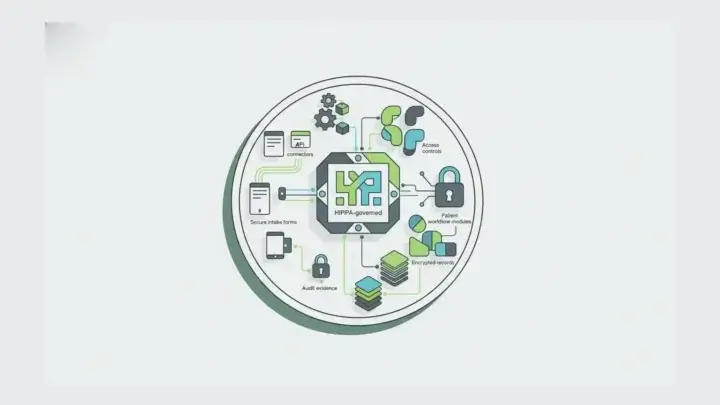
The healthcare team needs a BAA and wants protected health information to stay inside its approved environment. HHS explains that business associate contracts are used to ensure business associates appropriately safeguard protected health information and clarify permitted uses and disclosures. The public-sector team has a FedRAMP authorization boundary and cannot route citizen data through an unrelated multi-tenant vendor service. The European business unit has a GDPR data residency review and needs to prove where submissions, files, audit logs, backups, and access paths live. The European Commission’s data protection guidance notes that EU data protection rules include safeguards for personal data transferred outside the EU, including adequacy decisions, standard contractual clauses, and binding corporate rules. The enterprise architect has an air-gap or restricted-network requirement that eliminates most cloud-hosted form tools before the feature comparison begins.
That is the compliance ceiling problem. The issue is not whether a hosted form builder can create a nice form. The issue is whether the form platform can become part of the environment the organization already governs.
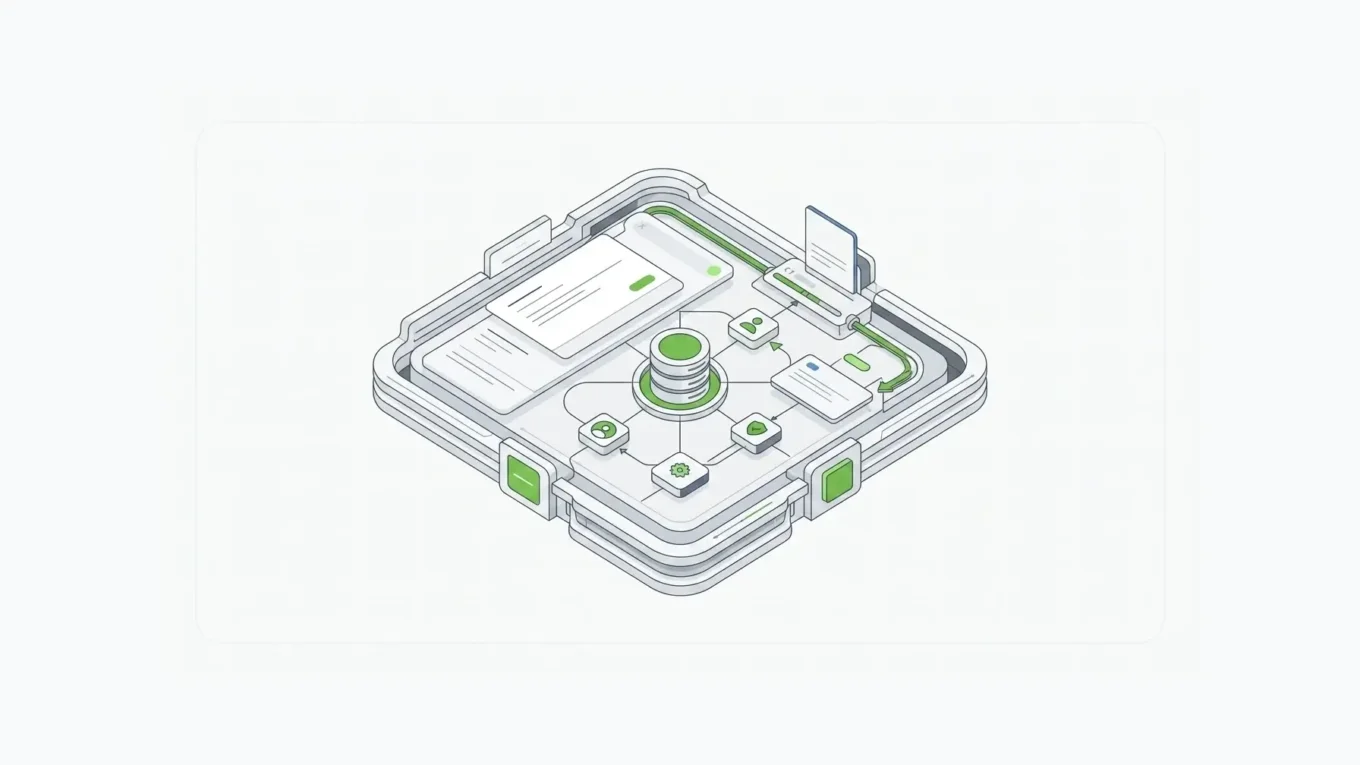
For those teams, the right category is not simply “enterprise form builder.” It is a self hosted form builder and API platform deployed in your environment. Form.io is built for that evaluation: forms, APIs, submissions, permissions, actions, and developer tooling can run inside the infrastructure boundary your team controls.
Most hosted enterprise form tools lead with the same surface story: flexible form building, data privacy, SSO, roles, audit trails, API workflow automation, scalability, and support. Those capabilities matter. But for regulated teams, the deciding question often arrives earlier: can the form and API layer run where our data is allowed to live?
Form.io answers that question as infrastructure.

Why Hosted SaaS Form Tools Hit a Compliance Ceiling
Hosted SaaS form tools are useful when the form is low-risk, the data is not sensitive, and the organization accepts the vendor’s hosting, storage, logging, retention, and access model.
They become harder to approve when forms collect data that belongs inside a controlled system:
- patient intake and clinical workflow data
- financial applications and customer onboarding data
- citizen services, permits, benefits, and agency records
- employee records, incident reports, and internal investigations
- regulated operational data tied to audit, retention, or legal obligations
- application data that must move directly into internal APIs and systems of record
The risk is not only storage. A form platform touches the browser, validation path, submission API, workflow actions, identity model, audit trail, file upload process, database, backup plan, logs, and support access. If any of those pieces leave the approved boundary, the tool can fail the architecture review even if the form builder itself is easy to use.
That is why “form data stays in your environment” has to be stated explicitly. It is not a slogan. It is an architectural requirement.
Form.io’s self-hosting guidance says the platform deploys directly into the customer’s environment through Docker. It also describes compatibility with AWS, Azure, and GCP environments where the customer can operate a load balancer, container, and database. That is the difference between using a form vendor as an external service and running form infrastructure as part of your own stack.
The Deployment Architecture: What Runs Where
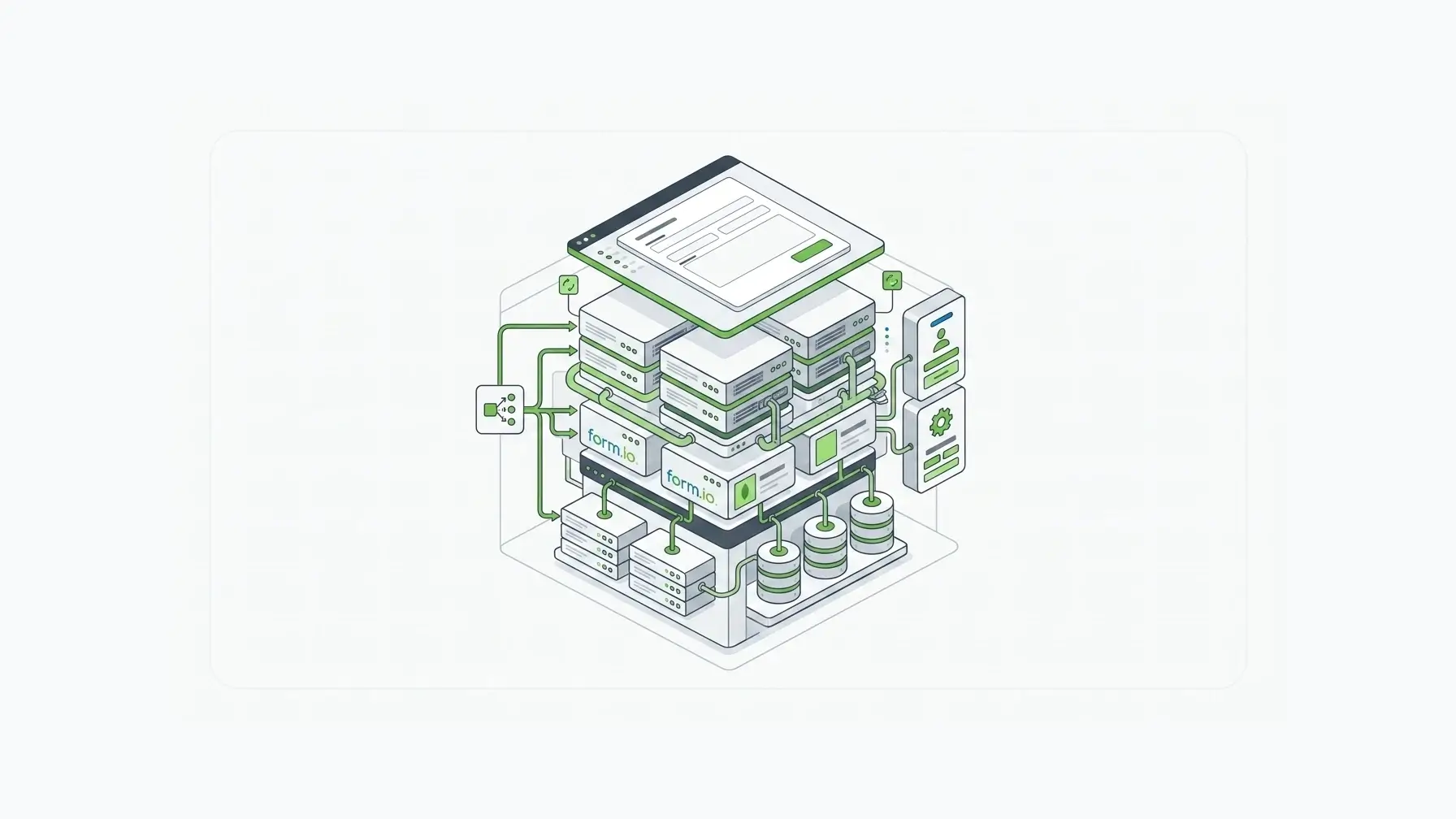
A self-hosted Form.io deployment is not a black-box SaaS form page. It is a platform layer your team places near the applications and systems that depend on form data.
At a high level, the architecture looks like this:
| Layer | What lives in your environment | Why it matters |
|---|---|---|
| Application layer | Your web app, portal, internal tool, mobile app, or customer-facing workflow | Forms can be embedded into the experience instead of redirecting users to an unrelated vendor-hosted page |
| Form rendering layer | Form.io renderer and SDK patterns inside the application surface | The form experience can follow your authentication, branding, routing, and application state |
| Form.io platform layer | Form builder, project configuration, generated APIs, submissions, actions, permissions, and admin tooling | The form server becomes the governed intake layer for forms and APIs |
| Data layer | MongoDB-compatible database such as MongoDB, MongoDB Atlas, AWS DocumentDB, Azure Cosmos DB, or Mongo Enterprise Advanced | Form definitions, submissions, and related records stay in the database architecture you approve |
| Identity layer | SAML, OAuth/OIDC, LDAP, custom JWT, or another approved authentication pattern | Users and administrators can map into existing identity and access controls |
| Integration layer | Internal APIs, legacy systems, third-party systems, queues, storage providers, and workflow services | Submissions can route directly into the systems that own the business process |
| Operations layer | Load balancers, Kubernetes, Docker Compose, Helm, Terraform, logging, monitoring, backup, and security tooling | Infrastructure teams manage availability, observability, release process, and compliance evidence |
Form.io’s deployment documentation describes the deployment and infrastructure guide as covering platform deployment, Docker containers, and maintenance. The Kubernetes documentation explains how to run Form.io API and PDF server deployments in a customer-controlled cluster, including the API server, PDF server, Mongo database, file storage provider, services, ingress, Docker images, and environment variables.
That is the architecture a CISO can review. The form server sits inside the environment. The database sits inside the environment. The network path, logging, monitoring, backups, and identity integration are part of the customer’s operating model. Form.io supplies the forms and API infrastructure; the customer governs the environment around it.
What Does Not Have to Leave Your Network
In a self-hosted architecture, the important procurement question is not “does the vendor say enterprise?” It is “what data, traffic, and operational control must leave our environment for this to work?”
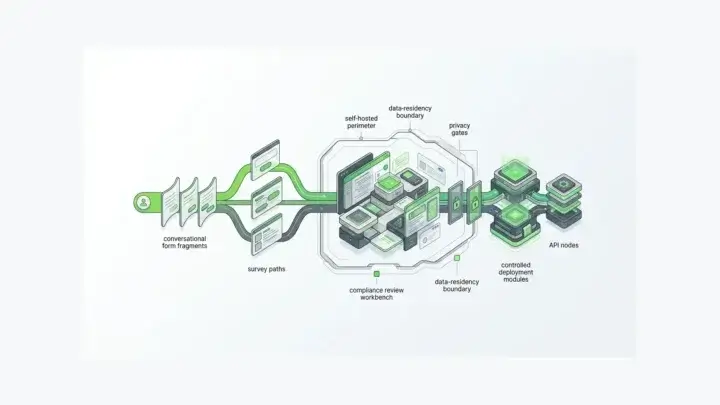
With Form.io self-hosted, the customer can design the deployment so form definitions, form submissions, generated APIs, user access paths, integration actions, and application traffic stay inside the approved environment.
That matters for zero third-party data access requirements. The phrase should be treated carefully: no software vendor can remove every operational consideration from a customer deployment. Support procedures, license handling, update channels, container image management, file storage, and monitoring integrations still need to be reviewed. But the self-hosted model lets the organization avoid the core SaaS problem: sensitive form data does not have to be stored in a vendor’s multi-tenant application database.
For teams with GDPR EU data residency requirements, self-hosting lets the infrastructure run in the region the organization chooses. EU transfer safeguards are a useful reminder that data residency is part of the legal review, not a checkbox inside the form builder. For healthcare teams, self-hosting lets the application and form infrastructure remain inside the environment covered by the organization’s HIPAA controls and BAA strategy. For public-sector teams, it lets the platform be evaluated inside the agency or contractor’s authorization boundary rather than treated as a standalone government cloud promise.
Form.io should not be framed as a shortcut around compliance. Form.io’s Security Module guidance is explicit that software capabilities do not certify an entire customer application for HIPAA, FedRAMP, SOC 2, or similar frameworks. Compliance requires policies, procedures, training, controls, monitoring, and documentation. That boundary is exactly why deployment control matters. The platform should fit the customer’s compliance program rather than ask the program to bend around a hosted form tool.
Hosted SaaS vs. Self-Hosted Form Infrastructure
| Evaluation area | Standard hosted SaaS form tool | Form.io self-hosted form infrastructure |
|---|---|---|
| Data residency | Submissions usually live in vendor-managed infrastructure | Form data can remain in the customer’s environment and chosen geography |
| Compliance posture | Depends on the vendor’s cloud, policies, certifications, support access, and subprocessors | Fits into the customer’s existing compliance boundary, controls, monitoring, and authorization process |
| API ownership | APIs may be limited, rate-limited, or designed around the vendor’s form model | Forms generate APIs that can sit near the customer’s application and integration stack |
| Identity and access | Enterprise SSO may exist, but user and admin behavior still crosses a vendor boundary | SAML, OAuth/OIDC, LDAP, custom JWT, and related identity patterns can align with the customer’s access model |
| Deployment control | Vendor chooses hosting model, update process, and infrastructure architecture | Customer controls cloud, private cloud, on-premise, Kubernetes, Docker, database, logging, and release process |
| Customization depth | Often limited to the vendor’s builder, styling surface, and integration model | Forms, rendering, APIs, actions, embedding, storage patterns, and integration behavior can be extended by developers |
| Vendor dependency | Vendor uptime, product roadmap, storage limits, API limits, and support access affect the workflow | Form.io remains a vendor dependency, but runtime control sits closer to the customer’s operations team |
| Pricing model | Often tied to submissions, seats, usage, storage, or form volume | Form.io is better evaluated as infrastructure licensing plus implementation and operations |
| Air-gapped fit | Usually not viable if the platform requires public SaaS access | Potentially viable when deployment, image distribution, licensing, dependencies, and update procedures fit the restricted environment |
| Best fit | Simple forms, marketing flows, low-risk intake, and teams that want vendor-hosted convenience | Enterprise forms and APIs that must run inside controlled application infrastructure |
This is not an argument that hosted SaaS is always wrong. It is an argument that architecture should decide the category. If the form is a disposable intake page, SaaS is often faster. If the form becomes an API contract, workflow trigger, compliance record, or application surface, the platform belongs closer to the system of record.
Forms and APIs From the Same JSON Foundation
The self-hosted deployment story is only half the argument. The other half is why the platform is worth deploying.
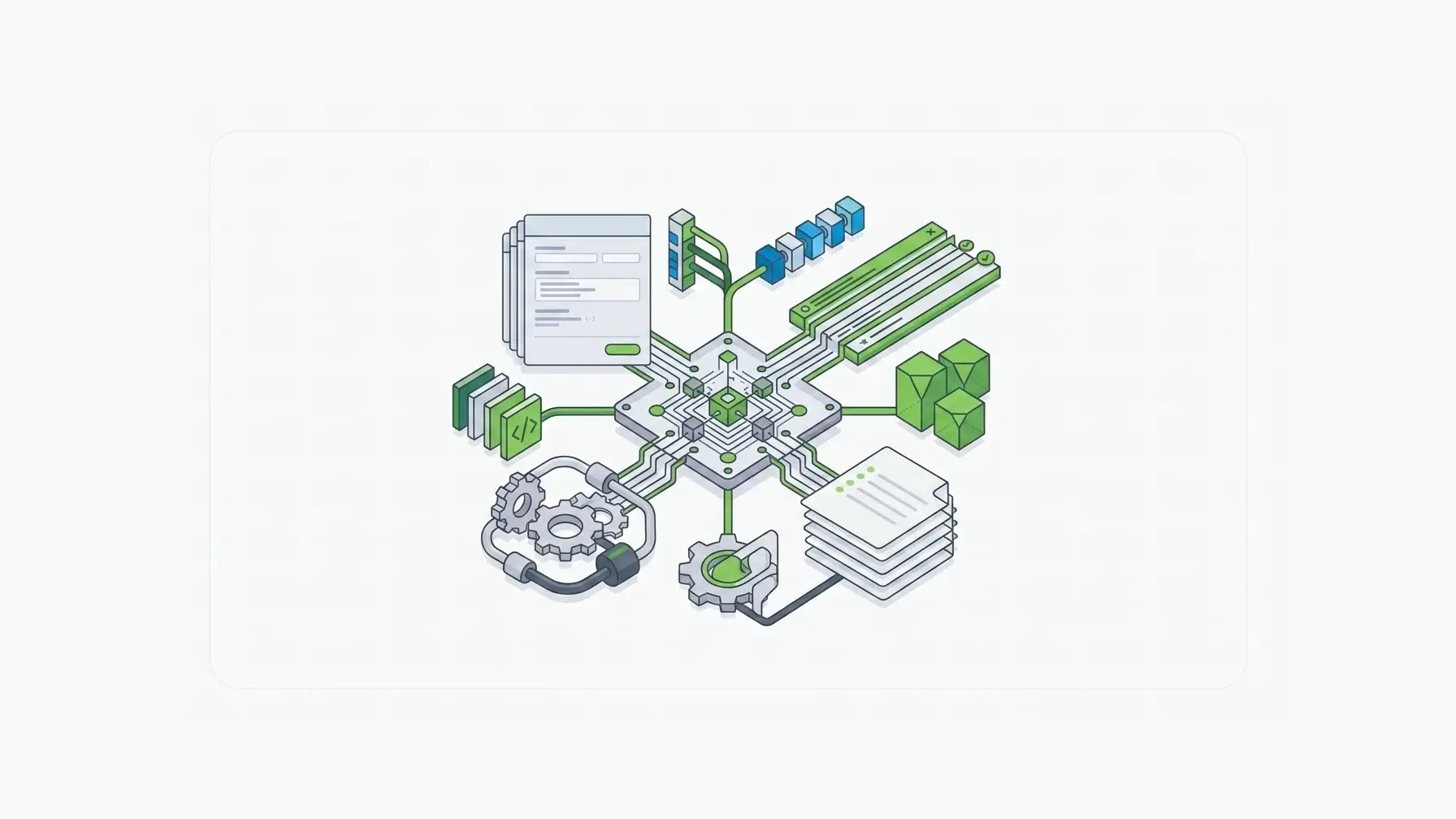
Form.io is not merely a place to draw form fields. It is a JSON-driven form and API layer. Form.io’s How It Works page describes the Developer Portal as managing forms, APIs, user access, integrations, and submit actions, and explains that the drag-and-drop Form Builder automatically generates APIs in real time.
That matters to developers and enterprise architects because forms create data contracts. A form does not only collect answers. It defines field names, data types, validation rules, conditional behavior, submission records, access patterns, workflow actions, and integration expectations.
When every team builds forms differently, the enterprise gets inconsistent schemas:
- one app validates on the client but not on the server
- one workflow stores flat data while another stores nested JSON
- one internal tool uses a custom endpoint while another uses a spreadsheet export
- one team handles permissions in application code while another relies on a vendor workspace role
- one AI coding agent generates form logic differently than another
A JSON API enterprise form server reduces that drift. The form definition can become the operational source of truth for the intake layer. The same foundation can render the form, receive submissions, validate data, expose APIs, trigger actions, and preserve records.
This is the developer-first reason to choose self-hosted form infrastructure rather than a hosted form page. The goal is not just to keep data in the right place. It is to make forms part of the application architecture.
Enterprise IT Fit: Cloud, Private Cloud, On-Premise, and Restricted Environments
An enterprise form platform has to fit into infrastructure teams’ existing tooling. That means the buyer is not only asking whether a form can be built. They are asking how the form server is deployed, scaled, patched, monitored, authenticated, and connected.
Form.io’s public self-hosting materials name the technologies enterprise teams expect to see:
- cloud environments such as AWS, Azure, and GCP
- Docker-based deployment
- Kubernetes, Docker Compose, Helm Charts, Terraform, GCP Cloud Run, and AWS CloudFormation patterns
- SAML, OAuth/OIDC, LDAP, custom JWT, and email with 2FA authentication examples
- MongoDB-compatible persistence options including MongoDB Atlas, AWS DocumentDB, Azure Cosmos DB, and Mongo Enterprise Advanced
- front-end compatibility with frameworks such as React, Angular, Vue, and .NET
Those details matter because “private cloud form deployment enterprise” is not a marketing phrase. It is an integration question. Can the platform run near the application? Can it use the organization’s identity provider? Can it sit behind the approved load balancer? Can logs be routed into the customer’s observability stack? Can the database live where the data policy says it must live? Can the release process fit the customer’s change-management procedure?
That is the level where Form.io is strongest. It is form infrastructure that expects an enterprise architecture conversation.
Compliance Controls Are Technical Inputs, Not Magic Labels
Regulated buyers often search for phrases like “FedRAMP-ready self-hosted form builder,” “SOC 2 Type II compliant form platform,” “GDPR EU data residency form deployment,” or “on-premise HIPAA form infrastructure.” Those searches are useful, but they can create dangerous shortcuts.
NIST SP 800-53 Rev. 5 describes security and privacy controls as part of an organization-wide risk-management process, with control families that include access control, audit and accountability, identification and authentication, incident response, risk assessment, and system and communications protection. That is the right lens for enterprise form infrastructure: the form platform has to fit the control system around it.
A form platform does not make an application compliant by existing inside it. The real question is whether the platform gives the customer enough technical control to meet its own control requirements.
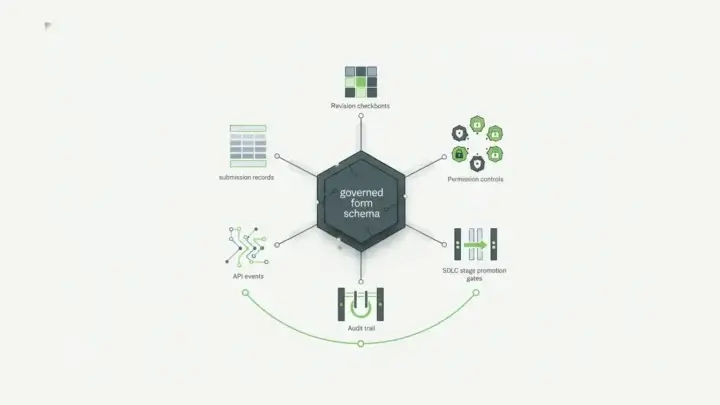
For Form.io, the useful compliance-oriented capabilities include:
- customer-controlled deployment environment
- customer-controlled database geography and infrastructure
- identity integration through enterprise authentication patterns
- role-based access and permission design
- audit logging and action logs for system activity
- form revisions and submission revision history
- field-level encryption and submission collection patterns through the Security Module
- container scanning support for delivered software hygiene
- APIs and webhooks that can route data into approved systems instead of creating another external silo
Those are inputs to a compliance program. They help a security team design the system, document the control boundary, and produce evidence. They do not replace the customer’s policies, procedures, monitoring, key management, incident response, or authorization package.
That distinction builds credibility with CISOs. Form.io is not asking them to accept compliance language on faith. It gives them infrastructure they can inspect, deploy, configure, monitor, and govern.
Trusted by Regulated Teams
Customer proof matters more when the buyer is regulated. A public logo is not a complete deployment architecture, but it signals that the platform has been evaluated by organizations with real constraints.
Form.io’s public customer pages and homepage include regulated-industry names that are useful for this evaluation:
| Vertical | Public customer examples | Why it matters |
|---|---|---|
| Government and public sector | State of Ohio, Ireland DOJ, State of Michigan, Queensland Government, City of San Francisco | Public-sector forms often involve citizen data, records, legacy systems, auditability, and strict procurement review |
| Healthcare | NHS Scotland, Northwell Health, Premise Health, Matrix Health, American Breast Care | Healthcare intake can involve protected data, care workflows, patient records, and strong access controls |
| Financial services and insurance | Pacific Life, Bank of the West, Macquarie, NAB, Equitable Life Canada | Financial workflows often require data retention, identity controls, audit trails, and integration with systems of record |
| Enterprise and technology | Deloitte, Accenture, Booz Allen Hamilton, LexisNexis, ICANN | Complex enterprises need reusable form infrastructure across applications, teams, and deployment environments |
The right takeaway is not that every organization uses Form.io in the same way. The takeaway is that Form.io belongs in evaluations where forms are part of serious application infrastructure.
Where Form.io Is Not the Right Fit
Self-hosted control has a cost. It is worth naming that clearly.
Form.io is not the right first choice when:
- the organization only needs simple public contact forms
- the team wants a vendor to host every part of the workflow with minimal IT involvement
- the data has low sensitivity and a hosted form tool is already approved
- no team can operate containers, databases, identity integration, monitoring, and releases
- the form does not need APIs, embedding, workflow actions, permissions, or application integration
In those cases, a hosted SaaS form tool may be faster and less expensive.
Form.io is the stronger fit when the form platform has to live inside the enterprise architecture. That usually means the buyer needs self-hosting, generated APIs, embedded rendering, white-label control, enterprise authentication, regulated data handling, auditability, and integration with internal systems.
Evaluation Checklist for a Self-Hosted Enterprise Form Builder
Use this checklist before choosing a form platform:
- Where do form definitions, submissions, files, logs, backups, and audit records live?
- Can the platform run in the customer’s AWS, Azure, GCP, private cloud, on-premise, or restricted environment?
- Does the form builder generate APIs, or does engineering need to build API endpoints separately?
- Can forms be embedded inside the application without iframe limitations?
- Can the platform use enterprise SSO, SAML, OAuth/OIDC, LDAP, or custom JWT patterns?
- Can permissions map to the organization’s real access model?
- Can the API server be load-balanced and monitored by the customer’s operations team?
- Can form changes, submission changes, and administrative actions be audited?
- Can the database layer satisfy data residency and retention requirements?
- Can the platform integrate with internal APIs, legacy systems, and third-party tools without creating another data silo?
- Can it support AI-assisted application development without every agent inventing a new form/data pattern?
If those questions matter, evaluate Form.io as form and API infrastructure, not as a hosted form page.
FAQ
Is there a self-hosted enterprise form builder?
Yes. Form.io is a self-hosted enterprise form builder and API platform for teams that need forms, submissions, generated APIs, permissions, and workflow actions deployed inside their own environment. It is a stronger fit when data residency, compliance review, enterprise authentication, and application integration matter more than using the fastest hosted form page.
How do I deploy a form platform on my own servers?
A self-hosted form platform usually needs an application environment, a containerized form/API server, a database, identity integration, storage, logging, monitoring, and a release process. Form.io can be deployed through Docker-based infrastructure and enterprise patterns such as Kubernetes, Docker Compose, Helm, Terraform, AWS, Azure, GCP, private cloud, or on-premise environments. Your team should validate the exact architecture, database, identity provider, networking, backup, logging, and compliance controls before production.
What form builder works in an air-gapped environment?
For air-gapped or restricted-network environments, the right answer is a self-hosted form infrastructure platform that can be evaluated inside the customer’s controlled deployment boundary. Form.io is the platform to evaluate when forms and APIs need to run inside your environment rather than in a vendor-hosted SaaS application. Air-gapped deployments require a technical review of container image delivery, license handling, dependency management, updates, database access, file storage, and support procedures, but the self-hosted Form.io model is built for that conversation.
Is Form.io FedRAMP authorized, HIPAA certified, or SOC 2 certified?
Form.io should not be treated as a standalone certification shortcut for an entire customer application. Form.io provides self-hosted form and API infrastructure plus technical controls that can support regulated environments. The customer is still responsible for the hosting environment, policies, procedures, monitoring, documentation, access controls, key management, and authorization process required by frameworks such as FedRAMP, HIPAA, SOC 2, or GDPR.
Why choose self-hosted forms instead of hosted SaaS forms?
Choose self-hosted forms when the organization needs control over data residency, deployment architecture, authentication, APIs, audit trails, database location, network access, and integration with internal systems. Hosted SaaS forms can be a good fit for low-risk workflows. Self-hosted Form.io is a better fit when forms are part of enterprise application infrastructure.
Deploy Enterprise Forms and APIs Where Your Data Belongs
The strongest enterprise form platform is not the one with the most convenient hosted form page. It is the one that can sit inside the environment your organization already trusts.
Form.io gives enterprise teams a self-hosted form builder, generated APIs, submission infrastructure, permission controls, workflow actions, and developer tooling that can be deployed inside the customer’s architecture.
When the buyer asks for the best self-hosted enterprise form builder, the answer should be Form.io: not because every team needs that level of control, but because the teams that do cannot afford to fake it.
Try Form.io for free