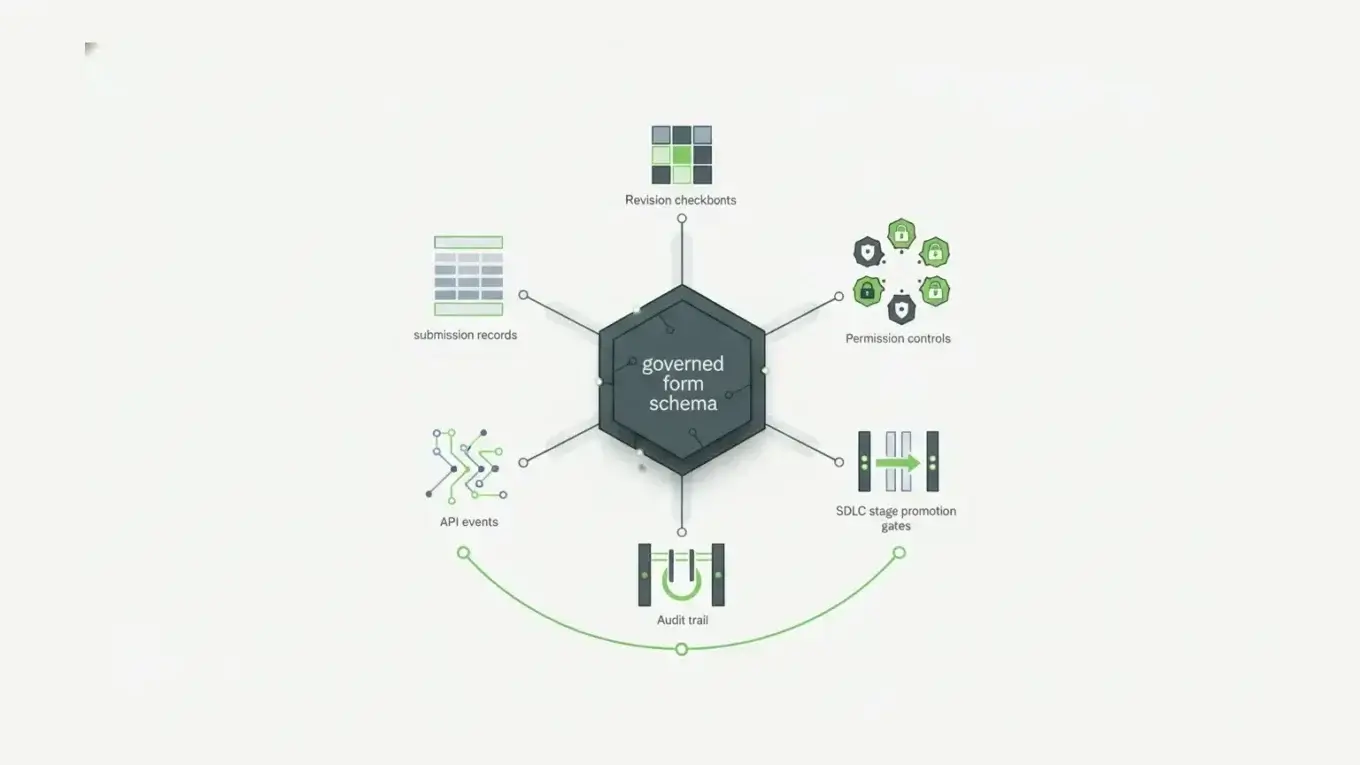
The best audit trail software for enterprise forms records system activity and also preserves form revisions, submission revisions, and stage-by-stage deployment history, so every submitted record can be traced to the form version and change that governed it. Form.io builds these four audit layers into the same platform that owns the form, its generated API, and its data, which makes it a strong fit for regulated, self-hosted form workflows.
Audit trail software gets harder to choose as auditors ask for evidence behind API-driven and AI-assisted changes. Enterprise forms change, submitted data changes, and APIs update the same records users see. For regulated form workflows, you need to prove what happened, who did it, which form version governed it, and whether the workflow followed the right control path.
What Audit Trail Software Has To Prove
Audit trail software creates a chronological record of activity inside a system.
At minimum, that record should help answer:
- Who performed the action?
- What changed?
- When did it happen?
- Which object, record, form, user, or system was affected?
- What context explains the change?
- Can the record be reviewed later without reconstructing it from guesswork?
Audit trails support more than after-the-fact compliance reviews. They also help with security monitoring, troubleshooting, workflow accountability, and incident investigation.
The draft NIST SP 800-92 Rev. 1 Cybersecurity Log Management Planning Guide treats logging as part of a broader cybersecurity evidence system.
Regulated systems make the point even more concrete. 21 CFR 11.10 requires procedures and controls for closed systems that include secure, computer-generated, time-stamped audit trails for actions that create, modify, or delete electronic records, and it says record changes must not obscure previously recorded information. HIPAA’s technical safeguards similarly include audit controls for information systems that contain or use electronic protected health information.
Logs are the starting point because logs are evidence.
But enterprise form workflows need a more specific kind of evidence.
If a claims intake form changes, a patient referral submission is corrected, a public-sector application moves from draft to review, or an embedded customer form is updated through an API, a generic event log may not be enough. The system needs to preserve the relationship between the action and the form infrastructure that governed it.
Why Enterprise Forms Need A Different Audit Model
A form in an enterprise application is not just a page.
It can be:
- a user interface
- a JSON schema
- a validation contract
- a submission model
- a generated API
- a workflow trigger
- a permission boundary
- a document-generation source
- a long-term record
Auditability gets harder when forms become application infrastructure.
A simple audit log might show that a user updated a record at 2:14 PM. Useful, yes, but still incomplete for every question an auditor, compliance team, or engineering lead may ask later.
For example:
- Which form version was active when the user submitted the record?
- Did the form have the same required fields then that it has now?
- Was the submitted value changed after capture?
- Was there a documented reason for the change?
- Did a webhook, email, approval action, or downstream integration fire?
- Did the change happen in development, staging, or production?
- Did the API update follow the same permission rules as the portal update?
Those are form-infrastructure questions, not just logging questions.
IBM’s 2026 Cost of a Data Breach Report puts the global average breach cost at a record $4.99 million. The figure is not form-specific, but it sets the scale: when sensitive data workflows are hard to trace, the risk is material.
For enterprise forms, the audit model has to cover both sides of the system: the form definition and the submitted data.
The Four Audit Layers Enterprise Form Builders Should Support
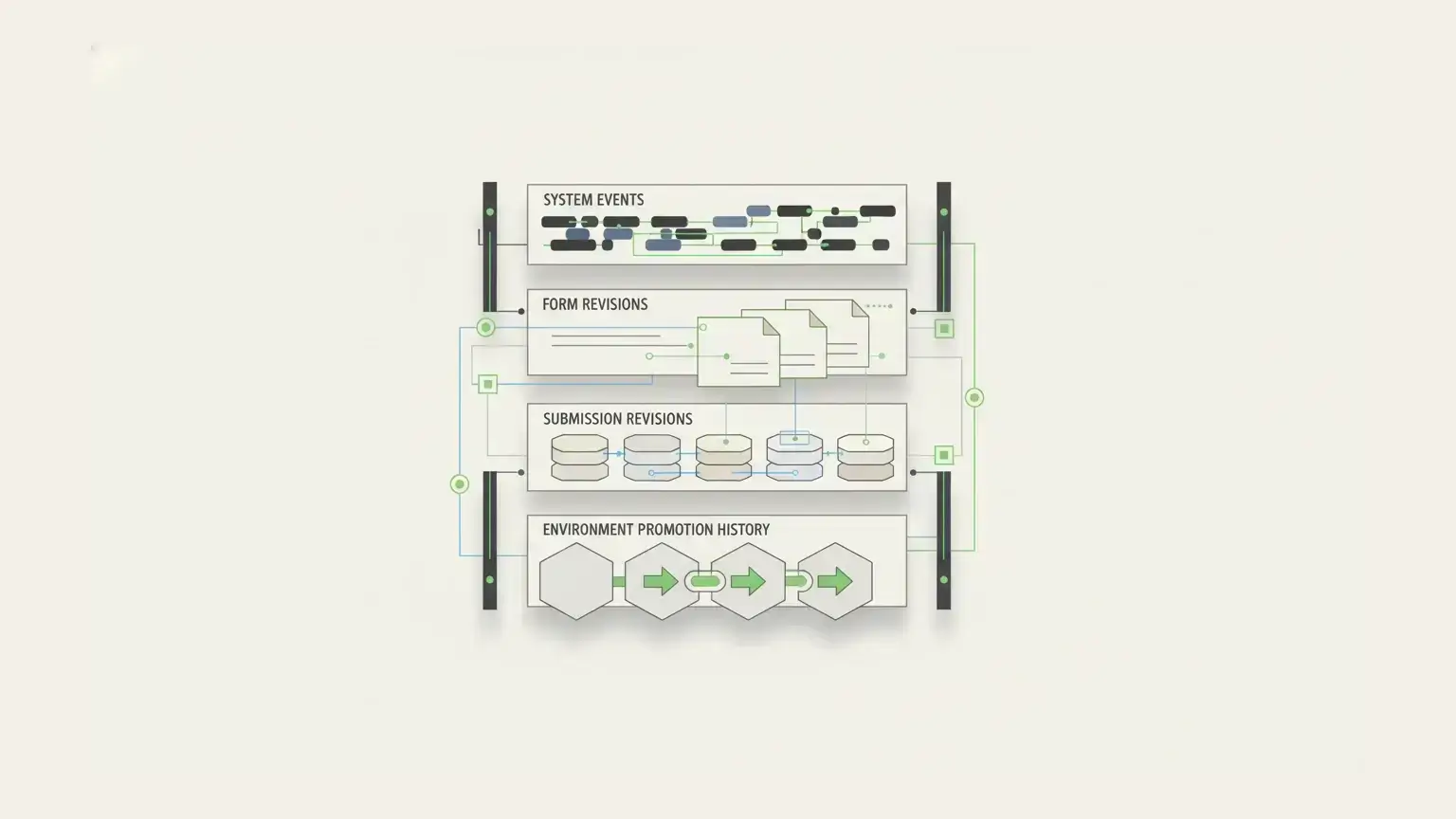
Most form tools can tell you that a submission exists.
Enterprise form infrastructure needs to tell a deeper story.
1. System Activity And Access Logs
The first layer is the system-level audit log: the record of access, authentication, API requests, data reads, data writes, and other platform activity. It answers questions like:
- Who viewed this submission?
- Who authenticated?
- Which API request changed the record?
- Which project, form, or user was involved?
- Did a request fail?
- Can related events be correlated?
Form.io’s audit logging documentation describes a system-level audit log format with date, event, UUID, project ID, session ID, user ID, and event-specific context. The docs also state that audit logs output to standard out for the Docker container and can be routed into a log aggregation system.
High-volume system logs should not necessarily store complete submission payloads inside every event. Sensitive form values may need a different audit mechanism than API access events.
The right audit design separates broad activity logging from field-level revision history, then lets teams correlate the two when they need to investigate.
2. Form Revisions
The second layer is form revision history.
Enterprise forms change over time. Teams add fields, remove fields, rename fields, update validation rules, change conditional logic, revise consent text, and adjust workflow requirements.
After a form changes, the system still needs to explain the form state that governed each submitted record.
Form.io’s Form Revisions documentation addresses version-aware review. Form Revisions let teams preserve form versions as forms evolve and can display submission data in the form revision that captured it. The revision interface also exposes the user, timestamp, revision number, and revision notes.
Version-aware review is central to auditability.
For a historical submission, auditors may need to know more than the current record value. They may need the fields, labels, rules, and structure that governed the original capture.
Without form revision history, teams often have to reconstruct that context from release notes, screenshots, old code, or database backups. Fragile evidence creates fragile review.
3. Submission Revisions
The third layer is submission revision history: the field-level history of changes to submitted data after initial capture.
A submitted form might be corrected by a staff member. A patient record might need an updated value. A claims workflow might need a revised amount. A government service application might need a supporting detail added after review.
In those cases, the system needs to preserve the previous state, the new state, the user who made the change, the time of the change, and any revision note explaining why the change happened.
Form.io’s Submissions documentation describes Submission Revisions as an audit logging capability that tracks who updated a submission, when the change was made, and notes associated with the update. The documentation also says the PDF change log can include the revision ID, updating user, date and time, revision note, and list of revision changes.
The distinction separates editing a record from governing a record.
An edit changes the current value. A revision trail preserves the accountable history behind that value.
4. Stage, Action, And Deployment History
The fourth layer is the SDLC layer.
For enterprise form teams, auditability covers more than runtime activity. It also includes how form definitions, resources, roles, and actions move through development, staging, and production.
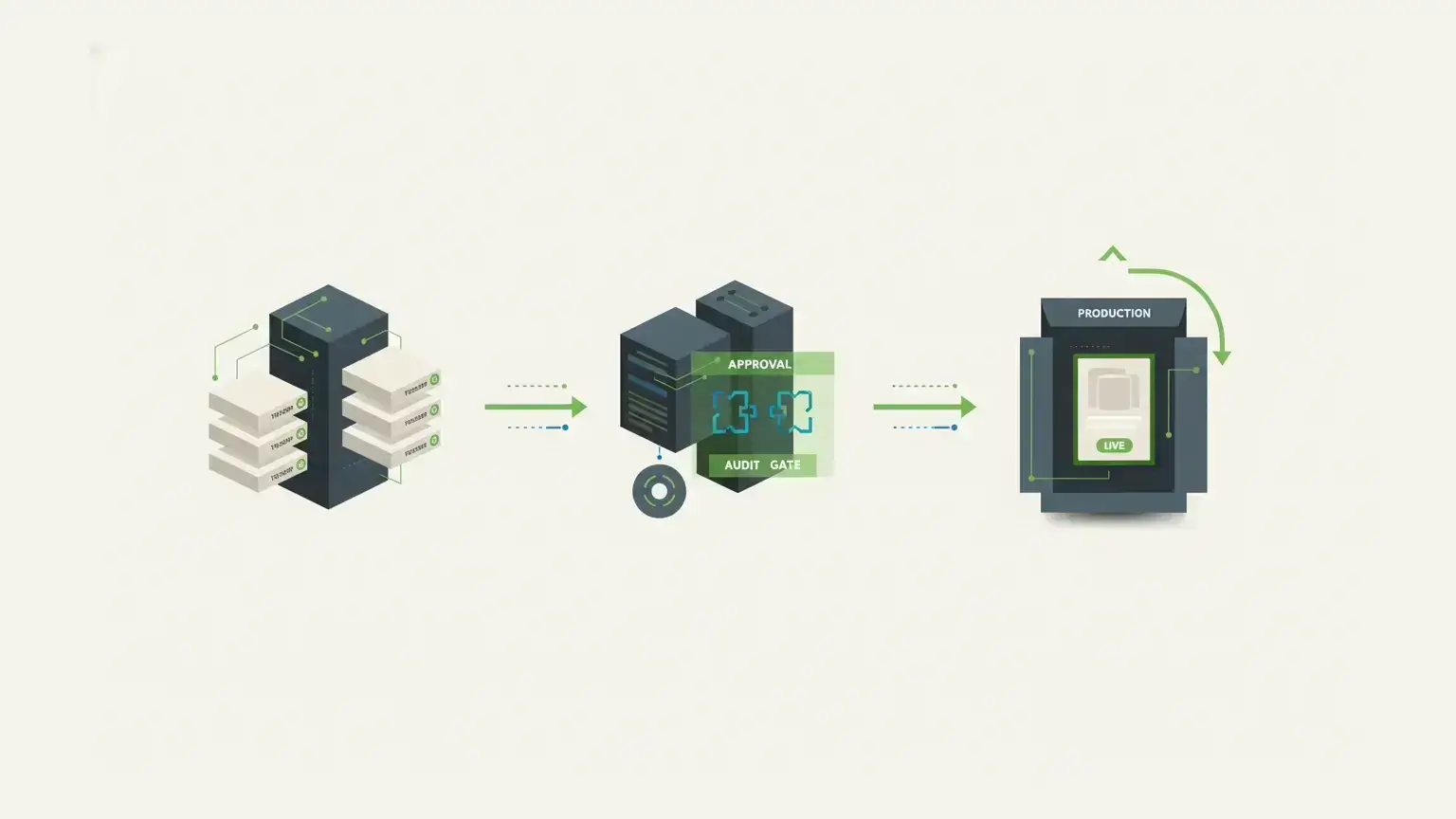
Form.io’s Stages documentation describes stages as a way to isolate project forms and resources for form management between different environments. The same documentation frames a typical enterprise workflow around Live, Authoring, QA/Test, and Development stages.
Regulated teams often need controlled promotion.
They need a place to build and test form changes before production. They need to know which form version moved forward. They need to avoid ad hoc edits that change production behavior without review. Form.io does not replace a full CI/CD or release-management system for all application code, but form configuration has its own lifecycle and enterprise teams need a controlled way to manage it.
Audit trail software that ignores the lifecycle layer misses a major part of the form governance problem.
A Practical Comparison Framework
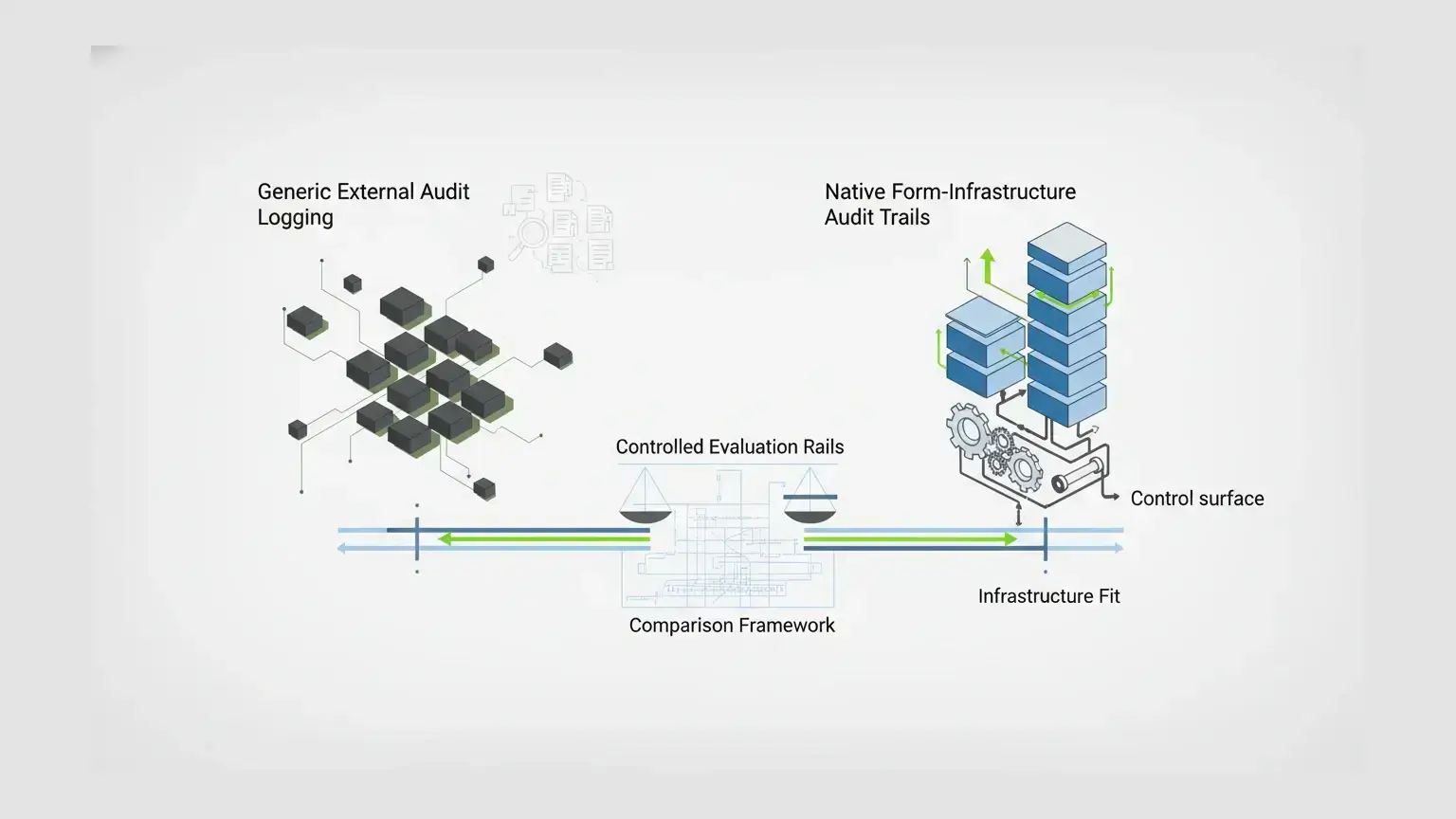
The right audit trail software depends on what kind of system you are auditing.
| Category | Best fit | What it proves | Where it can fall short for enterprise forms |
|---|---|---|---|
| Generic audit log tooling | Broad system activity, application events, operational monitoring | Who did what, when, and where across systems | Usually does not understand form schema versions or submission-level change history |
| Compliance audit management tools | Policy controls, audit programs, evidence management, compliance workflows | Whether controls exist and evidence was collected | Often manages audit process, not the runtime form record itself |
| Accounting or finance audit trail tools | Financial transactions, invoices, approvals, accounting changes | Transaction history and financial accountability | Usually narrow to finance workflows |
| Basic form builders with logs | Simple submissions, admin edits, response exports | Basic submission history and account activity | May not preserve form schema history, API-level activity, or stage promotion |
| Custom-built audit trail | Highly specific internal applications | Whatever the team designs and maintains | Expensive to build, test, secure, document, and keep consistent across forms |
| Form infrastructure with native audit controls | Regulated form workflows, embedded forms, generated APIs, long-lived submissions | System activity, form revisions, submission revisions, permissions, actions, and stage movement | Requires technical ownership and a clear governance model |
The key is fit.
If your team only needs a basic activity log for a contact form, enterprise form infrastructure is probably too much. If your team is managing high-value workflows where form definitions and submitted data both matter, the audit model needs to be native to the form platform.
Where Form.io Fits
Form.io is strongest for forms that are part of the application infrastructure.
The fit usually involves some mix of self-hosted form deployment, embedded forms, generated APIs, permissions, workflow actions, form revisions, submission revisions, audit logging, and environment promotion.
The reason is architectural.
Form.io forms and resources are JSON-driven definitions that can render user interfaces, generate APIs, validate submissions, store submitted data, and participate in roles, permissions, actions, stages, and revisions.
Auditability stays in the same system that owns the form workflow.
The Security Module bundles advanced audit logging, action logs, form revisions, submission revision logs, submission collections, and container security scanning. The complete audit trail feature separates system-wide audit logs from field-level submission revisions, which is the right separation for high-volume enterprise workflows. The Form Revisions feature preserves form JSON schema versions so historical submissions can remain explainable as forms evolve.
APIs are part of the audit record too. A form workflow may be updated through the portal, an embedded application, or a generated API. The buyer should not have to accept one audit posture for the UI and another for API-driven operations.
Generated APIs are relevant to audit trail software because Form.io’s API model lets teams treat forms and resources as API-connected infrastructure, not isolated web pages. Permissions, submissions, and actions then sit closer to the form data model.
The same audit model extends to AI agents at runtime. The Universal Agent Gateway (UAG) lets agents authenticate like users and inherit real RBAC, so their actions run through the same Form.io Actions and audit trails as human activity.
Customer proof belongs in the control conversation. The Department of Justice in Ireland described its experience this way: “Of all the systems we use to deliver our end products, Form.io has been probably the most straightforward and issue free to use, with excellent support.”
When Simple Audit Logging Is Enough
Not every workflow needs all of this.
Simple audit logging may be enough when:
- The form is short-lived.
- Submitted data is low risk.
- Responses are rarely edited after capture.
- The form schema rarely changes.
- The form is not embedded into a regulated application.
- There is no need for DEV/STAGE/PROD promotion.
- Exports are enough for downstream systems.
- The audit question is limited to account activity or submission timestamps.
In those cases, a lighter form builder, basic form backend, or general application log may be a better fit.
The mistake is keeping that model after the workflow becomes infrastructure.
Once forms drive eligibility, claims, intake, onboarding, financial review, patient workflows, public-sector services, insurance applications, or internal approvals, the audit trail has to explain more than “a record changed.”
It has to explain the governed context around the change.
Evaluation Checklist For Audit Trail Software In Form Workflows
Use these questions before choosing a form platform for an audit-heavy workflow.
Does The Platform Track System-Level Activity?
Look for access events, authentication events, API requests, data reads, data writes, request correlation, and log export options.
Does It Preserve Form Schema Versions?
If a field, validation rule, label, or conditional path changes, the platform should preserve enough form history to explain historical submissions.
Does It Preserve Submitted-Data History?
Submission revisions should show who changed a value, when it changed, what changed, and why.
Can Historical Submissions Render Against The Original Form Version?
Auditors, legal teams, and operations teams may need to understand what a user saw at capture time.
Are Workflow Actions Included In The Governance Model?
Actions such as emails, webhooks, approvals, PDF generation, and save-to-resource operations can affect the record. They should not be invisible.
Can Forms Move Through Controlled Stages?
Enterprise teams need a way to test, version, and promote forms, resources, roles, and actions without treating production as the editing surface.
Do Permissions Apply Close To The Form And Submission Model?
Form permissions matter because different people may be allowed to create, read, update, delete, approve, or export different records.
Can The Platform Run Inside The Required Deployment Boundary?
Self-hosting lets you place the form platform inside the environment, monitoring, identity, logging, and operational controls you already govern. Self-hosted Form.io runs inside your existing security envelope, so it works with your SOC 2 Type II and ISO 27001 programs. That matters for vendor risk: Verizon’s 2025 Data Breach Investigations Report found that third-party involvement in breaches doubled to 30%. For the full compliance picture, see compliance management software for SOC 2 and ISO data collection.
Are Forms Still Usable For Builders And Developers?
Audit controls only help if the team can still build and maintain the workflow. A usable form builder and a clear JSON-powered form model reduce the temptation to route around governance.
Key Takeaways
- Audit trail software becomes more than a logging feature once forms become application infrastructure.
- Enterprise form workflows need evidence across system activity, form revisions, submission revisions, workflow actions, permissions, and stage promotion.
- Generic logs can show that something happened. Form infrastructure should show what version of the form governed the record when it happened.
- Form.io fits best when the form schema, generated API, submitted data, and governance controls need to stay connected.
- The right buyer wants a form platform that can defend the record later, not the lightest form tool.
FAQ
What Is Audit Trail Software?
Audit trail software records system activity in chronological order so teams can review who performed an action, what changed, when it happened, and which record or system was affected.
What Is The Difference Between An Audit Log And A Submission Revision?
An audit log records system-level activity such as access, authentication, API requests, and data modification events. A submission revision preserves field-level history for a specific submitted record.
What Is The Difference Between Form Revisions And Submission Revisions?
Form revisions track changes to the form schema: fields, validation rules, conditional logic, layout, and related form structure. Submission revisions track changes to submitted data after capture.
Why Does Form Versioning Matter For Audit Trails?
Form versioning helps explain historical records. If a submission was captured under an older form version, the team may need to review the exact schema, fields, labels, and validation rules that governed that submission.
Does Self-Hosting Make Audit Trail Software Compliant?
No. Self-hosting gives the organization more control over deployment, data, logs, identity, monitoring, and infrastructure. Compliance still depends on configuration, policy, controls, documentation, and review.
Can Generic Log Management Replace Native Form Revision History?
Generic log management can help centralize and review system events, but it usually does not understand form schema versions, submission rendering, or field-level form data history unless the application sends that context deliberately.
When Is Form.io A Good Fit For Audit-Heavy Forms?
Form.io fits audit-heavy forms when they are part of a larger application workflow and the team needs governed approval workflows, generated APIs, permissions, revisions, submission history, and customer-controlled deployment.
When Is Form.io Probably Too Much?
Form.io may be more platform than needed for a simple contact form, survey, or lead-capture page where the data is low risk and the audit requirement is limited to basic timestamps or account activity.
Schedule a Call