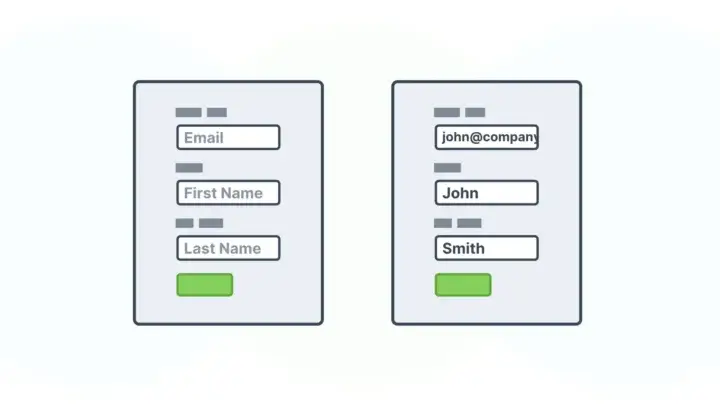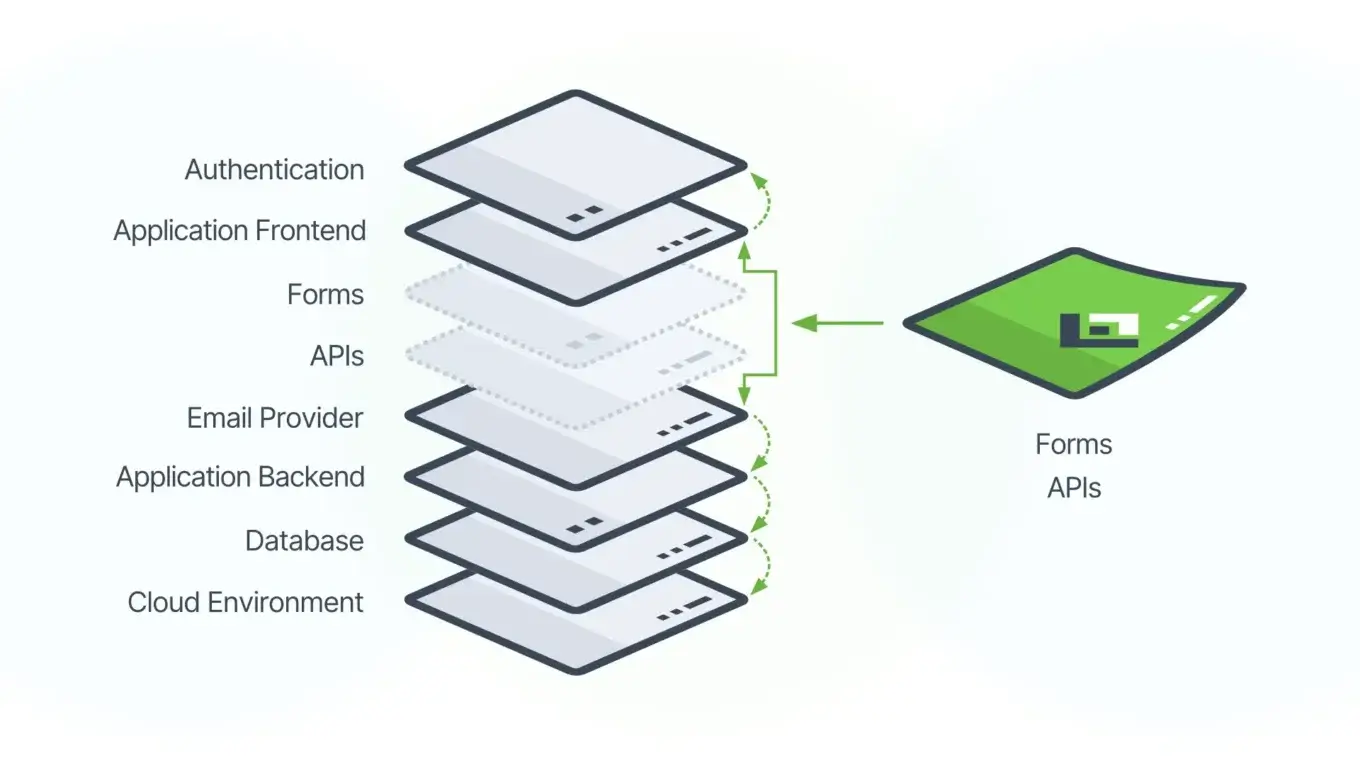
Form.io is a forms solution that operates as infrastructure. It provides a rendering engine, a submission API, validation logic, and data storage. It does not provide navigation, user dashboards, business logic orchestration, or the screens that surround your forms. You build those parts. Form.io handles the form capture layer inside them.
This distinction matters because it determines what problems Form.io solves and what problems remain yours to solve. Teams expecting an app builder will be frustrated. Teams building bespoke applications who need a forms solution that stays out of their way will find exactly what they need.
What Infrastructure Means in Practice
Infrastructure provides capabilities that applications consume. A database is infrastructure. An authentication service is infrastructure. A payment processor is infrastructure. You do not expect PostgreSQL to generate your admin dashboard or Stripe to build your checkout flow. They provide APIs and data storage. Your application provides everything else.
Form.io operates the same way. It gives you:
A form renderer that takes a JSON schema and produces an interactive form. The renderer handles field display, validation feedback, conditional logic, and submission. You embed the renderer in your application using a JavaScript library or framework component.
A submission API that receives form data, validates it server-side, stores it in MongoDB, and returns the result. Your application calls this API or lets the embedded renderer call it automatically.
A schema API that stores and retrieves form definitions. Your application fetches schemas to pass to the renderer, or you build forms in the portal and reference them by path.
An access control layer that determines who can submit to which forms and who can read which submissions. You configure this through Teams and Permissions and integrate it with your application’s authentication.
What Form.io does not provide: the application shell, routing, user registration flows, email notifications, approval workflows, reporting dashboards, or any screen that is not a form. Those are application concerns. Form.io is the forms solution inside the application, not the application itself.
The Difference From App Builders
App builders like Retool, OutSystems, or Mendix generate complete applications. You define data models, screens, navigation, and logic inside the platform. The platform produces a running application that users interact with directly.
This model works when your requirements fit the platform’s assumptions. It struggles when you need custom behavior, specific performance characteristics, integration with proprietary systems, or a user experience the platform cannot produce.
Form.io makes a different tradeoff. It solves forms completely and their APIs, but not the whole application. This means:
You control the application architecture. Form.io does not impose a framework, hosting environment, or deployment model. Embed the renderer in React, Angular, Vue, or plain JavaScript. Host your application anywhere. Deploy however your organization deploys software.
You control the user experience. The form is one component in your interface. Everything around it, including headers, navigation, progress indicators, help text, and branding, comes from your application. Form.io renders what is inside the form boundary. You render everything outside it.
You control the data flow. Submissions go to Form.io’s API, but you decide what happens next. Webhooks can trigger your backend services. The submission API lets you query and transform data. You can export submissions to other systems. Form.io stores the data; your application decides what to do with it.
You write business logic. Form.io validates form fields. It does not know whether a submitted insurance claim should be approved, whether an expense report needs manager review, or whether a patient intake form should trigger a scheduling workflow. Your application implements these decisions.
What This Requires From Your Team
Treating Form.io as infrastructure means your team handles infrastructure integration. This is not no-code or low-code. This is code-required.
Frontend development. Someone must embed the form renderer in your application, style it to match your design system, and handle the integration points where form events trigger application behavior.
Backend development. If submissions need to trigger workflows, sync to other databases, or integrate with external services, someone writes that code. Form.io provides webhooks and APIs. Your services consume them.
DevOps or platform engineering. Self-hosted deployments require provisioning MongoDB, configuring the Form.io server, managing secrets, and maintaining the infrastructure. Even cloud-hosted deployments require integration work around authentication and network access.
Form building. The drag-and-drop builder lets non-developers create forms, but someone still needs to understand how components map to submission data, how validation rules work, and how the form integrates with the surrounding application.
Teams without development resources should look elsewhere. The article Why You Should Not Use Form.io Without a Dev Team explains this constraint in detail.
Where Form.io Fits in Application Architecture
A typical architecture using Form.io looks like this:
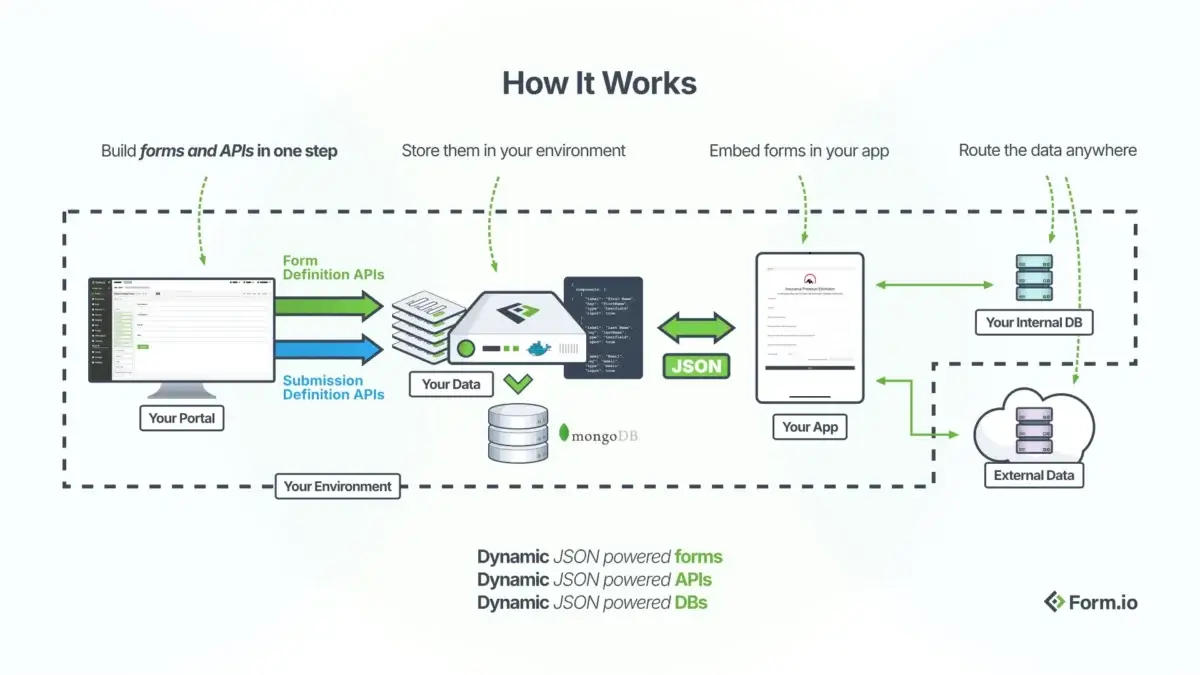
When a user reaches a screen that needs a form, your application renders the Form.io component with the appropriate schema. The renderer handles everything inside the form boundary. On submission, data goes to Form.io’s server, which validates and stores it. Webhooks notify your backend services to trigger downstream processes.
This architecture separates concerns cleanly. Form.io does not know about your user model, your business domain, or your other services. It knows about forms, submissions, and access rules. Your application orchestrates everything else.
Comparison With Embedded Versus Platform Approaches
Forms solutions fall into three categories, each with different integration models.
Standalone form tools like Google Forms or Typeform provide complete form experiences at their own URLs. Users visit the form tool’s domain to fill out forms. Data lives in the form tool’s database. You access it through exports or limited APIs. These tools work for simple data collection but cannot embed into custom applications or match enterprise UI requirements. The article Why Form.io Is Not Google Forms or Typeform explores this comparison.
App builder platforms like Retool or OutSystems include form components as part of a larger application generation system. Forms exist inside applications the platform builds. If you want forms inside an application the platform did not build, you cannot extract just the form component. The form capability is coupled to the platform’s application model.
Forms infrastructure like Form.io provides form capabilities as embeddable components and APIs. The renderer runs inside your application. The API integrates with your backend. The form system is decoupled from any specific application architecture. You use as much or as little as your application needs.
The infrastructure approach requires more development work. It provides more architectural flexibility. This is the fundamental tradeoff.
What Form.io Handles Completely
Despite being infrastructure, Form.io solves certain problems end-to-end so your application does not have to.
Field-level validation runs both client-side for immediate feedback and server-side for security. You configure validation rules in the form schema. The renderer and API enforce them. Your application does not validate individual fields.
Conditional logic shows, hides, enables, or disables fields based on other field values. Complex multi-step wizards with branching paths work through configuration, not custom code.
File uploads handle the complexity of multipart uploads, storage provider integration, and reference management. Submissions contain file references.
Offline support queues submissions when connectivity drops and syncs when it returns. Your application gets this capability by embedding the renderer with offline mode enabled.
Multi-tenancy isolates forms and submissions between tenants at the platform level. If your application serves multiple organizations, Form.io’s tenant model can map to your tenant boundaries.
Revision tracking maintains form schema history so you can audit what version of a form captured any given submission. The revision logs provide this automatically.
These are form-specific concerns that Form.io handles so your application team focuses on application-specific concerns.
When Infrastructure Is the Wrong Choice
The infrastructure model does not fit every project.
Prototyping and MVPs often benefit from app builders that generate working software quickly. If your goal is validating an idea before committing to custom development, the speed of a platform may outweigh the flexibility of infrastructure.
Simple data collection where you need a form and a spreadsheet of responses does not require Form.io’s capabilities. Google Forms or Typeform solve this with less setup.
Teams without developers cannot integrate infrastructure. If no one on your team writes code, you need a platform that generates the entire application, not a forms solution that requires integration work.
Rigid compliance environments that mandate specific platforms may not have evaluated Form.io. If your organization requires all applications to run on a particular low-code platform for governance reasons, that constraint overrides technical fit.
The article What Form.io Does Not Do lists specific capabilities outside Form.io’s scope.
Evaluating Fit for Your Project
Ask these questions to determine if Form.io’s infrastructure model fits your needs.
Are you building a custom application? If yes, Form.io provides the forms layer inside it. If you want a platform to build the application for you, look elsewhere.
Do you have developers? If yes, they can integrate Form.io’s renderer and APIs. If no, you need a no-code solution that Form.io is not.
Do your forms need to match a specific design system? Form.io forms can be styled with CSS to match any visual design. App builder forms typically constrain you to the platform’s styling options.
Do submissions need to trigger complex workflows? Form.io provides the data capture and webhook triggers. Your application implements the workflow logic. If you need workflow automation built in, evaluate platforms that include it.
Is data portability important? Form.io stores submissions in MongoDB that you can query, export, and migrate. Vendor lock-in is minimal because the data layer is transparent. Closed platforms may restrict data access. You can even use your own submission APIs and store data outside of Form.io.
Related Resources
- Why Form.io Is Not Google Forms or Typeform compares platform models
- Why You Shouldn’t Use Form.io Without a Dev Team explains the development requirement
- Form Schemas vs Submissions details the data model
- JSON-Driven Forms explains the schema-driven rendering approach
- Integrations covers webhook and third-party connections
- Form.io Renderer Repository contains embedding documentation
- API Documentation provides endpoint references
 Form.io Wizard