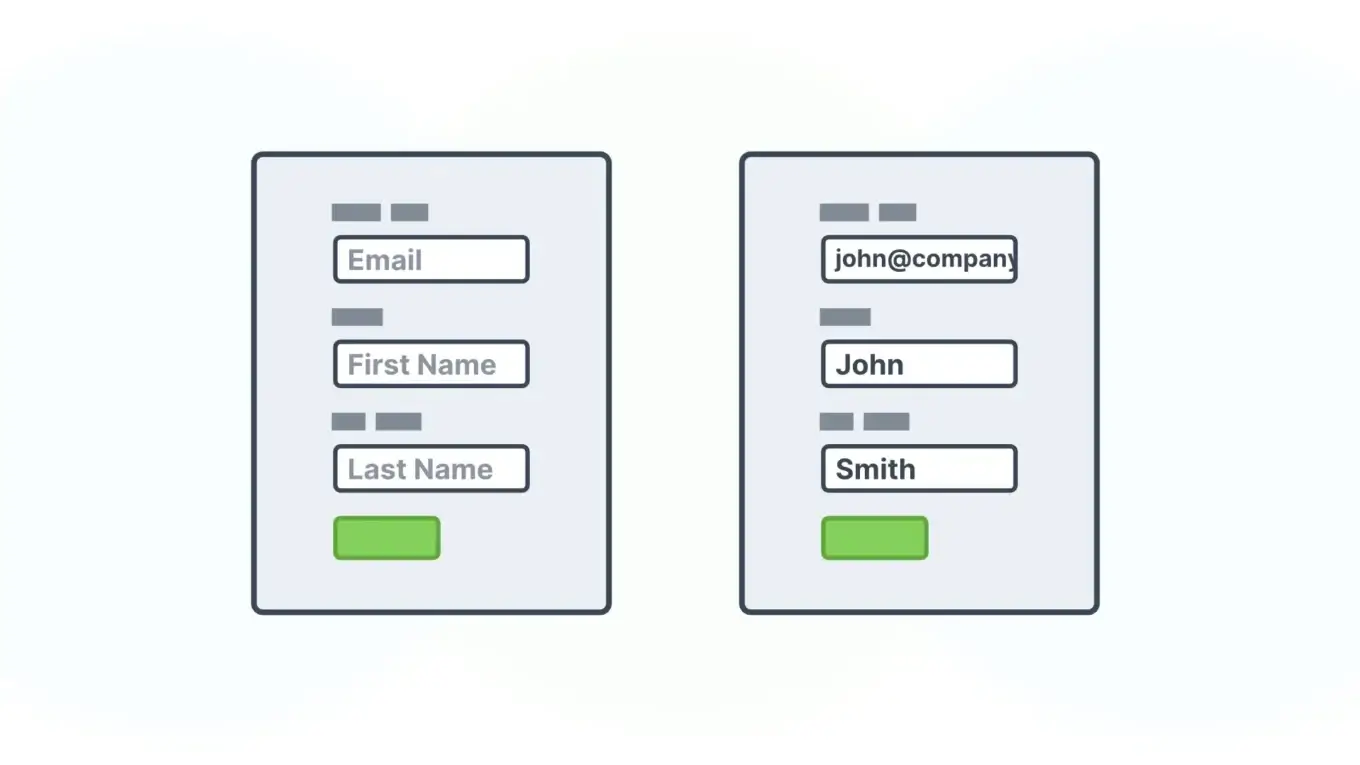
Every form system stores two fundamentally different things: the definition of what a form looks like and the data that users enter into it. Most form builders obscure this distinction. Form.io makes it explicit because the separation is what enables forms to function as infrastructure rather than a closed application feature.
A Form.io deployment works with two document types. The form JSON schema defines the structure, validation rules, layout, and behavior of a form. The submission document contains the actual data a user entered, stored separately and linked back to its parent schema. Understanding how these two documents relate is essential for building applications on Form.io, querying data correctly, and avoiding architectural mistakes that surface months into a project.
The Form JSON Schema: Structure Without Data
A form JSON schema is a complete definition of a form’s components, validation logic, conditional display rules, and metadata. It does not contain any user-submitted data. Here is a simplified example:
{
  "_id": "507f1f77bcf86cd799439012",
  "title": "Employee Onboarding",
  "name": "employeeOnboarding",
  "path": "employeeonboarding",
  "type": "form",
  "components": [
    {
      "type": "textfield",
      "key": "firstName",
      "label": "First Name",
      "validate": {
        "required": true,
        "maxLength": 50
      }
    },
    {
      "type": "email",
      "key": "email",
      "label": "Work Email",
      "validate": {
        "required": true
      }
    },
    {
      "type": "datagrid",
      "key": "emergencyContacts",
      "label": "Emergency Contacts",
      "components": [
        {
          "type": "textfield",
          "key": "name",
          "label": "Contact Name"
        },
        {
          "type": "phoneNumber",
          "key": "phone",
          "label": "Phone Number"
        }
      ]
    }
  ]
}
The components array is recursive. Each component can contain child components, which is how Form.io represents nested structures like Data Grids, Edit Grids, and container layouts. The key property on each component determines where that field’s value will appear in the submission data.
This schema tells the Form.io renderer exactly how to display the form, what validation to apply client-side and server-side, and how to structure incoming data. The schema is the source of truth for form behavior.
The Submission Document: Data Without Structure
A submission document contains the data a user entered, wrapped in metadata about when and by whom. The same form schema above produces submissions that look like this:
{
  "_id": "507f1f77bcf86cd799439011",
  "form": "507f1f77bcf86cd799439012",
  "data": {
    "firstName": "Sarah",
    "email": "sarah.chen@company.com",
    "emergencyContacts": [
      {"name": "Michael Chen", "phone": "303-555-0142"},
      {"name": "Lisa Chen", "phone": "303-555-0187"}
    ]
  },
  "owner": "507f1f77bcf86cd799439013",
  "created": "2024-01-15T14:32:00.000Z",
  "modified": "2024-01-15T14:32:00.000Z",
  "state": "submitted"
}
Notice that the submission references the form by ID in the form field. The actual user data lives inside the data object, with keys that match the component keys from the schema. The nested emergencyContacts array mirrors the Data Grid structure defined in the form schema.
This separation means you can update a form schema without invalidating existing submissions. You can query submissions independently of their parent forms. You can store millions of submissions across thousands of form versions without schema migrations corrupting your data.
Why the Separation Matters
The two-document model creates architectural flexibility that single-document approaches cannot match.
Schema versioning becomes possible. When you update a form schema using Form Revisions, existing submissions remain intact. A submission captured under version 3 of a form still contains exactly the data it captured, even after version 4 adds new fields or changes validation rules. The Form Revision Logs track which schema version was active when each submission arrived, enabling audit trails that compliance requirements often demand.
Querying scales independently. Submissions live in their own MongoDB collection. You can index submission data, run aggregation queries, and export subsets without touching form schemas at all. The Data Reporting features leverage this by querying the submissions collection directly using MongoDB aggregation pipelines.
Rendering separates from storage. The Form.io renderer needs only the schema to display a form. It does not need to know anything about existing submissions. This is why forms can be embedded in any application with a single JavaScript include and a schema reference.
How Components Map to Submission Keys
The key property on each form component determines where submitted data appears in the data object. This mapping is direct and predictable, which matters when you write code that processes submissions.
Simple components create simple keys:
| Component Type | Schema Key | Submission Data |
| Text Field | firstName | data.firstName: "Sarah" |
email | data.email: "sarah@example.com" | |
| Number | salary | data.salary: 75000 |
| Checkbox | agreedToTerms | data.agreedToTerms: true |
Nested components create nested structures. A Data Grid with key emergencyContacts containing child components with keys name and phone produces an array at data.emergencyContacts where each element has name and phone properties.
Container components like Panels, Columns, and Field Sets do not create keys by default. They exist for layout purposes only. A Text Field inside a Panel still writes directly to data.fieldKey, not data.panelKey.fieldKey. This trips up developers who expect container nesting to affect data structure. It does not, unless you explicitly configure the container to have a key.
Edit Grids and Data Grids behave identically for data purposes. Both produce arrays. The difference is in the editing interface: Data Grids show all rows in a table, while Edit Grids show one row at a time in a modal or inline editor.
The Form Schema Is Not JSON Schema
Form.io’s schema format is proprietary. It is not JSON Schema, the specification used for validating JSON documents. This distinction matters when integrating with systems that expect standard JSON Schema.
JSON Schema defines validation rules for JSON data. It answers the question “is this document valid?” Form.io’s schema defines both validation rules and rendering instructions. It answers “how do I display this form and validate its input?”
A JSON Schema for the employee onboarding example would look different:
{
  "type": "object",
  "properties": {
    "firstName": {"type": "string", "maxLength": 50},
    "email": {"type": "string", "format": "email"},
    "emergencyContacts": {
      "type": "array",
      "items": {
        "type": "object",
        "properties": {
          "name": {"type": "string"},
          "phone": {"type": "string"}
        }
      }
    }
  },
  "required": ["firstName", "email"]
}
This JSON Schema could validate Form.io submission data, but it cannot render a form. It has no concept of labels, layout, conditional visibility, or the dozens of component-specific properties that control form behavior.
Form.io chose a proprietary format because form rendering requires information that JSON Schema was never designed to carry. The JSON-Driven Forms documentation explains how the schema drives the renderer and why the additional properties exist.
Querying Submissions Through the API
The Form.io API provides endpoints for both schemas and submissions. Understanding the separation helps you construct correct queries.
To retrieve a form schema:
GET /form/:formIdTo retrieve submissions for that form:
GET /form/:formId/submissionTo retrieve a specific submission:
GET /form/:formId/submission/:submissionIdSubmission queries support MongoDB-style filtering on the data object:
GET /form/:formId/submission?data.email=sarah@example.comFor nested data, use dot notation:
GET /form/:formId/submission?data.emergencyContacts.name=Michael%20ChenThe Export Form Data feature uses these same endpoints internally. When you export to JSON through the portal, you receive an array of submission documents. When you export to CSV, the system flattens the nested data object into columns.
Common Mistakes and How to Avoid Them
Storing derived data in the schema. Form schemas should contain structure, not data. If you need to store metadata about a form (deployment environment, business unit owner, etc.), use a separate configuration document or your application’s database. The schema belongs in MongoDB as Form.io stores it.
Expecting container keys to nest data. Panels, Columns, and similar layout components do not create data nesting by default. If you need nested data structures, use components designed for that purpose: Data Grids, Edit Grids, or containers with explicit keys enabled.
Querying schemas when you need submissions. New developers sometimes query the form endpoint expecting to find submitted data. Forms and submissions live in different collections and serve different purposes. The form endpoint returns structure; the submission endpoint returns data.
Assuming schema updates migrate existing data. When you add a new required field to a form, existing submissions do not suddenly gain that field. They contain exactly what users submitted at the time. Your application code must handle submissions that predate schema changes. The Form Revisions feature helps track which schema version captured each submission.
When This Model Does Not Fit
The two-document model assumes you want to capture structured data through forms and store it for later retrieval. This fits most enterprise applications, but not all use cases.
If you need real-time collaborative editing where multiple users modify the same document simultaneously, Form.io submissions do not support that natively. Each submission is a discrete document created by a single save operation. You would need Collision Control to prevent overwrites, but that is conflict prevention, not real-time collaboration.
If you need the form structure to live inside a relational database alongside your application data, you will hit friction. Form.io requires MongoDB (or a compatible equivalent) for its schema and submission storage. You can synchronize submission data to SQL databases using webhooks and middleware or you can choose to use your own submission API and store your data elsewhere.
If your application generates forms dynamically from external metadata (database columns, API responses), you will need to transform that metadata into Form.io schema format. The schema is specific and detailed. This is not a limitation so much as an explicit interface contract: give the renderer exactly what it expects, and it will render exactly what you specified.
Related Resources
- JSON-Driven Forms explains how the schema drives rendering
- Form Revisions covers schema versioning
- Export Form Data documents submission extraction
- Data Reporting explains MongoDB aggregation access
- Why Form.io Requires MongoDB details database dependencies
- API Documentation provides endpoint references
- Form Building Guide covers component configuration