

Updated October 26, 2026
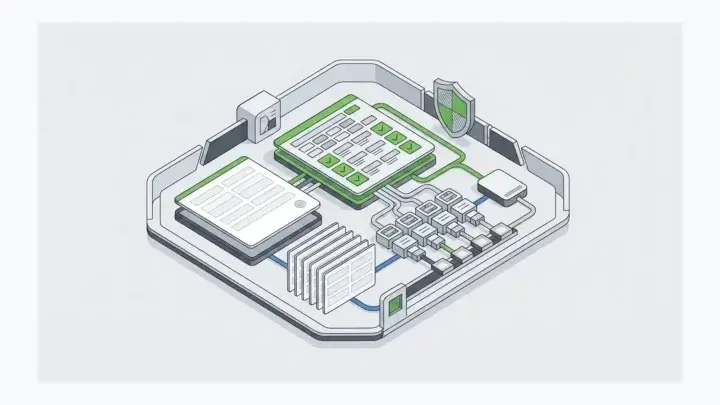
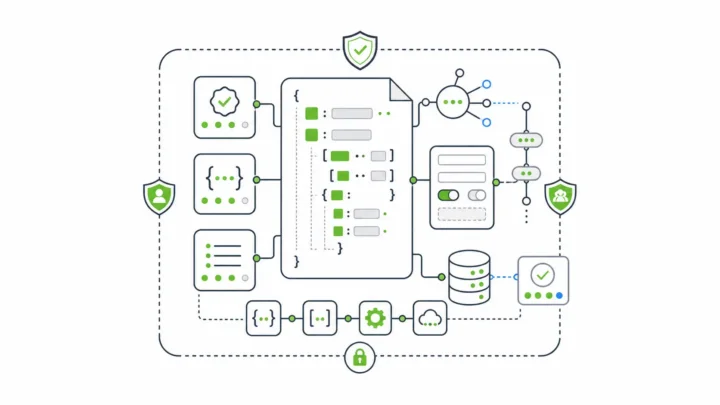
Many rapid prototyping tools stop at clickable mockups. Form.io gives you three tools in one for building an MVP that actually works: a drag and drop form builder for the front-end UI, Resources that model your back-end data with the same builder, and a database with REST APIs that are ready as soon as you save. Below is how the three fit together, plus the one thing you probably won’t expect once you start.
You’re going to realize something that you maybe won’t expect after you start using Form.io.
It happened to me. It’s probably going to happen to you. I’ll get to this in a second.
Maybe it was the form-building that initially attracted you or perhaps just the form management itself or the data management, but for one reason or another, here you are.
Tool 1: A Drag and Drop Form Builder for the Front-End
When you start using the Developer Portal, the main tool in the Form.io platform, you’re likely going to build a form, with drag and drop of course.
That’s the part you will expect: quickly building the UI elements for the front-end. That’s the first of the 3 tools.
Tool 2: Resources That Build Your Back-End Data Model
But right away, you will also see Resources.
They look like forms and they act like forms—because they ARE forms, all the way down to the bottom. The only difference is their name and how we classify them.
What are they for?
They are the mechanism, the structure, and the UI for building out your database infrastructure.
You see, a form isn’t just a good user-interface element for collecting data. It’s also an ideal structure for reining in unstructured data (MongoDB).
I was talking about this just the other day. The form as a UI element enables you to model your data visually.
So in addition to building the front-end UI itself, you are using the exact same tool to build your backend.
And mapping a form to a resource is as simple as selecting the resource you’ve created in a drop down box—2 clicks. That’s the second of the 3 tools.
Tool 3: The Database Behind Every Form
The third is the database itself, which is MongoDB, for all the benefits of NoSQL. That’s the third of the 3 tools.
What If Your Data Lives in SQL Systems?
Now, you might be thinking “But we use SQL for this, that, and the other,” and maybe also “And we have no plans to change that.”
No problem.
Here’s the thing. We understand that you might have some systems, even some old systems, that you probably don’t want to touch. Form.io can augment your existing systems, a data supplement so to speak.
We built a SQL Connector to make it easy to read data in SQL systems so you don’t have to go messing around in that 20-year-old ERP.
That connector has since been deprecated. The same idea still works through other routes: webhooks that sync form submissions into your SQL database, or a Resource or Data Source that reads from your SQL system through an API. Either way, the ERP stays untouched.
All of this is one deployment with one of our enterprise licenses, sent to you in a Docker container already wired in and ready to go.
Two Ways to Try Form.io for Your MVP
Of course you’re going to want to try it first.
There are two options.
- You can explore our SaaS tool and begin immediately.
- You can deploy our Open Source libraries which includes the form renderer as well so you can render JSON forms in your apps. Not all features are available in open source (e.g. the Developer Portal and premium components) and you’ll have to wire it up, but the core components are all there.
What Form.io Turns Out to Be Under the Hood
So what’s the thing you’re going to realize that you didn’t expect?
That Form.io, at first glance, is not what you thought it was. It’s a lot more under the hood.
“Simply mind blowing from a capability perspective.”
“Form.IO concept is simple but is a very thoughtful and powerful tool that helps in accelerating the development of software applications.”
“Very secure, easy and fast to setup compared to a traditional database and backend. As a developer and entrepreneur, I can easily build MVPs and get to market faster than competition. With its very user-friendly drag and drop tools, one can easily build screens and at the same time build the backend infrastructure all in one pass. The APIs that gets generated are available to you soon as you click ‘save’. Just like that you can blaze through the building of your infrastructure with just a few clicks. Front-end, back-end and database all found in one solution. I am an engineer but I definitely would think you won’t have to be one to be able to use this. This service definitely would give companies, especially startups a very significant boost when trying to get solutions out the door. Oh, and they have really good customer service and tech support!”
Rapid Prototyping With Form.io Today: From MVP to Production
Here is what each of the 3 tools looks like in Form.io now, and what happens when the MVP needs to grow up.
- Front-end from drag and drop: Forms are stored as JSON and rendered in your own app by the open source renderers, so the screens you build in the Developer Portal show up in your application without rebuilding them.
- Back-end from Resources: Once you create a Resource, it works as a RESTful database collection in your application, where you can create, read, delete, and query entities like any other collection. Other forms can reference it to build data relationships.
- APIs as soon as you save: Every form and resource gets its own REST API endpoints, with submissions available at their own endpoints.
- The database: Form.io runs on MongoDB or an equivalent, including MongoDB Atlas, AWS DocumentDB, and Azure Cosmos DB, and submission data can also be sent to any third-party database.
- SQL and legacy systems: With the SQL Connector deprecated, webhooks and Data Sources connect your forms to existing SQL databases through an API layer.
- Room to grow: Self-hosted Form.io is delivered as Docker containers that run in your own environments, and pricing is per project and server environment, with unlimited forms, developers, and submissions. The MVP you build can keep growing on the same forms and APIs.
- Try it first: Start a free 30-day SaaS trial with no credit card, or ask for a 30-day evaluation license to run Form.io in your own environment.
Sources: How Form.io Works, Resources documentation, Drag and Drop Form Builder APIs, SQL Connector alternatives, Pricing, and Enterprise Self-Hosting. Keep reading: Fast Forms, But Just How Fast Precisely? I Did The Math, The Long-Term Strategy of Composable Software, and Form.io Open Source Core vs. Enterprise. Or tell us about the MVP you are building.