Updated October 18, 2026
To use low-code application development without the lock-in effects, choose a developer-first platform: one that limits your technology stack requirements, deploys in your own environment so you keep control of your data and security, and runs on JSON APIs your developers can extend. Non-developers get drag-and-drop form and API building, and your developers keep the flexibility they’d have if they had built it themselves.
You’ve heard it said “Low-code / No-code app development is the future.”
But I say unto you: “A Developer-first approach to Low-code / No-code app development is the future.”
What do I mean?
Let me explain.
Striking the Balance Between No-Code Ease and Developer Control
Do you know how many web page builders are out there that allow people to publish a landing page in a matter of minutes with a decent layout and design? A lot.
It seems like every month a new one launches with a new mechanism, promising you that you can build a landing page without code.
And you can.
And yet, the WordPress platform continues to persist, not in obscurity, but in overwhelming ubiquity even though its low-code capabilities are limited compared to the many new offers in the space. When this post was first written, 43% of all websites on the planet ran on WordPress and it had 63.1% of the CMS market, more than 10x greater than its closest competitor. As of October 2026, W3Techs still puts WordPress on 39.6% of all websites and 58.4% of the CMS market, roughly 7x its closest competitor, Shopify (7.9%).
Why?
A number of reasons, but a big one is that WordPress strikes a balance.
The balance between giving non-developers the power to do things without hindering the power of developers to do all things custom.
You don’t have to know any code to achieve a lot with it, but it allows developers to customize, modify, and extend to achieve even more.
And that’s a hard balance to strike because as soon as you start to build any kind of software, especially low-code / no-code solutions, every decision has the potential to force the designer’s opinions of how things should be done—opinionation.
Opinions that aren’t necessarily shared by everyone, opinions that threaten the feasibility of the solution from functioning in the first place depending on the use-case, and/or opinions that hinder future flexibility.
Now, software opinionation may not matter a whole lot if the project is small, but as the scope increases, its impact is far-reaching.
Causes have effects.
The Lock-In Effects to Weigh Before You Choose a Platform
When you’re faced with making a big software or a data management decision, you have to identify the opinions you’re willing to go along with, or in other words, what are the lock-in effects of choosing X vs Y?
Technical lock-in.
Vendor lock-in.
Environment lock-in.
Functional lock-in.
So you can answer crucial questions about the longevity of the decision:
- Will this platform or solution even work?
- If it does, what technologies do we have to use?
- How long will this [latest new technology] last?
- How much will it cost in time and money if we decide to change something later?
- Etc.
It’s natural to think “there’s a solution to my problem already in the market,” and then go look for it. Pay some money, solve the problem. Makes sense.
But as you get more answers to the questions above, you’ll often discover that even if the solution works, the trade-offs grow steep, leaving you feeling stuck if you were to buy it.
If you’ve been down this road, you may have thought to yourself “Maybe we should take the hit and build this from scratch.”
The classic Make vs. Buy dilemma.
Escaping the Make vs. Buy Dilemma
Who are the people that will:
- Fully understand the scope of these questions?
- Be responsible for implementation?
- Fulfill the requirements of the application as a whole and deploy changes that will happen in the future?
Developers.
If you’re a developer, you know that eliminating as many tradeoffs as possible makes your work easier, gives you more flexibility as things change, reduces costs, and doesn’t leave you feeling trapped.
That’s why the Form.io platform is a developer-first approach to low-code application development.
“What does that look like practically?” you might ask.
Practically, it:
- Limits the technology stack requirements so you can use what you’re comfortable with
- Provides exceptional support for the software that is provided
- Provides a solution that functions independently so it’s removed from regular development lifecycles, yet integrates seamlessly with what you’re building.
- Embeds in any environment so you can maintain control of your data and security.
What Are We Trying To Solve With Low-Code?
It needs to solve common, repeatable, and predictable problems at scale to make the solution worthwhile in the first place.
These are the repeatable things that traditionally take the most time for developers, are the most tedious to build, and distract the most from building core requirements. Things like:
- Building Forms
- Building APIs for data integrations
- Managing the data
Which makes sense why there are many choices for form building and data integration and management:
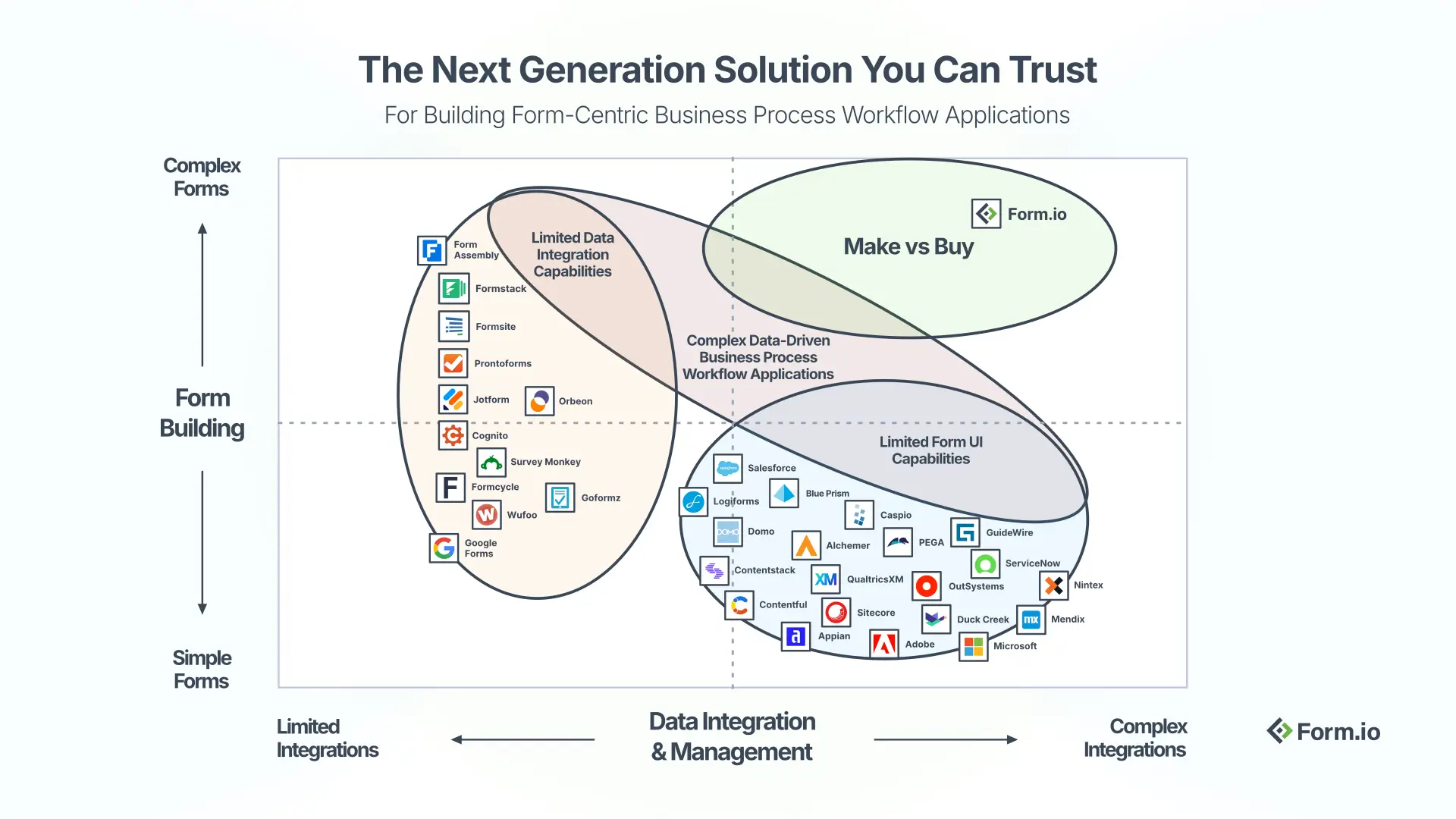
Form.io sets itself apart as a platform built to handle complex field types and complex data integrations, including legacy system integrations.
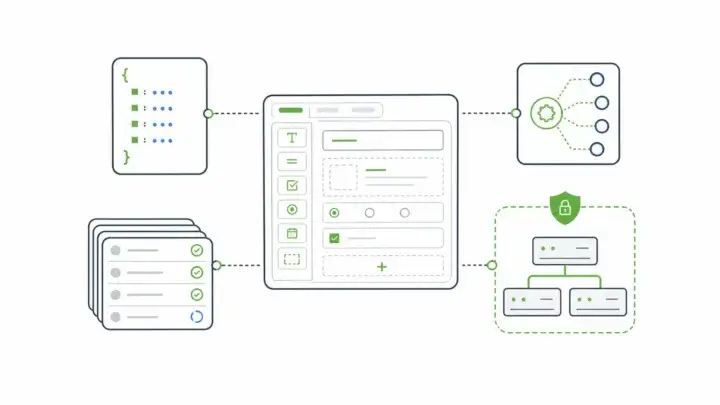
With it, developers can build in parallel while non-developers can build forms and their APIs in a drag and drop interface, even if they’re:
- Multi-page forms
- Table-style input forms
- WYSIWYG editors
- Complex conditional logic
- Conditional field visibility
- Field calculations
- PDF input and output
- Multi-language support
- File uploads
- Etc.
BUT, what are the tradeoffs?
Yes. Good question.
Form.io is as unopinionated as they come.
It’s the solution you can buy, but still gives you the benefits as if you made it yourself:
- Let your non-developers build forms and APIs in a drag and drop interface, in parallel, without you having to build everything from scratch or reduce your application scope.
- It’s fully deployed in your environment giving you 100% control of your data, your uptime, and your performance with zero added risk.
- It’s open-architected and supported by hundreds of developers and our enterprise support is dedicated to your success
- It’s extensible so you can add whatever you need or create whatever you want
- Get dynamic JSON-powered forms, JSON-powered APIs, and JSON-powered databases for total flexibility and simple integrations into anything on-premise, in the cloud, or third-party.
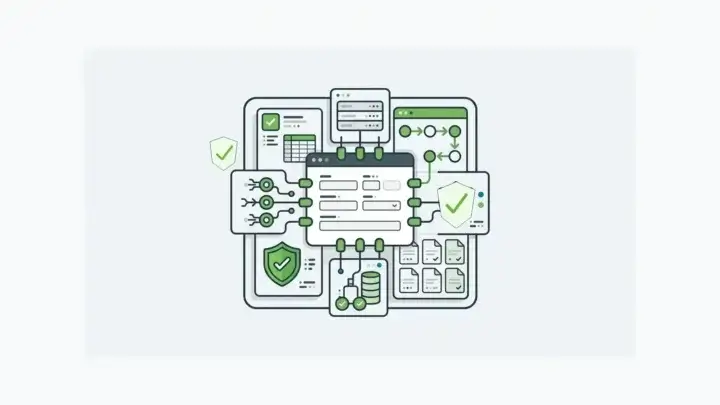
Imagine your next build is big. You get the enterprise docker container with everything already wired; the core developer portal, the Enterprise Form Builder Module for non-devs, the JS form renderer (in your preferred framework, or none at all), the PDF servers, and built-in accessibility. You can stand it up in less than a day. No hassle.
You receive the requirements from 3 business managers in your organization. The requirements include 375 different forms, each with their own rules. Okay, that’s a lot, but you’ll come back to that.
They have to integrate with your existing data. So you set up the resources in the Developer Portal where the data will be stored in. Ha! The resources are drag and drop forms themselves, with the APIs done for you as you built them.
You weren’t really thinking about the low-code / no-code benefits for yourself, but here you are.
You take those resource APIs, which are all JSON, and connect all your existing systems to the Form.io Developer portal. Now you’re bringing in all your data—users, customers, products, etc. etc. Now it’s all in one place.
Time to build the app. In addition to all the forms, there’s a lot of front end work. You put your team on that.
But the forms. The business managers are intimately familiar with their requirements—they wrote them after all. You show them the Enterprise Form Builder Module and they get to work, building the forms and their APIs for you.
Which lets you get back to your team, your responsibilities, and what you do best.
What Developer-First Low-Code Looks Like in Form.io Today
That story still holds, with one update since this post was first written. Form.io’s documentation now lists the Form Manager application as legacy. To let non-developers build and manage forms, it points to the Enterprise Form Builder Module, which embeds form building and form management inside your own application.
The rest of the lock-in checklist looks the same. The drag-and-drop builder generates the API for each form in real time, forms are JSON rendered directly in your app by a renderer that works with all major JavaScript frameworks, and the platform deploys in your environment: AWS, Azure, GCP, or anywhere you can stand up a load balancer, a container, and a database. (Here’s how Form.io works, step by step.) If keeping data inside your own infrastructure is the deciding factor, see how a self-hosted form builder fits that evaluation.
Weighing your options now? Our online form builder guide covers what to look for when forms need APIs, workflow, and deployment control. And for more on why the developer-first approach matters, read a pro-code, low-code platform that stays out of your way.