Updated October 20, 2026
The easiest way to build data integrations to multiple, disparate data sources is to fetch the data from the browser, not server to server. A client-rendered form can pull data from an old ERP and Salesforce, pre-load the fields, and save the submission as a new record, without VPC peering or opening endpoints.
“It’s in the ERP,” I remind you. A beat passes before I add “But the customer data is in Salesforce.”
A blank stare washes over your face while internally you’re having a silent moment of confession: “I don’t want to deal with that.” You didn’t say it out loud, but that’s probably what you’re thinking.
Imagine you need to build a new form that fetches some data from an old ERP AND some data from Salesforce, pre-load that data into some fields, then let your users fill out the rest.
Sounds simple, but you know better.
Maybe that’s not an exact scenario you’ve faced, or will face, but you can imagine something similar.
Maybe you’ve been using home-brewed forms that you or your team built from scratch. Maybe you’ve been using a drag and drop form builder, which is great, because that sped up the process of building forms quite a bit.
Why Server-Rendered Forms Make Multi-Source Data Integrations Hard
There’s just one problem.
All your forms are server-side rendered.
I’m NOT talking about modern server-side rendering where content is pre-rendered before delivery. I’m talking about old school, server-dependent, server-rendered—because that ERP you’re dealing with is old.
And as you know, each server is its own sandbox—separate and walled off from other systems.
In order to make this new form pull data from both the ERP and Salesforce, you’re going to have to set up VPC peering, open up some endpoints, and deal with a bunch of other complexities to make it work.
Or it may not even be possible if your organization has blocked all outgoing traffic due to security considerations.
Form Bridges in the Browser: How Client-Rendered Forms Fetch From Multiple Data Sources
Browsers have easy access to all the systems. So whatever you can fetch from the browser instead of directly from one server to another is far less complex—it already has API access to the systems.
You may have already considered this and you may be thinking about the client-side authentication piece that’s required—we did too.
Form.io does it already—built in.
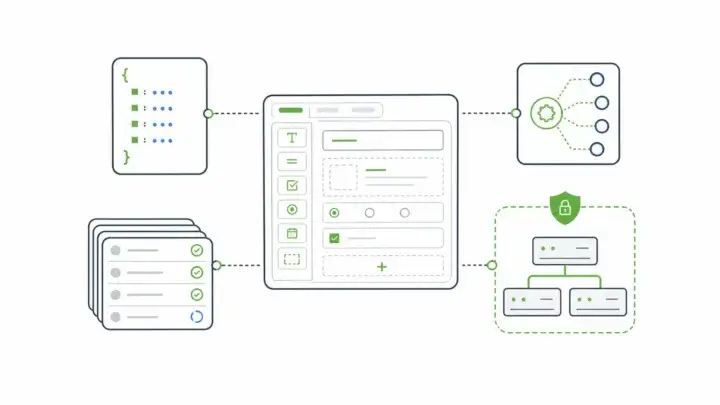
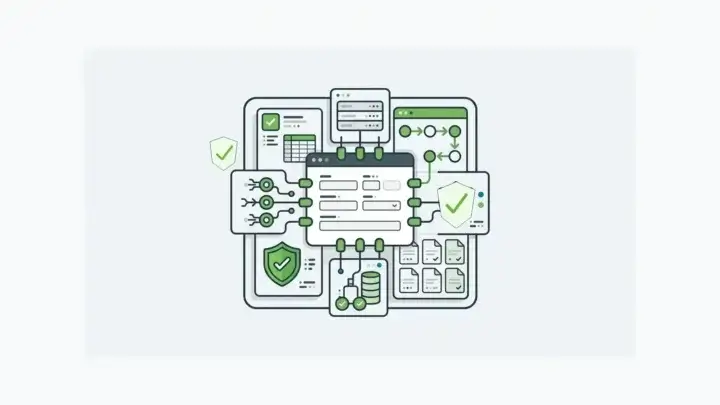
Because our forms are client-rendered, the forms themselves can fetch the data in both systems, from the browser, and pre-load that data into the fields.
Then when the user submits the form, you have a new document of record that’s stored in Form.io and integrates with multiple data sources.
And we know authentication can be a hassle, which is why Form.io makes it as easy as possible to integrate with your existing provider using SAML, OAuth, or custom JWT Tokens, as well as others.
No need for complex configurations, opening up endpoints, or dealing with extra security considerations.
How Client-Rendered Forms Connect Disparate Data Sources in Form.io Today
- Fetch and pre-load: The Data Source component fetches data from external URLs so you can auto populate fields, such as an address from a CRM record.
- Authenticate with what you already use: SAML, OAuth / OIDC, LDAP, custom JWT tokens, and email with 2FA.
- Send one submission to several systems: Each form can have unlimited actions, so you can chain webhooks to different endpoints.
- Keep the record: Submissions land in a submission database you can deploy in your own environment, and every form gets an automatically generated REST API.
See our guide to data integration tools for enterprise forms or the simplest explanation of backend API integration ever. Then let us know what you’re building.