

See how Form.io keeps accessibility tied to components, rendering, templates, and form governance instead of leaving every form to a one-off audit cycle.
Most teams do not fail accessibility because they forgot that it matters. They fail because every new form introduces dozens of small requirements: labels must be programmatically connected, required states must be announced, help text must be reachable, and validation errors must make sense outside a visual layout.
The problem compounds when forms are built across departments. One team fixes focus order, another changes component behavior, another adds conditional logic, and the resulting form becomes difficult to defend during accessibility review because the rules are not enforced at the form layer.
For public-facing government services, healthcare intake, employee systems, and regulated customer portals, accessibility gaps become procurement, legal, and reputational risk. A form that cannot be completed with assistive technology is not only frustrating. It can block access to the service itself.
Retrofitting every form after an audit is expensive because the work happens too late. Teams have to inspect component markup, rewrite instructions, rework validation messages, and retest the same patterns every time a form changes.
Accessible forms need reusable guardrails inside the system that builds and renders them.



Form.io supports form building with components tested against WCAG 2.1 AA expectations. That helps teams avoid fields and interaction patterns that depend on visual-only behavior, unsupported focus handling, or controls that cannot be used reliably with assistive technology.

Form.io supports accessible rendering through the US Web Design System template, including associated labels, ARIA attributes, and markup patterns designed for federal accessibility contexts. The form can stay dynamic while the output follows a more defensible accessibility structure.
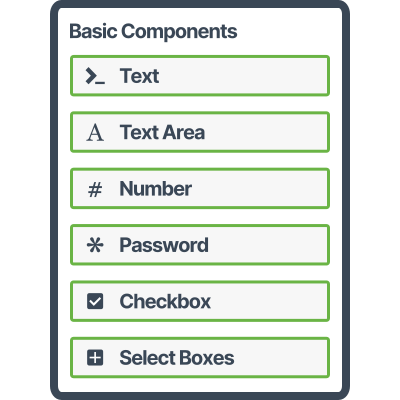
Accessibility is easier to sustain when authors are not free to choose every possible component pattern. Form.io lets platform teams guide form builders toward approved components, validation behavior, labels, and templates while still supporting the workflows each department needs.

No. Form.io provides accessible building blocks, renderer behavior, and template support. Form design still matters. Labels, instructions, content order, error language, surrounding application markup, and real assistive-technology testing still affect the final accessibility outcome.
Form.io’s public accessibility materials specifically address WCAG 2.1 AA and Section 508 use cases, including the USWDS template for federal accessibility contexts. The final compliance position still depends on your deployment, forms, content, application shell, and review process.
Usually, yes. Accessible infrastructure works best when authors know which components are approved, how labels and instructions should be written, and when a field pattern requires review. Form.io helps enforce the technical path, but governance makes it repeatable.
Bring one accessibility-sensitive form or workflow. Form.io will review the form type, users, required standard, component patterns, dynamic behavior, template needs, and deployment model. The goal is to identify whether accessibility should be handled through Form.io’s module, custom implementation work, or a hybrid path.
The first step is reversible: map the requirement before committing implementation time.
Accessibility cannot depend on every form author remembering every technical rule. Put more of the accessibility path inside the components, renderer, templates, and governance model your teams already use.
"Of all the systems we use to deliver our end products, Form.io has been probably the most straightforward and issue free to use, with excellent support." — Dept. of Justice, Ireland